KleerCard Features

Approvals Made Simple

Now nonprofits can manage spending approvals directly inside KleerCard, without email chains or manual sign offs.

Person using smartphone with digital dollar icons floating above, next to an open laptop.

The trusted tool for mission-driven organizations

Brnad LogoBrnad LogoBrnad LogoBrnad LogoBrnad LogoBrnad LogoBrnad LogoBrnad LogoBrnad LogoBrnad Logo

Approvals With KleerCard:
What You Get

01

Structured approval workflows

Define who must review and approve purchases based on role, department, or amount. Spending follows a clear path instead of informal conversations.

Laptop screen showing an expense tracker with a $33.07 charge for a meal at JBAC event and receipt options.
02

Automated routing

Transactions are automatically sent to the correct reviewer. Staff do not need to guess who should sign off on a purchase.

Laptop screen showing an expense tracker with a $33.07 charge for a meal at JBAC event and receipt options.
03

Pre purchase and post purchase approvals

Require approval before a transaction is completed or review expenses after they occur. Organizations can choose the structure that fits their policies.

Laptop screen showing an expense tracker with a $33.07 charge for a meal at JBAC event and receipt options.
04

Clear documentation of decisions

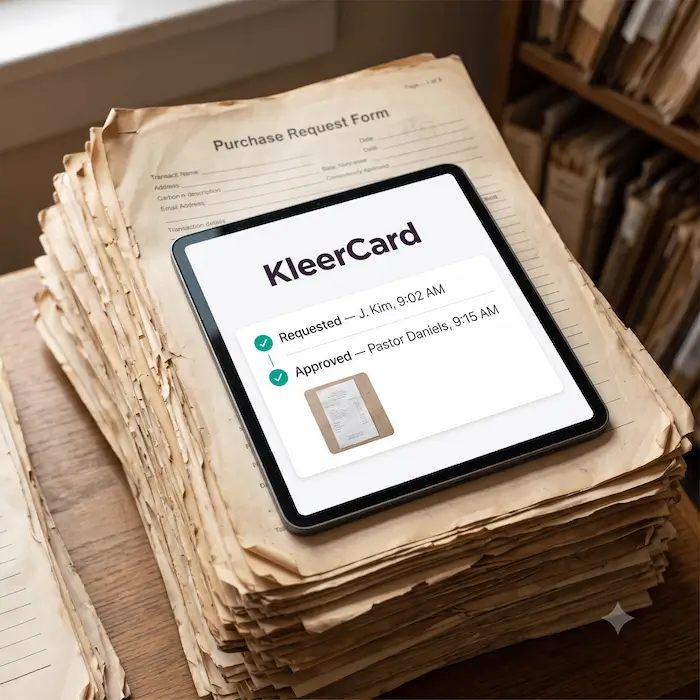
Every approval is recorded and tied to the transaction. Finance teams can see who approved the expense and when.
Laptop screen showing an expense tracker with a $33.07 charge for a meal at JBAC event and receipt options.
05

Faster review cycles

Approvers receive clear notifications and can review requests quickly. This reduces delays that slow down ministry work.

Laptop screen showing an expense tracker with a $33.07 charge for a meal at JBAC event and receipt options.

Created With Nonprofits in Mind

KleerCard serves churches and nonprofit organizations where multiple leaders share financial responsibility.

Simple line icon of a banknote or paper money with rounded corners and a zero in the center.

Reduced unauthorized spending

Defined approval rules prevent purchases that fall outside established budgets or policies.

Simple user profile icon with a person silhouette inside a rounded square.

Supports multi level leadership

Route approvals to department heads, executive pastors, or finance directors as required. The workflow reflects your real leadership structure.

Icon of five vertical sliders with three round handles for adjusting settings or controls.

Strengthens internal controls

Clear approval policies reduce ambiguity around who has authority to spend. This lowers the risk of policy violations.

Simple user profile icon with a person silhouette inside a rounded square.

Improves accountability

Every expense includes a visible approval history. Leadership can confirm that spending followed established guidelines.

Icon of a document with a folded corner and a pencil editing it.

Reduces email and paper forms

Approval decisions no longer live in inboxes or printed forms. Documentation stays attached to the transaction.

Pie chart with one quarter separated from the whole circle.

Aligns spending with budgets

Approvals can be required for transactions that exceed preset limits. This keeps departments within their assigned budgets.

Presentation board icon with three vertical bar graphs in purple.

Scales across campuses and programs

Whether managing one campus or many, approvals remain consistent and organized. Growth does not require reinventing processes.

Thumbs up icon with three stars above it representing positive rating or approval.

Enhances transparency for boards

Board members can review documented approval workflows and transaction history. This builds trust and strengthens oversight.

Icon of a document with lines and a magnifying glass in front.

Keeps records audit ready

Approval history remains stored alongside receipts and transaction data. Auditors can review documentation without extra preparation.


Four people smiling in individual circular frames on a white background with a red checkmark below.
4.9 / 5 Rated

Take Control of Spending Approvals

Stop managing approvals through email threads.

Frequently asked questions

What are spending approvals in a nonprofit organization?
Can approvals be customized by role or department?
Are approvals required before every purchase?
How are approvals documented?
Do approvals slow down spending?
Why are approvals important for audits?