%202.svg)
Now nonprofits can manage sales tax refunds directly inside KleerCard, without spreadsheets or manual filing.

The trusted tool for mission-driven organizations










Every original transaction includes the receipt, invoice, and supporting documentation needed for a refund claim, all stored electronically in one place. This reduces time spent searching for documents across multiple systems.
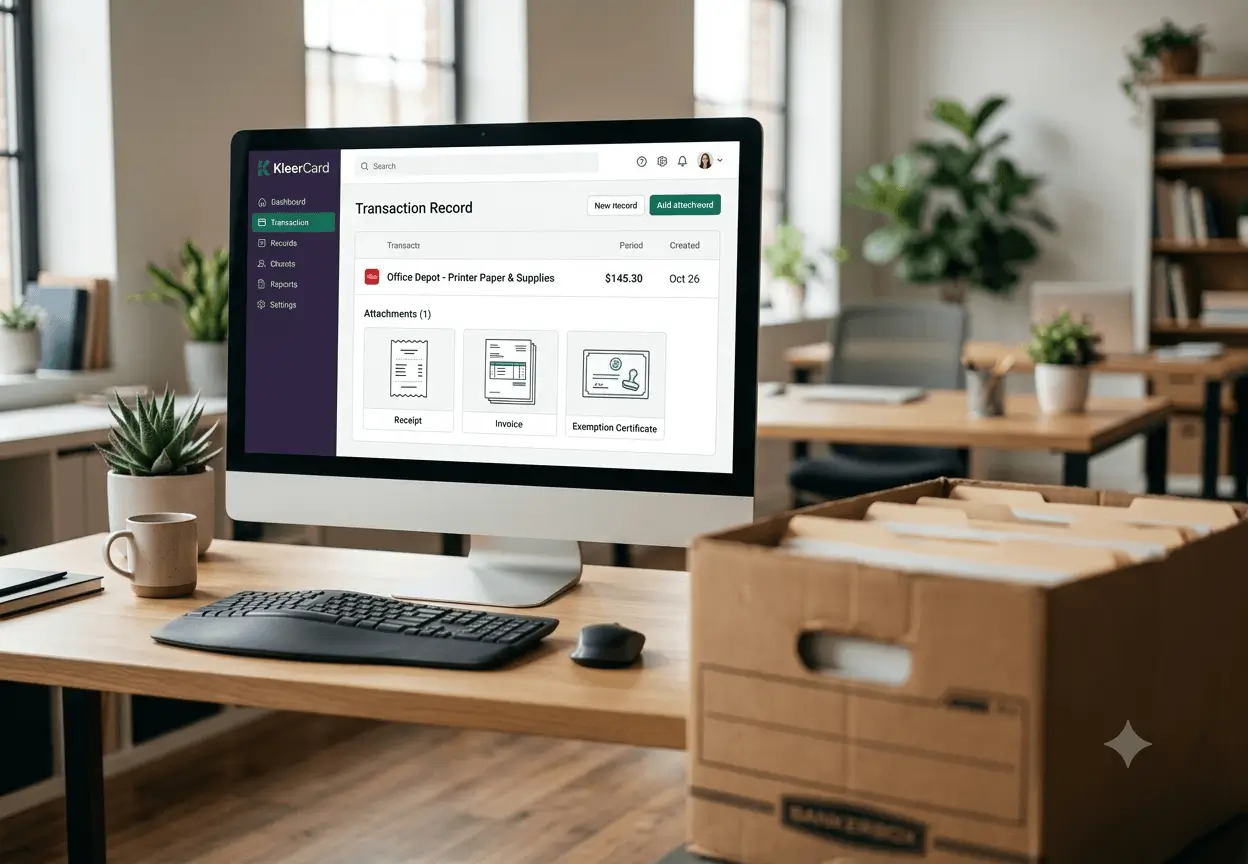
Sales tax, tax type, taxable status, and payment details are tied directly to each purchase, making it easy to prove overpaid sales or use tax. This creates confidence when submitting refund requests.
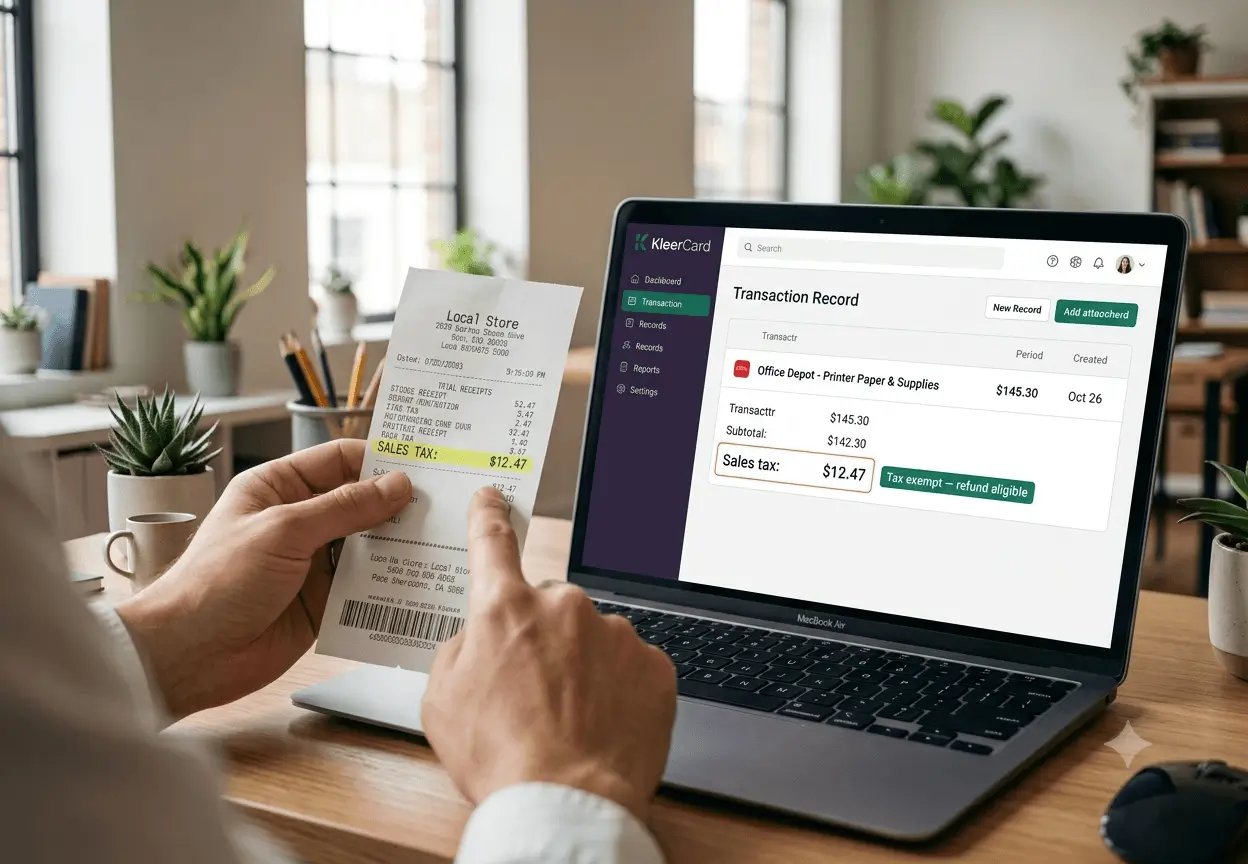
When filing a refund application, finance teams already have the required documents, dates, and transaction records ready to submit. This shortens the overall refund process.

All refunded tax records remain accessible for future reference, audits, or follow up requests from the department of revenue. Nothing is lost or misplaced over time.

Accurate documentation reduces errors that often lead to denied refund claims or requests for additional information. This improves approval rates and reduces delays.

KleerCard serves nonprofits and churches, and we know that sales tax refunds are especially important for exempt and governmental entities that regularly overpay tax.
.avif)
KleerCard helps organizations document exemption status and identify taxable sales where sales tax was paid in error. This protects organizations from repeated overpayment.

Whether the purchase involves tangible personal property, motor vehicles, or services, documentation stays connected to each transaction. Finance teams can file claims with confidence.

Finance teams no longer chase receipts or invoices when preparing a claim for refund or amended tax return. Staff can focus on higher value financial work.
.avif)
Track refund requests by date, tax type, and transaction so nothing slips past the statute of limitations. This helps organizations recover more tax over time.
.avif)
Clear records make it easier to submit refund requests within the required time limit, often three years from the original transaction. Missed deadlines become less common.
.avif)
Boards and leadership teams can see which refunds were requested, approved, denied, or reimbursed. This supports stronger financial oversight.

Refund documentation remains stored digitally, reducing reliance on paper files and personal inboxes. Records stay accessible for years.

Whether filing on behalf of one ministry or many, refund records stay clean and consistent. Growth does not add complexity.


Stop leaving refunded tax dollars behind.