Six credit cards work for churches in 2026: KleerCard, Devote, Christian Community Credit Union, America's Christian Credit Union, Charity Charge, and AGCU. The right one for your church depends on whether you need spend controls before the transaction (virtual cards, budget caps) or after (statements, rewards), and whether you run on a fund accounting platform like Aplos, Realm, ShelbyNext, ACS, ParishSOFT, Blackbaud, or PowerChurch.
I co-founded KleerCard and I serve as the treasurer at my church. I've tried to write this guide in a way that is honest and helpful for those who will be using it.
QuickBooks is one of the most recognized accounting platforms available.
For churches, its biggest advantage is familiarity.
Many bookkeepers and CPAs already know how to use it, which reduces onboarding time and makes it easier to find support.
QuickBooks offers solid core accounting features, including reporting, payroll, and integrations with other tools.
However, it was not designed specifically for churches.
Fund accounting requires workarounds, and it lacks built-in tools for real-time expense tracking or automated receipt management.
But, the cost makes it worth it. Some options on this list charge thousands of dollars per year and the main differentiator is that they do fund accounting.
You can get 90% of the way there with QuickBooks. Then add a little manual work to fill in the gaps. For most churches, that’s the right move.
✅ QuickBooks Benefits
Widely used and easy to find support
Strong reporting and payroll features
Extensive third-party integrations
❌ QuickBooks Drawbacks
Not built specifically for churches
Limited fund accounting without customization
No real-time expense visibility
Also Great
These platforms are strong in specific areas but may not offer the same balance of control, automation, and flexibility.
You get real-time visibility, automated expense tracking, and a system built specifically for how churches actually manage money.
Other tools on this list can work well depending on your needs.
But if your goal is to simplify financial management while improving accountability, KleerCard stands apart.
How We Picked
We didn’t choose these accounting tools based on brand recognition or popularity alone.
Instead, we focused on what actually helps churches manage money well.
That means tools that reduce manual work, improve visibility, and make it easier to handle the unique financial structure of a church.
We looked for software that can support multiple ministries, track restricted funds, and give finance teams a clear picture of where money is going at any given time.
We also prioritized systems that simplify day-to-day work. Because when your team spends less time chasing down receipts or fixing errors, they have more time to focus on ministry.
Here’s a breakdown of the features that mattered most.
Church-Specific Design
Church finances are different from standard business accounting.
You’re not just tracking revenue and expenses. You’re managing designated giving, restricted funds, ministry budgets, and donor expectations.
That’s why we looked for software that is either built specifically for churches or flexible enough to support church workflows without creating confusion.
Real-Time Expense Visibility
If your team can’t see spending as it happens, problems show up too late.
Real-time visibility allows pastors, treasurers, and finance committees to monitor transactions as they occur. That makes it easier to:
Stay within ministry budgets
Catch unusual activity early
Prepare reports without digging through weeks of transactions
Automated Receipt Tracking
Manual receipt collection slows everything down.
We prioritized tools that reduce or eliminate the need to track down receipts after the fact.
The best systems allow you to:
Capture receipts at the time of purchase
Match receipts to transactions automatically
Keep records organized without extra admin work
Direct Integrations With Accounting Tools
Switching systems should not mean rebuilding your entire financial process.
That’s why integrations matter.
We looked for platforms that connect directly with accounting tools or reduce the need for manual imports and exports. The less time you spend moving data between systems, the more accurate your records will be.
Fund Accounting Capabilities
Most churches need to separate funds.
General offerings, missions, building funds, and benevolence accounts all need to be tracked independently.
Strong fund accounting allows you to:
Keep restricted and unrestricted funds separate
Report accurately to leadership and donors
Maintain financial clarity across ministries
Multi-Campus & Multi-Ministry Support
As churches grow, financial complexity increases.
We prioritized systems that can support multiple campuses, ministries, or programs without creating reporting challenges.
This is especially important for churches managing multiple budgets across different teams or locations.
Donor & Contribution Tracking
For many churches, financial data and donor data are closely connected.
Some platforms include built-in tools for tracking contributions, generating statements, and managing donor records.
While not every system includes this feature, it can be valuable for churches that want everything in one place.
Frequently Asked Questions
What accounting software is best for churches?
The best accounting software for churches depends on your needs. Tools like Aplos and Realm are built for churches, while QuickBooks offers flexibility. KleerCard stands out for real-time expense tracking and financial control.
Do churches need fund accounting software?
Yes. Fund accounting helps churches track restricted and unrestricted funds separately, which is essential for accurate reporting and stewardship.
Can QuickBooks be used for church accounting?
Yes, but it requires customization. Churches often use classes to mimic fund accounting, which can add complexity compared to church-specific tools.
What features should church accounting software include?
Key features include fund accounting, reporting, integrations, and tools that improve visibility into spending. Automation and real-time tracking can also reduce administrative work.
Most business credit cards are built for tech startups or solo consultants—not for teachers, schools, or PTAs juggling real-world classroom expenses.
KleerCard is different.
It’s a Visa card designed specifically for educators, nonprofits, and mission-driven teams, and the only credit card on the list that includes all of the key features educational institutions need.
What Makes KleerCard The Best Credit Card For Teachers?
Teachers love KleerCard because it isn’t just a business card with educator branding. It’s a complete spending system built for the way schools actually operate.
Let’s say a teacher is leading a field trip.
An administrator can issue a single-use virtual card in seconds, preloaded with a $500 budget (or any appropriate amount), set to expire after the event.
The teacher gets the card, uses it to make approved purchases, and uploads receipts directly through the mobile app.
Done.
No reimbursements. No paper trail. No budget overages.
Or, let’s say your school gives each teacher a monthly classroom budget—$150 for snacks, supplies, or learning tools.
You can create a card for each teacher that automatically refills every month, capped at their assigned budget.
If they don’t spend it, the funds don’t roll over. If they need more, you can top it off instantly.
Every card is tied to a specific person, program, or department—and every transaction is visible in real-time. That means no surprise expenses and no unauthorized charges.
If someone tries to spend beyond their limit? The card just won’t work.
This level of control doesn’t exist with traditional credit cards.
Some cards offer unlimited authorized users, but they don’t let you limit how much someone spends—or when, or where.
If a student got hold of a generic staff card, they could theoretically spend thousands. With KleerCard, the risk is contained by the budget itself.
KleerCard doesn’t offer cash back, and that’s intentional. No other card offers both cash back rewards and true budget controls.
And in a school system, control and security are more valuable than 1% in rewards. Because what matters most isn’t earning points—it’s making sure your funds are used exactly as intended.
The bottom line is that KleerCard gives schools the tools to issue smarter cards, control spending down to the dollar, and eliminate the messy process of reimbursements and receipt chasing. It’s the best because no other card offers a comparable level of control
This card is great for teachers who value simplicity. It offers many of the same benefits as KleerCard. The primary difference is that the Amex Blue Business Plus card doesn’t allow you the same level of budget control as KleerCard.
With this card, you can’t issue budget-controlled cards for things like field trips. You also won’t be able to control spending limits by vendor category, department, or specific events.
That said, it comes with great travel rewards. You earn 2X travel points on all purchases—no categories, no tracking, no headaches.
If you just want to use one card for everything and set budget controls for authorized users, this one keeps things easy.
✅ Amex Blue Business Plus Benefits
Simple, flat-rate earning structure
No annual fee
Points can be transferred to travel partners or redeemed for statement credit
If you're a teacher who spends heavily on classroom supplies or tech services, the Ink Business Cash® Credit Card is worth a look.
While it lacks the school-specific features of KleerCard, it delivers impressive cash back in categories many educators rely on—like office supplies, internet, and phone services.
It’s a more traditional business card, designed for sole proprietors or small businesses, but it can work well for teachers with tutoring side hustles or small LLCs.
Card Details
No annual fee
Intro APR of 0% for 12 months
Cash Back Rewards:
5% at office supply stores and internet/phone services (up to $25,000/year)
2% at restaurants and gas stations
1% unlimited cash back on everything else
Intro Offer of $750 after spending $6,000 in 6 months
Requires a personal credit check and proof of income for account opening
Track spending, view balances, and manage rewards through the app
Issued by Chase; terms and offers subject to change
This is a travel business card. Earn 2X miles on all purchases.
No annual fee for your first year, then $95
Variable APR 25.24%
Intro offers often include bonus miles for hitting a spend threshold
Easy Mobile Banking through the Capital One app with real-time tracking
Requires good personal credit to open an account
Great Personal Cards for Teachers
Not every great card for teachers is explicitly a business credit card built for schools.
These cards generally aren’t built for teams, don’t necessarily integrate with accounting software, and lack the controls and visibility schools need for easy, efficient purchases. They also require income verification by the issuer.
But if you’re an individual teacher rather than a school, these personal credit cards offer impressive cash back and points that can be redeemed for perks, or intro offers that might be useful, especially for out-of-pocket classroom spending.
If you're looking for virtual cards, expense management tools, or budgeting features, you'll want to stick with a business card like KleerCard.
But if you're a teacher looking for a personal card, these are worth a look.
The Prime Visa is not a business card. But if you’re a teacher who shops on Amazon regularly for classroom supplies, books, snacks, or even tech accessories, the Prime Visa card offers hard-to-beat rewards.
With 5% cash back at Amazon and Whole Foods (for eligible Prime members), your classroom expenses can start earning serious value.
It’s not built for team budgets. But if you’re making a lot of out-of-pocket purchases and want to maximize personal financial rewards, it’s one of the best personal cards for educators.
Card Details
No annual fee (with Prime)
Extremely high cash-back rate on Amazon purchases. Perfect for teachers who buy classroom supplies through Amazon
Bonus categories include everyday spending like gas, dining, and transit
Fast, secure checkout on Amazon with built-in card integration
0% intro APR, no balance transfer fees for 12 months
Solid choice for teachers who just want flat-rate rewards without the hassle
Lacks business features like user controls, integrations, or team access
How We Picked The Best Credit Cards for Teachers and Educators
Most “best credit card” lists focus on flashy perks—cash back, welcome offers, and balance transfers.
That’s not what teachers or schools actually need.
When you’re running a classroom, overseeing a school budget, or handling reimbursements for dozens of educators, you’re not looking for points on airline tickets. You’re looking for control, visibility, and a smarter way to manage spending.
That’s why we took a different approach.
We didn’t just ask which cards give you the best cash back. We asked: What makes spending easier, safer, and more transparent in a school setting?
We focused on features that simplify school finance, especially for administrators, finance directors, and district leaders juggling dozens or even hundreds of teacher budgets.
Here’s what mattered most.
Budget & Expense Controls
Traditional credit cards weren’t built for classrooms. Most are designed for business owners or solo consultants, not for school districts trying to manage snacks, supplies, events, and grants across multiple users and programs.
That’s why budget controls were our top priority.
We looked for cards that let schools:
Issue single-use virtual cards for specific events, like a field trip or science fair
Set custom spending limits for each teacher, program, or department
Automatically refill cards each month for recurring budgets (like $150/month for classroom snacks)
Approve spending in real-time, so no one’s going rogue with school funds
With this level of control, you don’t have to worry about a lost card being used irresponsibly. Even if a student got hold of one, the damage is limited—because each card is tied to a strict budget and can’t be used beyond it.
This is what sets KleerCard apart. It’s not just a card—it’s a budgeting system with guardrails built in.
Smarter, Simpler Receipt Management
Let’s be honest: no one likes dealing with receipts.
Teachers don’t want to hang on to scraps of paper. Admins don’t want to chase them down. And accountants definitely don’t want to manually match receipts to transactions one by one.
So we looked for cards that eliminate that mess.
KleerCard ended up being the only card with integrated software that allows teachers to snap a photo of their receipt right after making a purchase. That receipt automatically attaches to the transaction, tags itself, and shows up in the accounting dashboard. No manual work needed.
The result: less time chasing down paper trails, and more time to focus on running classrooms.
Real-Time Visibility and Integration with Accounting Tools
In a school setting, every dollar matters. You need to see where it’s going, who’s spending it, and whether it aligns with your grants, budget goals, or PTA policies.
We prioritized cards with:
Live dashboards showing every transaction across your team
Accounting integrations (like QuickBooks or Blackbaud)
Automatic tagging and categorization
Custom reports that help with audits and grant tracking
Fast, Friction-Free Account Setup
We also wanted cards that are actually easy to get. You don’t have time to jump through corporate hoops—and you shouldn’t have to.
That means you need a card with no complex paperwork, and a fast online application.
The Bottom Line
There are a lot of business credit cards out there, but you'll notice very few are built with teachers and schools in mind.
The reality is, most cards were designed for traditional businesses, with features and processes that just don’t fit the way educators actually work.
That’s why KleerCard stands out.
If you're ready to stop chasing receipts and start spending smarter, it's time to choose a credit card that’s actually designed for the work you do.Click here to apply for KleerCard online today.
Frequently Asked Questions
Does KleerCard Offer Mobile Banking Options?
Yes, KleerCard offers a free online banking application. You can download the app foriOS and Google devices.
Is KleerCard A Credit Union?
No, KleerCard is a fintech company that offers credit cards integrated with advanced expense management software. We don't offer the deposit products found in traditional banks, like checking accounts, savings accounts, or money market accounts.
Was The KleerCard Credit Card Designed For Teachers?
Yes. KleerCard's credit card was designed to simplify organizational accounting for educational institutions and other nonprofit businesses.
Two shifts have narrowed the field of church credit cards over the past 18 months.
Amex acquired CenterCard and changed the service terms. Churches under $4M in annual revenue now need individual personal guarantees on cards. The shift forced churches into rushed migrations. A Tennessee church treasurer I spoke with in April had about 60 days from the announcement to find a replacement before service ended.
Ramp also started adding platform fees of $5,000 to $10,000 at customer renewal cycles, beginning in late 2025. In April 2026, I spoke with 13 nonprofits who hit this transition. Ramp has been taking actions that seem to be setting them up for an IPO and the pricing changes line up with that preparation. A surprise five-figure fee at renewal is hard for a church on a fixed budget.
Because of this, neither made it onto our list.
If you used CenterCard and need a replacement, KleerCard and Devote (sections 1 and 2) are the closest fits.
1. KleerCard: built for churches using fund accounting
KleerCard is the card I built and the one my church uses. It's a Visa Commercial card issued by The Bancorp Bank, N.A., with built-in expense management for churches, nonprofits, and schools.
What you can do with it:
Issue a single-use virtual card at 8 AM for a guest speaker checking into a hotel that night, set to expire by midnight
Issue recurring-use cards with fixed monthly budgets. A common setup we see is $300 for the hospitality lead and $150 for the children's ministry director
Restrict cards by time window and dollar amount. Cards stop working at the limit
Capture receipts at the point of purchase via the mobile app; KleerCard matches them to transactions
Auto-lock cards after 7 days when a receipt is missing (helpful for traveling pastors)
Sync every transaction to Aplos, Realm, ShelbyNext, ACS Technologies, ParishSOFT, Blackbaud, PowerChurch (via QBO), QuickBooks Online, QuickBooks Desktop, or NetSuite
The fund accounting integrations are why most of our customers choose us. Most of these platforms (Shelby, Realm, ACS Technologies, ParishSOFT, Blackbaud, PowerChurch) don't have open APIs. We built custom CSV exports for each, with offsetting double-entry rows where the platform requires them.
Two examples from April 2026 demo calls:
A finance manager at a multi-ministry church was spending 2.5 hours every month entering credit card statements into Shelby by hand, with budget visibility lagging by 30 days. Switching to KleerCard fixed this.
A finance office at a church using ACS Financials was spending 4 to 6 hours per month on manual data entry, on top of regular reconciliation. Switching to KleerCard fixed this.
Two public customer testimonials on getkleercard.com:
An HR & Finance Director at a nonprofit reported her team's receipt collection time dropped from 40 hours per month to 1 hour in the first month after switching.
An Executive Pastor said month-end close went from 3 days to about 7 minutes after real-time sync replaced manual entry.
Pricing (May 2026):
Free for up to 5 users
Standard: $29/month for up to 15 users
Pro: $49/month for up to 30 users
Custom: 30+ users; cashback negotiated for organizations spending roughly $30,000+/month
Bill pay: $1 per ACH, $1.50 per check
Amazon Business add-on: $19/month (often comped for the first year)
Wallet feature: subscription fees waived if you maintain a balance ($7,500 is a common small-church target)
Native fund accounting connections across the platforms churches use
Unlimited single-use and recurring virtual cards with merchant, time, and amount rules
No personal guarantee, no minimum bank balance
White-glove implementation: usually 2 to 3 thirty-minute setup calls
What KleerCard doesn't do:
Cashback on Standard plans (negotiated on custom plans for higher-spend organizations)
AP automation as deep as BILL's, or budget controls as granular as BILL's line-item approach
Donor or contribution tracking; KleerCard works alongside Pushpay, Tithe.ly, Realm Giving, and similar platforms
KleerCard serves more than 1,000 organizations processing roughly $190 million in annual transaction volume. The card is SOC 2 and PCI DSS compliant.
Apply for KleerCard online. The application takes about 8 minutes; approval usually returns within 48 hours.
2. Devote: best for nonprofits comfortable pre-funding cards
Devote is the closest peer to KleerCard for churches and nonprofits. It's a Visa charge card platform with expense management, fund-tied cards, real-time controls, and receipt capture. No personal guarantee. No credit check.
The structural difference is the funding model. Devote is cash-secured: you fund the account first, then issue cards against that balance. KleerCard extends credit weekly (net-7) against your organization's standing. For churches that want every dollar pre-allocated before it can be spent, Devote's model fits. For churches that prefer not to maintain a working balance in a separate account, KleerCard's credit model is cleaner. Pick based on how your team handles cash flow.
Devote ships unlimited virtual and physical cards with per-card limits, merchant category controls, and time-bound rules. The platform also includes grant bookkeeping and high-yield savings as separate products, which helps organizations managing federal or foundation grants. Cards are powered by Stripe and issued by Celtic Bank, with funds held at Fifth Third Bank.
Devote has a rewards program (Devote Points) that KleerCard doesn't offer on standard plans. Its spend controls are strong but less granular than KleerCard's when you combine merchant category, time window, and amount in the same rule.
Pricing: Devote charges a platform fee rather than per-user fees. Current pricing is on Devote's pricing page.
Best for: Nonprofits and churches that want fund-tied cards, value grant bookkeeping in the same platform, and prefer a charge card model over a credit model. I cover Devote in more depth in my Devote Card review and alternatives post.
3. Christian Community Credit Union Ministry Card
CCCU's Ministry Credit Card earns 1.5% cash back through CURewards on every purchase. The Gives to Missions Visa Business Rewards card adds a $300 bonus on $3,000 in spending in the first three months. No annual fee. CCCU has donated over $6.5 million to missions through its rewards programs, and the credit union is owned by its ministry members.
It doesn't offer virtual cards, programmatic spend controls, time-restricted purchases, or automated receipt capture. The card connects to QuickBooks through transaction download rather than real-time sync. Approvals may require a personal guarantee depending on underwriting.
If you value the mission alignment, your card spending is predictable, and 1.5% cashback covers your need, CCCU fits. The workflow looks like the bank cards churches have used for years: monthly statement, manual reconciliation, manual receipt collection. My CCCU Ministry Credit Card review covers the rewards math in detail.
Best for: Established churches with predictable card spend and simple expense workflows.
4. America's Christian Credit Union Visa Ministry Rewards
ACCU's Visa Ministry Rewards card earns tiered points on charitable donations, travel, and hotels. That tier structure fits ministries that send teams to conferences, fund missions trips, or support partner organizations through card-based giving.
No annual fee. Admins manage the card through the 360Control platform, which supports per-cardholder limits, photo-based receipt uploads, and online dashboards. No native sync with accounting software, so you export transaction data and import it manually. No virtual cards.
If your ministry's card spending lives in travel and donations, the tiered rewards can offset the manual workflow. For churches with mixed spending across hospitality, supplies, and ministry events, the rewards math doesn't pay back the workflow cost as cleanly. My ACCU Visa Ministry Rewards review covers the tier structure.
Best for: Mission-focused organizations whose card spending is concentrated in travel, hotels, and donations.
5. Charity Charge Nonprofit Business Card
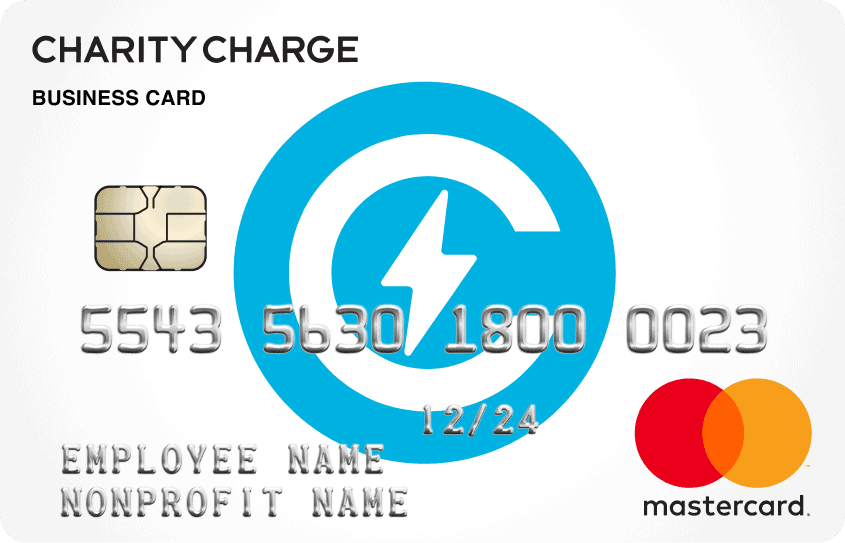
Charity Charge is a nonprofit-only card with no personal guarantee, no annual fee, no per-card fee, and direct QuickBooks Online sync. The Nonprofit Business Card is issued by Commerce Bank.
The eligibility cutoffs filter out smaller churches. Charity Charge requires an active 501(c) nonprofit status plus either 5 years in operation and $100,000 in annual revenue, or 2 years in operation and $500,000 in annual revenue. Applicants provide two consecutive years of financials (combination of 990s, audits, or income statements with balance sheets).
Charity Charge also offers a separate Nonprofit Corporate Card via Corpay (issued by Fifth Third Bank or Regions Bank) that adds virtual cards, AI receipt matching, deeper spending controls, and broader ERP integrations. Different application, different feature set. My Charity Charge review covers both products.
The Business Card itself has no virtual cards and no photo receipt capture. Interest applies if balances aren't paid in full each cycle.
Best for: Established 501(c)(3) churches that clear the revenue and operating-history thresholds, use QuickBooks Online, and don't need virtual cards.
6. AGCU Church Credit Card
AGCU's Church Credit Card is the no-frills option on this list. No annual fee. Free additional employee cards. Real-time visibility through online and mobile banking. Basic online expense reporting. Zero fraud liability and 24/7 cardmember service.
What it doesn't have: virtual cards, photo receipt capture, programmatic spend controls, or accounting software sync. Reporting requires manual export and import. The card fits churches that already bank with AGCU and want a traditional credit union relationship.
If that's how your finance team already operates and the switch cost of a more modern platform isn't worth it for you, AGCU works. The denominational alignment matters to many AGCU member churches. My AGCU Church Credit Card review covers the card variants.
Best for: Existing AGCU members who want a simple, low-overhead card with denominational alignment.
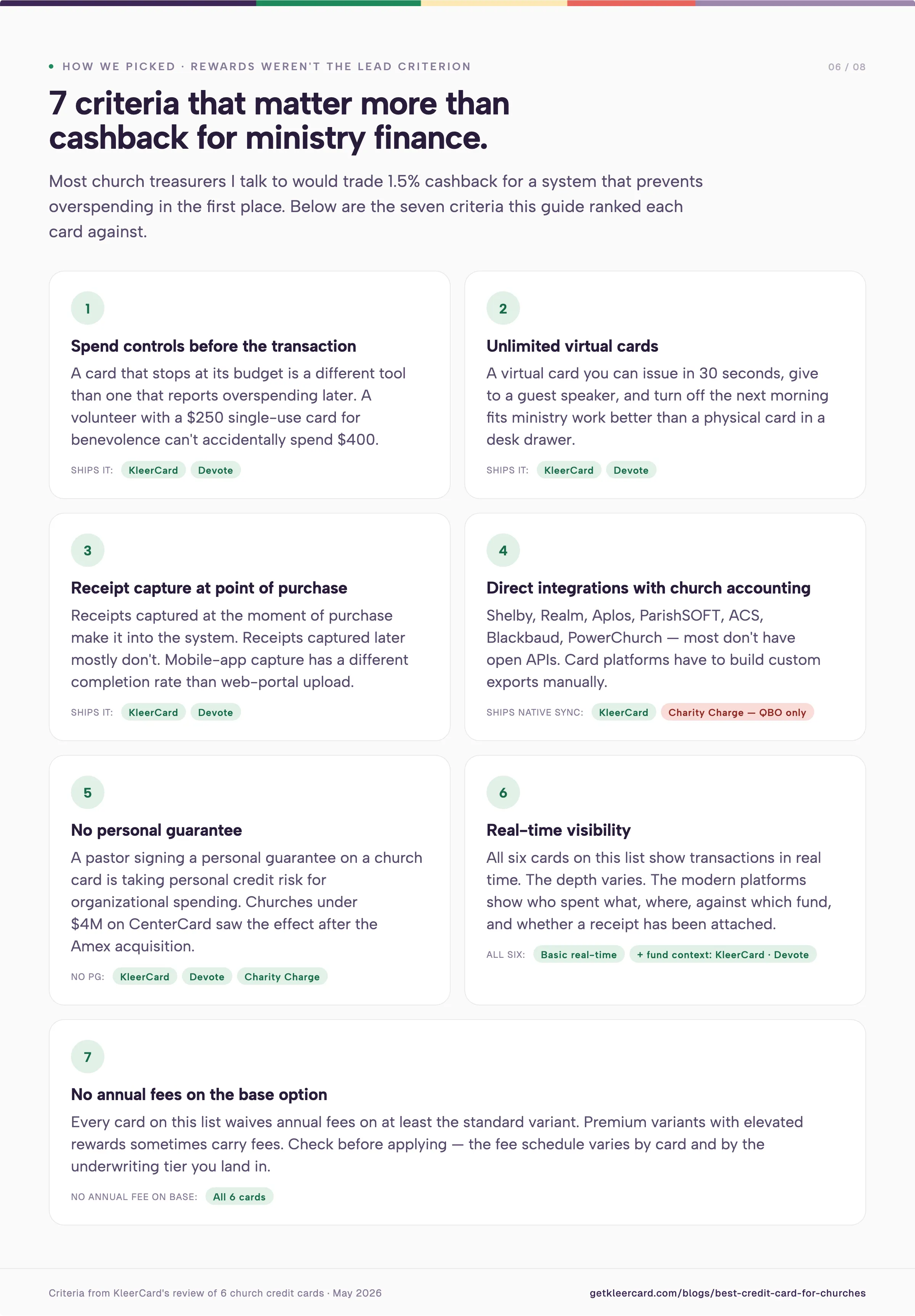
How we picked: criteria that matter for ministry finance
Rewards weren't the lead criterion. Most church treasurers I talk to would trade 1.5% cashback for a system that prevents overspending in the first place.
Spend controls before the transaction
A card that stops at its budget is a different tool than a card that reports overspending later. A volunteer with a $250 single-use card for a benevolence outreach can't accidentally spend $400. A children's ministry director with a $150 monthly card doesn't ask permission for a $40 supply run.
KleerCard and Devote ship this kind of control. The credit union cards on this list rely on cardholder discipline plus the monthly statement, which is the model churches have used for years.
Unlimited virtual cards
A virtual card you can issue in 30 seconds, give to a guest speaker, and turn off the next morning fits ministry work better than a physical card in a desk drawer. Volunteer cards, one-off event cards, and trip-specific cards all need this. KleerCard and Devote support unlimited virtual cards; the credit union and bank cards on this list don't.
Receipt capture at the point of purchase
Receipts captured at the moment of purchase make it into the system. Receipts captured later mostly don't. KleerCard and Devote handle capture-at-purchase through their mobile apps. The credit union cards usually require an upload through a web portal after the fact, which has a different completion rate.
Direct integrations with church accounting platforms
If your church runs on Shelby, Realm, Aplos, ParishSOFT, ACS Technologies, Blackbaud Financial Edge NXT, PowerChurch, or NetSuite, the integration question matters most. The best accounting software for churches guide covers how to think about your accounting platform separately from your card.
Most of these platforms don't have open APIs, so card platforms have to build custom exports manually. KleerCard ships those. The credit union cards don't. Charity Charge integrates with QuickBooks Online only. AGCU's reporting requires manual import.
No personal guarantee
A pastor signing a personal guarantee on a church card is taking on personal credit risk for organizational spending. Churches under $4M in revenue who used CenterCard saw the effect of this after the Amex acquisition required personal guarantees that the old program didn't.
KleerCard, Devote, and Charity Charge don't require personal guarantees. The credit union cards may, depending on underwriting and card variant. Confirm before applying. The list of nonprofit credit cards with no personal guarantee goes deeper on this.
Real-time visibility
Seeing transactions appear in a dashboard when they happen, not at month-end, helps you catch problems early. All six cards on this list offer some form of real-time visibility. The depth varies. KleerCard and Devote show who spent what, where, against which fund, and whether a receipt has been attached. The credit union cards show transactions without the operational context around them.
No annual fees on the base option
Every card on this list waives annual fees on at least the standard variant. Premium variants with elevated rewards sometimes carry fees. Check before applying.
When KleerCard isn't the right fit
There are situations where another option on this list (or off it) fits your church better.
You want straight cashback and a simple workflow. If your church does fine with monthly reconciliation, doesn't need virtual cards, and would rather earn 1.5% on every swipe, CCCU's Ministry Credit Card is a reasonable pick. The trade-off is after-the-fact receipt collection.
You want pre-funded cards with grant bookkeeping in the same platform. Devote was built around fund-tied, cash-secured cards. If pre-funding fits your cash management and you manage federal or foundation grants, Devote is a peer rather than a runner-up.
You need 30+ days of float against receivables. KleerCard runs on net-7 (weekly payment cycles). If your church or nonprofit depends on net-30 or net-60 cash flow against grants or partnership contracts, neither KleerCard nor Devote covers that float. SBA loans, commercial banking lines of credit, or operating lines from your bank fit better.
You're a sole-proprietor pastor or a single-employee church plant. An expense management platform isn't worth the complexity until at least three to five people need cards. Below that, a personal-points Amex or a basic business card from your bank is the cleanest choice.
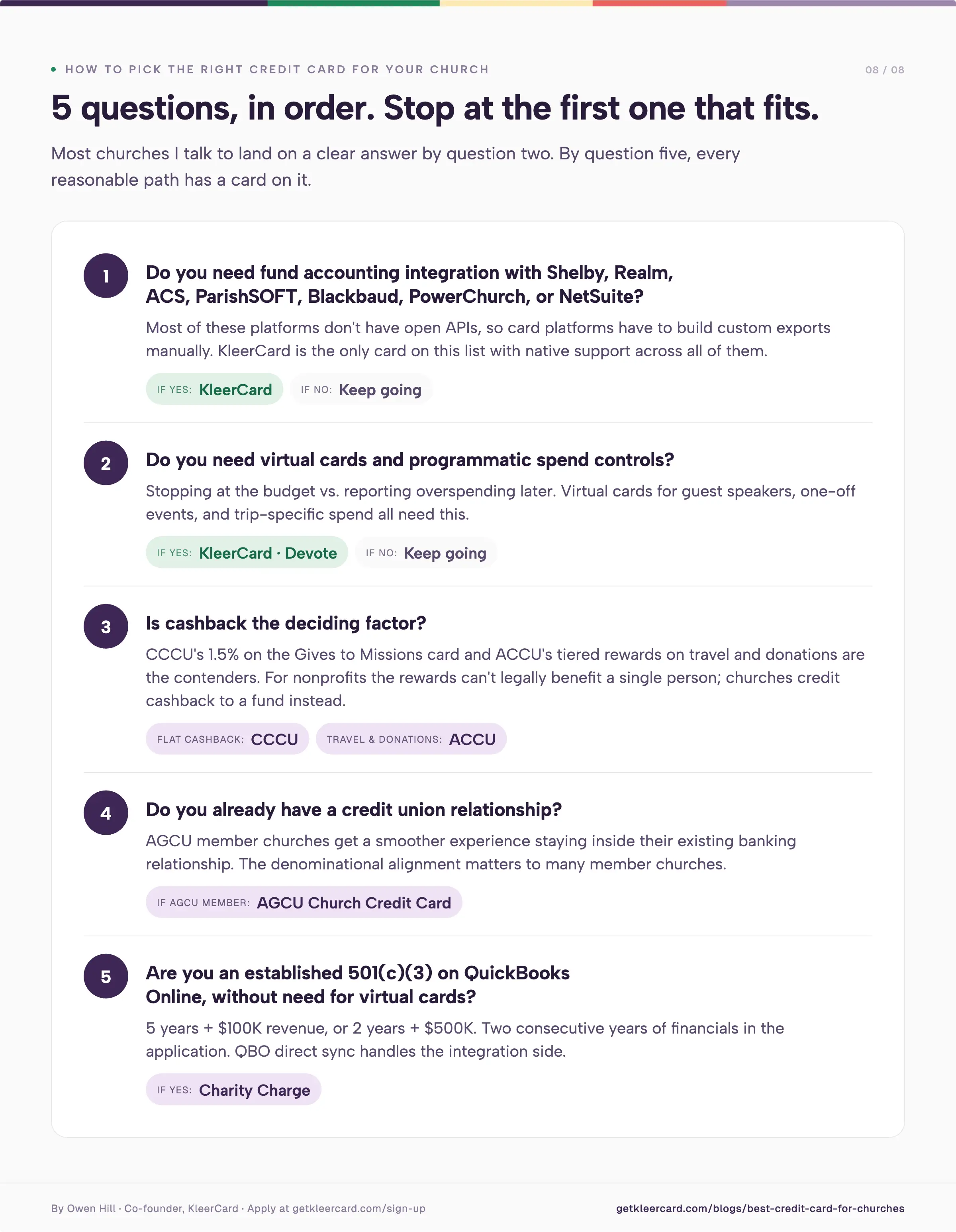
How to pick the right credit card for your church
Work through these in order:
Do you need fund accounting integration with Shelby, Realm, ACS, ParishSOFT, Blackbaud, PowerChurch, or NetSuite? If yes, KleerCard is the only card on this list with native support across all of them. Move to step 2 only if no.
Do you need virtual cards and programmatic spend controls? If yes, KleerCard and Devote are the two options. If no, move to step 3.
Is cashback the deciding factor? CCCU's 1.5% on the Gives to Missions card and ACCU's tiered rewards on travel and donations are the contenders.
Do you already have a credit union relationship? AGCU member churches get a smoother experience staying inside their existing relationship.
Are you an established 501(c)(3) with $100K+ revenue (or $500K+ if you're under 5 years), on QuickBooks Online, and not in need of virtual cards? Charity Charge fits this profile.
If you make it through and still aren't sure, the demo form below opens a 30-minute conversation. I'm fine telling you another option fits better, and that conversation happens often.
Ready to give your church real control over spending?
If your church runs on Aplos, Realm, Shelby, ACS, ParishSOFT, PowerChurch, Blackbaud, QuickBooks Desktop, or NetSuite, and you're tired of the receipt chase and manual reconciliation, KleerCard was built for this. The Standard plan covers up to 15 cardholders for $29/month, including virtual cards, real-time controls, automatic receipt capture, and direct accounting sync.
Owen Hill is co-founder of KleerCard. He previously served as Budget Director at Compassion International and founded Switch Consulting, a fractional CFO practice for nonprofits. He volunteers as Treasurer for his local church and has served on the boards of Save the Storks and Life Network.
Frequently Asked Questions
Can churches get credit cards?
Yes. Churches organized as 501(c)(3) entities can apply for business and corporate credit cards in the church's name using the organization's EIN. Some cards (KleerCard, Devote, Charity Charge) don't require a personal guarantee from the pastor or treasurer. Others (most traditional bank cards and many credit union business cards) may require one, especially for smaller churches. Confirm with the issuer before applying.
Does a church credit card require a personal guarantee?
It depends on the card. KleerCard, Devote, and Charity Charge do not require personal guarantees. Bank-issued business cards and many credit union ministry cards may require one, particularly for churches under $4M in annual revenue. After the CenterCard-to-Amex transition in 2025, more church credit card programs moved toward requiring personal guarantees.
What is the average credit limit for a church credit card?
For smaller churches (under ~200 members or under $500K in annual revenue), starting credit limits run from $5,000 to $50,000 depending on the issuer's underwriting model. KleerCard underwrites against organizational cash assets (typically up to 20% of cash assets weekly) without a personal guarantee. Credit unions often base limits on banking history and personal credit.
What's the best credit card for a small church?
For churches with 5 to 15 cardholders that use a fund accounting platform (Aplos, Realm, Shelby, ACS, ParishSOFT, PowerChurch, Blackbaud), KleerCard's Standard plan at $29/month fits the typical profile. For churches that prefer cashback and don't need virtual cards or merchant-level controls, CCCU's Ministry Credit Card is a strong pick.
Can a 501(c)(3) get a credit card?
Yes. 501(c)(3) status doesn't disqualify an organization from card eligibility. Several issuers (Charity Charge, KleerCard, Devote, CCCU, ACCU, AGCU) build their nonprofit programs around organizations with 501(c)(3) status. The application uses the organization's EIN, IRS determination letter, and financials.
Do church credit cards earn cashback?
Some do. CCCU's Ministry Credit Card earns 1.5% cashback through CURewards. ACCU's Visa Ministry Rewards Credit Card earns tiered points on charitable donations, travel, and hotels. KleerCard offers cashback to higher-spend customers on custom plans (typical threshold: roughly $30,000+/month). The Charity Charge Nonprofit Business Card has no cashback; the Corporate Card variant does.
One thing to know about cashback for nonprofits: the rewards can't legally benefit a single person at the organization. Churches that earn cashback decide whether to credit it to the general fund, missions, building, or a specific program.
What accounting integrations should a church credit card have?
The integrations that matter depend on which platform you use. If you use Aplos, Realm, ShelbyNext Financials, ACS Technologies, ParishSOFT, Blackbaud Financial Edge NXT, or PowerChurch, look for a card platform with native exports or direct sync. Most of these platforms don't have open APIs, so the card platform has to build custom exports manually. KleerCard ships those. If you use QuickBooks Online or NetSuite, your options open up: most modern cards integrate with QuickBooks, and KleerCard, Charity Charge, and Devote all connect to QBO.
How long does it take to get a church credit card?
For modern fintech cards (KleerCard, Devote, Charity Charge), the application takes 5 to 10 minutes and approval usually returns in 24 to 48 hours. Virtual cards can be issued immediately on approval; physical cards ship within 5 to 8 days. For credit union cards (CCCU, ACCU, AGCU), the timeline runs longer, in the range of 1 to 3 weeks from application to first card in hand, depending on underwriting and existing membership status.

At a glance: 11 Expensify alternatives compared
Platform
Best for
Starting price
Key strength
Main weakness
KleerCard
Nonprofits, churches, schools
Free up to 5 users; $29/mo for 15
Card + software built for fund accounting
No standard cashback below ~$30K/mo spend
Ramp
Startups and mid-market businesses
Free; Plus $15/user/mo
AI automation and free core platform
$25K bank balance to qualify; platform fees rising
Brex
VC-backed startups, global teams
Free; Premium $12/user/mo
High limits, treasury, global cards
$10K/mo card spend + $75K bank balance to qualify
Sage Expense Mgmt (Fyle)
Teams keeping existing cards
$11.99/user/mo (Growth)
Real-time card feeds on any card
Per-user pricing scales fast
SAP Concur
Enterprises with global travel
From ~$9/user/mo (custom quotes)
Deepest configuration and policy controls
Long implementation, opaque pricing
Navan (TripActions)
Travel-heavy mid-market
Free up to 5 users; custom above
Travel + expense in one workflow
Less compelling without heavy travel
Emburse Professional
Mid-market and enterprise compliance
From ~$3,000/year (per G2)
Deep audit and policy enforcement
Disjointed product suite, opaque pricing
BILL Spend & Expense (Divvy)
SMBs already using BILL for AP
Free card software; AP add-on extra
Card + AP under one vendor
Admin fees stack; AP and cards still feel separate
Zoho Expense
Small businesses in the Zoho stack
Free; Standard $3/user/mo
Lowest paid pricing in the category
Strongest only inside Zoho One
Coupa
Mid-market and enterprise procurement
Custom quote
Procure-to-pay coverage Expensify lacks
Overbuilt for pure expense use cases
Charity Charge
Established 501(c)(3)s
No annual fee; revenue minimums apply
Nonprofit-only credit card with QBO sync
Eligibility cutoff at $100K+ revenue
Pricing reflects published rates as of May 2026 and changes often. Confirm current numbers with each vendor before signing.
KleerCard saves you time and money
Sign up in 5 minutes. You’re up and running in hours, not weeks.
Most "best Expensify alternative" lists assume you run a software company, an agency, or a small business with predictable cash flow and a tech-comfortable finance team. If that's you, skip down to Ramp, Brex, Sage Expense Management, or Navan. Those four cover the standard for-profit playbook.
If you run a nonprofit, a church, or a school, the standard playbook breaks. The people spending money include volunteers, ministry leaders, teachers, and board members on personal email addresses. The cards you can get aren't the cards you actually need.
Four specific gaps come up on most of our discovery calls:
Eligibility blocks. Ramp requires $25,000 in a U.S. business checking account. Brex requires $10,000 in monthly card spend and $75,000 in the bank. Most small nonprofits don't clear either bar. (We cover this in detail in our guide to nonprofit credit cards with no personal guarantee.)
Per-user math doesn't fit. Expensify's $5–$9 per-member pricing assumes a stable headcount. Churches and schools have predictable seasonal spikes — VBS staff, summer interns, mission trip leaders, six-week class instructors — that turn into a per-user surprise on month-to-month plans.
Fund accounting isn't supported. Aplos, Realm, ShelbyNext Financials, ParishSOFT, ACS Technologies, and Blackbaud all need custom CSV exports, sometimes with offsetting double-entry rows. Expensify, BILL, and most for-profit tools don't ship them.
Volunteer cards are awkward. Ramp wants every user on an organizational email. A summer camp volunteer using a personal Gmail can't be added without setup friction that doesn't exist on KleerCard or Charity Charge.
If any of those describe your organization, the comparison narrows fast. The KleerCard and Charity Charge sections below are written specifically for that audience.
Why people leave Expensify in the first place
Expensify is a competent expense layer. It pulls credit card transactions in, lets staff code them and upload receipts, and pushes the result to QuickBooks or another accounting platform. It works.
The reasons teams shop alternatives in 2026 fall into a few patterns I see repeatedly on KleerCard discovery calls.
Pricing changes that hit smaller customers. Expensify restructured the Collect plan in April 2025 to a flat $5 per member per month, removing the previous Expensify Card discounts that brought some customers down to $2.50. Per-member billing means you pay for everyone in the workspace whether they submitted expenses that month or not. Small teams rarely notice. Larger teams with rotating contributors do.
Receipt scanning lag. Brex's Expensify breakdown points to SmartScan latency that can take up to an hour to process a receipt. Annoying for a 10-person team. Expensive for a 100-person finance org closing the month.
Workflow rigidity. Reviewers consistently flag Expensify's approval workflows as harder to customize than Ramp, Brex, or Sage Expense Management. Multi-level approvals with branching rules require workarounds.
Sync conflicts with the cards themselves. Amex, Chase, and Capital One are increasingly building their own transaction-management interfaces. When your card issuer's system and Expensify's system disagree about a pending charge or a refund, the accounting team fixes the entry by hand.
Card holds that don't reconcile cleanly. A $500 rental car authorization that finalizes at $387 may or may not sync correctly. The accounting team cleans it up in QuickBooks anyway.
Fund accounting gaps for nonprofits and churches. Tricia G., a finance office lead at a church transitioning to KleerCard from Concur this spring, described the same pattern: 4 to 6 hours per month of manual data entry into ACS Financials after her reconciliation work was done, because the platform couldn't handle multiple cash accounts and didn't ship a direct integration. Expensify has the same blind spot. Built for large for-profit finance teams, it doesn't ship the custom CSV exports that Aplos, Shelby, ACS Technologies, Realm, ParishSOFT, and Blackbaud require. We unpack the church-specific trade-offs in KleerCard vs. Expensify for churches.
None of that means Expensify is broken. It means the reasons to leave are real, and the right replacement depends on which of those problems you're trying to fix.
The 11 best Expensify alternatives for 2026
1. KleerCard — best for nonprofits, churches, and schools
KleerCard is the only platform on this list that combines a corporate credit card with built-in expense management designed specifically for nonprofits, churches, and schools. The card and the software ship together. There's nothing to integrate.
Where Expensify connects to whatever cards you already have, KleerCard issues the cards, sets the budget controls, captures the receipts, and pushes everything to your fund accounting platform. That last part is the deciding factor for most of our customers.
KleerCard ships direct integrations for Aplos, ACS Technologies, ParishSOFT, ShelbyNext Financials, Realm, Blackbaud, QuickBooks Online, QuickBooks Desktop, and NetSuite.
A typical scenario: your missions team is traveling for a donor weekend. You issue a virtual card capped at $250, restricted to restaurants, set to expire Sunday at midnight. The card shuts off automatically. Receipts upload through the mobile app. The transactions sync to your accounting system the next morning. No reimbursement form. No spreadsheet. No Sunday-night text from the youth pastor.
That kind of workflow is why Emily, an HR & Finance Director at a nonprofit, reported in her testimonial that her team's receipt collection dropped from 40 hours per month to 1 hour in the first month after switching.
Jared, an Executive Pastor, described his month-end close shrinking from three days to about seven minutes.
The numbers vary by organization. The pattern doesn't: fund-accounting teams stop spending most of their week on data entry when the card and the accounting system are talking directly.
Pricing: Free for up to 5 users; Standard $29/month for up to 15 users; Pro $49/month for up to 30 users; custom pricing above 30. Bill pay runs $1 per ACH or $1.50 per check. The Wallet feature waives subscription fees if you maintain a balance ($7,500 typical for small churches). Cashback is available as part of custom pricing for organizations spending roughly $30,000+/month on cards. Full details on the pricing page.
Strengths
Card and software in one platform, with nothing to integrate
Direct fund accounting integrations (Aplos, Realm, Shelby, ParishSOFT, ACS, Blackbaud, QuickBooks Desktop, NetSuite)
Single-use and recurring virtual cards with merchant, time, and amount restrictions
Auto-lock cards after 7 days for missing receipts
No personal guarantee, no minimum bank balance
White-glove implementation: 2-3 thirty-minute setup calls, time-to-first-transaction measured in hours
Limitations
Standard plans don't include cashback (available on custom plans for higher-spend organizations)
Built for organizations, not individual contractors or freelancers
AP automation is simpler than BILL's, and budget controls are simpler than BILL's line-item approach by design
No native donor or contribution tracking — KleerCard works alongside PushPay, Tithe.ly, Realm Giving, and similar platforms rather than replacing them
Who it's actually for: Nonprofits, churches, schools, and mission-driven teams with anywhere from 3 to 200+ cardholders, especially organizations using fund accounting platforms. For-profit small businesses with 1-3 employees are usually better served by Amex or another personal-points card until headcount grows. KleerCard currently serves more than 1,000 organizations, processes roughly $190 million in annual transaction volume, and is issued by The Bancorp Bank, N.A. on the Visa Commercial network with SOC 2 and PCI DSS compliance.
Apply for KleerCard. The application takes about eight minutes, and approval typically lands within 48 hours.
2. Ramp — best Expensify alternative for general businesses
Ramp is the most-cited Expensify alternative on the internet, and for the for-profit market it earns the spot. The core platform is free. Cards are issued without a personal guarantee. AI-driven receipt matching, policy enforcement, and bill pay come bundled in. G2 rates Ramp 4.8 across more than 2,000 reviews, higher than Expensify's 4.5.
Where Ramp falls short for nonprofits is documented in our full Ramp Card review. Three eligibility issues come up repeatedly in our discovery calls:
Ramp requires roughly $25,000 in a U.S. business checking account (some people have reported that they require even more than this). Many smaller nonprofits keep operating funds low and reserves in money-market accounts to earn interest.
Platform fees of $5,000 to $10,000 are now appearing at renewal cycles for existing customers. We spoke with 13 customers in April 2026 alone who hit this transition, an IPO-driven pattern that's accelerated through early 2026.
Every user needs an organizational email address. Volunteer treasurers and board members on personal Gmail can't be added.
For context on how the math plays out: my own church runs 21 active card users with 2.5 paid employees. On Ramp, that would cost roughly $315 per month ($3,780 per year) in per-user fees plus a potential platform fee, which puts us at around $8,780 per year minimum.
On KleerCard's Standard tier with a custom user count, the same setup costs about $356 per year.
Ramp is the right tool for the organizations it was built for. It's just not built for organizations with our profile.
Pricing: Core platform free; Ramp Plus is $15 per user per month; Enterprise is custom. Cashback is reported around 1-1.5%, with the threshold for meaningful return typically landing in the 30-50 active user range.
Strengths
Free core platform
Strong AI for coding and reconciliation
Unified spend, bill pay, procurement, and travel in one platform
Organizational email requirement creates friction for nonprofits and volunteer-led teams
No native fund accounting exports
Best for: Funded startups, mid-market businesses, and well-capitalized nonprofits with stable cash flow and outsourced accounting. If you're a church or a small nonprofit, the cost-to-fit ratio rarely works.
3. Brex — best for VC-backed startups and global teams
If your business books a lot of flights, hotels, or rental cars, Navan is one of the most compelling alternatives to ExpeBrex leads on credit limits, treasury, and global card issuance. High-burn startups that want their banking, cards, and expense tools in one dashboard tend to land on Brex by default. The free Essentials tier covers most of what a Series A or B startup needs. Premium adds advanced controls at $12 per user per month.
Brex's eligibility bar is the highest on this list: $10,000 in monthly card spend and $75,000 in a U.S. bank account to qualify. That filters out most nonprofits, churches, and small businesses immediately. Capital One acquired Brex in January 2026 for $5.15 billion, which may affect future pricing and product direction.
Pricing: Essentials is free; Premium is $12 per user per month; Enterprise is custom and typically $75,000-$250,000+ annually for 500+ employee deployments. Cashback runs 1.5% on most cards.
Strengths
High credit limits based on cash position, not personal guarantee
Real-time global card issuance in 60+ countries
Treasury account with yield on idle funds
Strong AI for receipt matching and coding
Limitations
Eligibility bar excludes most nonprofits and small businesses
Travel fulfillment outsourced to Spotnana
Capital One acquisition adds future pricing uncertainty
Best for: VC-backed startups, multinational tech companies, and any business that genuinely uses the high credit limits and treasury features.nsify.
Formerly known as TripActions, Navan is a unified travel and expense management platform designed for companies with complex travel needs.
It stands out by combining real-time reporting, policy enforcement, and expense tracking in a single system.
Unlike Expensify, which focuses primarily on expense reporting, Navan brings travel and expense into one dashboard.
Standout features include automated reconciliation, flexible payment options (including support for your existing corporate cards), and the ability to set detailed spend guardrails for different teams, events, or departments.
Managers get real-time visibility into expenses, while employees can book travel, submit receipts, and get reimbursed all from the same app.
Navan offers a great free plan for businesses with up to 200 employees. But their paid plans aren’t cheap.
Pricing starts at $15 per user per month after the first five users, which is significantly higher than Expensify’s $5 base plan.
And while it offers enterprise-grade features, it might be more platform than a small business needs (especially one without frequent travel).
If your team travels often and you want everything (bookings, expenses, reimbursements, etc.) managed in one place, Navan is a strong contender.
If you're looking for something simpler or more budget-friendly, tools like Expensify or KleerCard may be a better fit.
Where Navan Wins Over Expensify
Integrated Travel & Expense Management
Advanced Policy Enforcement
Flexible Payment Options
Automated Reconciliation
Quick Reimbursements
Global Travel Inventory + 24/7 Support
4. Sage Expense Management (formerly Fyle) — best for keeping your existing cards
Most "Expensify alternatives" want you to switch credit cards too. Sage Expense Management — the platform formerly known as Fyle, now part of Sage — is the strongest option if you want to keep your existing Amex, Chase, or Capital One cards and bolt on better expense management. Real-time direct card feeds replace the bank-statement lag that Expensify relies on, so transactions appear in seconds rather than 24 to 48 hours.
The platform also lets users submit receipts via text message and Gmail/Outlook plug-ins. G2 rates Sage Expense Management 4.6, edging Expensify in six of seven categories.
Pricing: Growth plan is $11.99 per user per month, billed annually. Business plan is $14.99 per user per month with a 10-user minimum. Enterprise is custom.
Strengths
True real-time card feeds, not bank-feed lag
Card-agnostic — keep your existing banking relationships
Receipt submission via text, email, and mobile
Strong G2 ratings vs. Expensify
Limitations
Per-user pricing scales linearly, with no free tier
10-user minimum on the Business plan
No card program, so you still depend on your bank for card-level controls
Best for: Mid-sized teams with existing credit card relationships they want to keep, especially if they value direct-to-card real-time data over Expensify's batch bank feeds.
5. SAP Concur — best for global enterprise compliance
SAP Concur is the legacy giant in travel and expense. Large enterprises standardize on Concur because it integrates with SAP, supports complex global travel policies, and audits 100% of transactions with rules-based and AI checks.
That depth is also the trade-off. Implementation runs months. Pricing is opaque. Published lists start around $9 per user per month for Concur Expense Standard, but most mid-market deployments land in the $15-$25 range when bundled with travel. Multi-year contracts (typically 3 years) unlock 20-30% discounts but lock you in.
Strengths
Deepest configuration and policy enforcement in the category
Mature integrations across travel suppliers, ERPs, and HR systems
100% AI/rules-based audit on every transaction
Limitations
Months-long implementation
Opaque, high-touch pricing with multi-year lock-in
Reviewers consistently cite slow support and dated UI
Best for: Global enterprises with the IT capacity to manage long implementations and complex configurations.
6. Navan (formerly TripActions) — best for travel-heavy teams
Navan started as a travel booking tool and added expense management later. The result is the cleanest unified travel + expense workflow in the category. Book a flight, and the trip and the expense entry are linked from the start, with reimbursement reconciliation happening at the point of sale. G2 rates Navan 4.7.
Navan offers a free tier for up to 5 users, with custom enterprise pricing above that. Reimbursements support 25 currencies across 45 countries.
Strengths
Strongest travel-and-expense integration in the category
Supports linking existing corporate cards
Free tier for very small teams
Limitations
Less compelling for organizations without significant business travel
Enterprise pricing requires sales contact
Travel pricing depends on Navan's inventory partners
Best for: Mid-market companies with regular employee travel — sales orgs, consulting firms, mission-driven nonprofits with frequent field travel.
7. Emburse Professional (formerly Emburse Certify) — best for compliance-heavy teams
Emburse Professional is built for finance teams that need granular policy enforcement, deep audit controls, and multi-level approvals. Reviewers describe it as the platform you reach for when your travel and expense policy runs 15 pages and every line matters. G2 rates it 4.5.
The trade-off is the product itself. Emburse is the result of multiple acquisitions (Certify, Chrome River, Abacus), and the experience can feel disjointed across modules. Pricing isn't published. G2 lists plans starting at $3,000 per year, putting Emburse on the higher end. Some customers report renewal hikes of close to 50% with limited notice, so renewal-clause negotiation matters more here than with most competitors.
Strengths
Deepest audit and policy enforcement outside of SAP Concur
Strong reporting for compliance-heavy industries
Native travel module added in 2025
Limitations
Disjointed product experience across acquired modules
Opaque pricing with reports of significant renewal hikes
Mobile app reportedly less reliable than the desktop interface
Best for: Mid-market and enterprise organizations with strict compliance requirements and a finance team comfortable configuring rules.
8. BILL Spend & Expense (formerly Divvy) — best for SMBs already on BILL for AP
BILL.com acquired Divvy in 2021 and rebranded the card platform to BILL Spend & Expense. The pitch is unified spend: corporate cards, expense management, and AP automation under one vendor. The card software is free. AP automation is the paid layer. Our full BILL Divvy Corporate Card review covers the platform in depth.
Two practical caveats based on customer conversations through 2026:
BILL hasn't fully unified the Divvy card data with the BILL.com bill pay database. As of early 2026, customers report difficulty pulling integrated reports across cards and bill pay in one view.
BILL charges $50-$65 per month per administrator. Nonprofits typically want multiple administrators (board members, treasurer, finance lead) and stack admin fees fast.
BILL Spend & Expense doesn't ship direct integrations with church-specific fund accounting platforms (Shelby, Realm, Blackbaud Financial Edge), so most fund-accounting workflows still require manual CSV reformatting. Worth noting: BILL does have one feature KleerCard intentionally hasn't built — line-item budget controls (separate budgets for meals vs. airline tickets, for example). KleerCard chose simpler budgeting as a deliberate design call for organizations with smaller finance teams. If you need that level of granularity, BILL is the stronger fit.
Strengths
Free card software with no per-user fee on basic plans
Strong AP automation if you actually need it
Single vendor for cards and bill pay
Granular line-item budget controls
Limitations
Admin fees stack ($50-$65 per administrator per month)
Card and AP databases still feel separate in reporting
No direct fund accounting exports
Self-serve onboarding (videos and docs) unless you're large enough to get a dedicated rep
Best for: SMBs already running BILL for AP automation who want to add a card program from the same vendor.
9. Zoho Expense — best for teams already in the Zoho ecosystem
Zoho Expense has the lowest paid pricing in the category: $3 per user per month for Standard, $5 for Premium. The Free plan supports up to 3 users. If you already run Zoho Books, Zoho CRM, or Zoho One, the integration is the strongest argument for picking it.
Outside the Zoho ecosystem, the platform is competent but unremarkable. Reviewers cite a learning curve and an interface that feels dense compared to Ramp or Sage Expense Management. The Premium plan adds corporate card reconciliation and policy enforcement.
Strengths
Lowest paid pricing in the category
Tight integration with Zoho Books, CRM, Projects
Free tier for up to 3 users
Limitations
Best value only inside the broader Zoho stack
UI feels dated relative to modern competitors
Limited card-issuance partners (relies on third parties like Divvy)
Best for: Small businesses already standardized on Zoho One.
10. Coupa — best for procurement-heavy mid-market and enterprise
Coupa is a procure-to-pay platform that includes expense management as one module. If you're evaluating Expensify alternatives because expense reporting is one of several spend management problems — alongside procurement, invoice automation, and supplier management — Coupa covers the broader scope. G2 rates it 4.2.
The match is poor for organizations that just want better expense reporting. Coupa is overbuilt for that. Pricing is custom-quote only.
Strengths
Procure-to-pay coverage that Expensify doesn't attempt
Strong supplier management and contract lifecycle features
Spend analytics across categories
Limitations
Overbuilt for pure expense management use cases
Long implementations
Opaque pricing
Best for: Mid-market and enterprise buyers replacing several spend management tools at once.
11. Charity Charge — best nonprofit-only alternative besides KleerCard
Charity Charge is the other nonprofit-specific option on this list. The flagship Nonprofit Business Card (issued by Commerce Bank) charges no annual fee and no per-card fee, with QuickBooks Online sync and real-time controls on physical cards. Our full Charity Charge review breaks down the eligibility, controls, and where it fits.
The eligibility cutoff is the constraint: applicants need at least $100,000 in annual revenue and two years of financials to qualify. That blocks many small churches and brand-new nonprofits but works well for established 501(c)(3)s in the mid-market range.
Charity Charge added a separate Nonprofit Corporate Card product through a partnership with Fifth Third Bank/Corpay. That product adds virtual cards, AI receipt matching, and broader ERP integrations for larger nonprofits.
Strengths
Nonprofit-only product with mission-aligned positioning
No annual fees, no per-card fees on the Business Card
QuickBooks Online sync
Two-product range covers small-to-mid nonprofits and larger ones separately
Limitations
$100K+ revenue requirement on the Business Card
No virtual cards on the Business Card (only on the newer Corporate Card)
No direct integrations with church-specific fund accounting platforms
Best for: Established nonprofits clearing $100K in annual revenue who want a credit card built specifically for the sector.
How to choose between them
The shortlist gets shorter once you ask three questions in order.
First, what are you actually trying to fix? If receipt management is too slow, almost any modern platform on this list improves on Expensify. If you can't get the cards you need to begin with, software-only alternatives (Sage Expense Management, Zoho, Coupa) won't help. You need a card program too: KleerCard, Ramp, Brex, BILL, or Charity Charge.
Second, what's your eligibility? Brex needs $75K in the bank and $10K monthly card spend. Ramp needs $25K in business checking. Charity Charge needs $100K+ in nonprofit revenue. KleerCard, Sage Expense Management, Zoho, and Coupa have no balance or revenue requirements. If you don't clear the bar, that filter does the work for you.
Third, what does your accounting team actually use? QuickBooks Online buyers have the most options, and almost everything on this list integrates. Fund accounting platforms (Aplos, Realm, Shelby, ParishSOFT, ACS, Blackbaud) narrow the field hard. KleerCard ships direct integrations for those platforms. Most for-profit-built tools force manual CSV reformatting, which removes the time savings that drove the shopping in the first place.
For most nonprofits, churches, and schools landing on this article, the honest answer is one of three:
KleerCard if you want card and software in one platform built for fund accounting
Charity Charge if you clear $100K in annual revenue and prefer a card-only solution with QBO sync
Sage Expense Management if you're committed to keeping your existing cards and want to add a real-time expense layer on top
For most general for-profit businesses, Ramp is the default answer for the same reason it shows up at the top of every list: free core platform, AI automation, and broad integrations.
Frequently asked questions
What is the best alternative to Expensify?
The best alternative depends on your organization. Ramp is the strongest free option for general businesses with stable cash flow. Sage Expense Management (formerly Fyle) is the best fit for teams keeping their existing cards. KleerCard is built specifically for nonprofits, churches, and schools, with fund accounting integrations and no minimum bank balance. SAP Concur and Emburse cover compliance-heavy enterprises. Brex serves VC-backed startups with high credit needs.
Is there a free alternative to Expensify?
Yes. Ramp's core platform is free, including unlimited cards and basic expense management. Brex Essentials is also free for qualifying companies. KleerCard is free for up to 5 users. Zoho Expense and Navan offer free tiers for very small teams. Most "free" tiers cap users, features, or both, so confirm what you actually get before switching.
How much does Expensify cost compared to alternatives?
Expensify charges $5 per member per month on the Collect plan and $9 per active member per month on the Control plan (or $18 without the Expensify Card). For a 100-person team on Control with the card discount, that's about $900 per month. By comparison, Ramp's core platform is free; KleerCard runs $29 to $49 per month flat for up to 30 users; Sage Expense Management is $11.99 per user per month; Zoho Expense Standard is $3 per user per month.
Why are nonprofits and churches looking for Expensify alternatives?
The most common reasons are pricing changes that hit seasonal-staff budgets, the lack of integrations with fund accounting platforms (Aplos, Realm, Shelby, ParishSOFT, ACS Technologies, Blackbaud), inability to issue or control cards directly (Expensify is software-only), and difficulty managing volunteers who don't have organizational email addresses.
Can I keep my existing credit cards and replace just Expensify?
Yes. Sage Expense Management (formerly Fyle), Navan, Zoho Expense, Coupa, and Emburse all work with your existing corporate cards. Ramp, Brex, BILL Spend & Expense, KleerCard, and Charity Charge include their own card programs, so switching means moving your card spend too.
What's the easiest Expensify alternative to set up?
Ramp and KleerCard both report time-to-first-transaction in hours, not weeks. KleerCard's standard implementation is 2 to 3 thirty-minute Zoom calls with a dedicated implementation lead. Ramp is largely self-serve. SAP Concur and Emburse can take months to deploy fully.
Do any Expensify alternatives offer cashback or rewards?
Yes. Ramp offers approximately 1-1.5% cashback (variable by customer). Brex offers 1.5% cashback. BILL Spend & Expense offers points-based rewards. KleerCard offers cashback as part of custom pricing for organizations spending roughly $30,000+/month on cards. Sage Expense Management, Zoho Expense, Coupa, and Emburse don't issue cards and so don't offer card-based rewards.
The bottom line
Expensify works for the organization it was built for: a stable for-profit business with a finance team comfortable wrangling integrations, predictable monthly spend, and existing corporate credit cards that play nicely with bank-feed sync.
If that's your organization, Ramp is the most-cited alternative for good reason, and Sage Expense Management is the strongest pick if you want to keep your cards.
If your organization is a nonprofit, church, or school, none of those tools were built for the way you actually work. Volunteer cards, seasonal users, fund accounting exports, and the absence of bank-balance requirements are the difference between a system that fits and a system you'll be shopping again in two years.
KleerCard was built for that gap. The card program, the expense software, the receipt automation, and the fund accounting integrations all ship together. Nothing to integrate. No per-user surprise on rotating staff. No minimum bank balance to qualify.
Apply for KleerCard. The application takes about eight minutes, and approval typically lands within 48 hours.
Owen Hill is co-founder of KleerCard, a corporate card built for nonprofits, churches, and schools. Before KleerCard, he served as Budget Director at Compassion International and ran Switch Consulting, a fractional CFO practice for nonprofits. KleerCard is reviewed alongside other tools throughout this article.
Term
What It Refers To
Where to Sign Up
An accounting platform that offers credit cards optimized for nonprofit spending and budget control.
When people search for the “Clear Card credit card,” they’re often looking for KleerCard, a credit platform built specifically for nonprofits.
The spelling might be off, but the need is real: better financial control for organizations like schools, churches, and community programs.
KleerCard gives nonprofit teams an easy way to manage day-to-day spending without the headaches that come with traditional business credit cards or shared payment methods.
It’s designed to simplify how you budget, approve, and track purchases in real time.
With KleerCard, you can issue single-use virtual cards for things like one-time events or temporary volunteers.
You can set up recurring-use cards with strict spending limits, based on amount, vendor type, or time of the month.
You’ll also have access to unlimited virtual cards, which means every team, staff member, or event can get their own card with clear boundaries.
Other features include built-in receipt tracking, real-time approvals, and easy integration with nonprofit accounting tools.
In short, it’s built to work the way nonprofits operate: collaboratively, accountably, and cost-consciously.
If you're running a nonprofit and searching for a Clear Card credit card, this is probably what you're really after. Click here tostart the application process today.
What Is The CLEAR Plus Travel Program?
If you’re not searching for KleerCard, you may be looking for information about CLEAR Plus, a privately owned identity verification program that helps travelers save time at airport security.
Instead of waiting in the standard TSA line to have your passport or driver’s license checked, members can confirm their identity through a quick biometric scan.
It’s different from programs like TSA PreCheck or Global Entry, which are run by the federal government.
CLEAR Plus is operated by a private company and doesn’t require background checks or interviews. It’s purely about speeding up the identity verification step in the airport screening process.
To use the service, you first scan your boarding pass, then scan your biometric data.
That’s it.
No fumbling with documents. No ID review. Just fast-track access to the screening line.
There are a few different ways to sign up for CLEAR Plus, depending on your needs (and in some cases, your credit card).
Direct enrollment: You can sign up online at clearme.com, fill out the short form, and get started in minutes.
In person: Enrollment kiosks are available at most major U.S. airports, where you can file your information and set up your account on the spot.
Through a credit card: Several eligible American Express cards offer statement credits that cover the membership fee for CLEAR Plus as part of their travel rewards. These include personal and business cards like the Platinum Card, Business Platinum Card, and Hilton Honors American Express Aspire Card.
CLEAR Plus Pricing (as of June 2025):
Membership is billed annually and can be canceled or renewed at any time.
$199/year for an individual membership
Add up to three adults for $119/year each
Kids under 18 can use the lane for free when accompanied by a member
Access to 59 airports nationwide and growing
Some credit card welcome offers may cover the first year’s membership fee, while others offer partial statement credits toward enrollment.
This benefit alone can help travelers earn rewards, offset travel costs, and reduce time spent waiting in line.
If you travel often (especially through busy hubs like LAX, JFK, or ATL) CLEAR Plus can be one of the most valuable travel perks available.
🕒 Note: Pricing and benefits verified as of June 2025.
What Are Clear Credit Cards?
The phrase “Clear credit cards” doesn’t refer to a specific brand of card.
It’s usually shorthand for American Express cards that include a credit toward CLEAR Plus membership as part of their benefits package.
These are not “Clear” branded credit cards.
Instead, they’re premium travel cards that bundle CLEAR access alongside other perks like airport lounge access, prepaid hotels, and select American Express Travel benefits.
Below are some of the top cards that offer CLEAR Plus enrollment credits. Terms apply, and benefits may vary based on eligibility, enrollment, and card type.
AmEx Business Platinum Card
The phrase “Clear crediThe Business Platinum Card® from American Express offers many of the same benefits as the personal version, but it's designed to support employees and business owners who travel often.
Benefits
CLEAR Plus membership credit (up to $199/year)
5x points on flights and prepaid hotels through AmEx Travel
Global Entry/TSA PreCheck credits
Airport lounge access
Drawbacks
$695 annual fee
Must be used primarily for business purchases
Some perks are limited to specific vendors or booking channels
t cards” doesn’t refer to a specific brand of card.
It’s usually shorthand for American Express cards that include a credit toward CLEAR Plus membership as part of their benefits package.
These are not “Clear” branded credit cards.
Instead, they’re premium travel cards that bundle CLEAR access alongside other perks like airport lounge access, prepaid hotels, and select American Express Travel benefits.
Below are some of the top cards that offer CLEAR Plus enrollment credits. Terms apply, and benefits may vary based on eligibility, enrollment, and card type.
AmEx Platinum Card
The Corporate Platinum Card® is typically issued by large companies to their executives or traveling staff.
It may include a CLEAR Plus credit as part of its benefits, but eligibility and coverage depend on the company’s agreement with AmEx.
Benefits
Premium lounge access
Concierge services and American Express Travel booking tools
Credits toward CLEAR, Global Entry, and TSA PreCheck
Drawbacks
Not available for individual application
Subject to employer restrictions and card program terms
May not include full access to all Platinum-level benefits
American Express Green Card
The AmEx Green Card® is a lower-tier travel card, but it still packs value for younger travelers or anyone new to American Express.
Benefits:
Up to $199/year CLEAR Plus credit
3x points on travel, transit, and eligible purchases
No foreign transaction fees
Drawbacks:
$150 annual fee
Fewer luxury perks than Platinum cards
Smaller welcome offers compared to premium cards
Hilton Honors AmEx Aspire Card
The Hilton Honors AmEx Aspire Card is built for hotel loyalists, and offers massive value through Hilton-specific perks. It also includes a CLEAR Plus credit.
Benefits:
$199 CLEAR Plus credit per calendar year
14x points on Hilton purchases, 7x on select flights and rental cars
Complimentary Hilton Diamond status
No foreign transaction fees
Drawbacks:
$550 annual fee
Rewards are mostly Hilton-focused
Not ideal if you rarely stay at Hilton properties
Choose A Credit Card Based On Your Needs
Now that we've broken down the three meanings behind the term “Clear Card credit card,” let’s do a quick recap:
It could be a typo for KleerCard, the nonprofit-focused credit platform.
It might refer to the CLEAR Plus travel program that helps you skip TSA lines.
Or it could mean an American Express card that includes a CLEAR Plus membership credit as one of its perks.
Here’s the thing: you don’t need a new card to join CLEAR.
You can simply enroll online, pay the membership fee, and start using the service.
So when choosing a card, focus on function, not flashy extra features.
If you’re looking for faster airport screening and travel perks, then sure, pick a card with CLEAR access built in.
Cards like the Platinum Card or the Hilton Honors American Express Aspire Card give you that option, along with extras like airport lounge access, eligible purchase rewards, and prepaid hotel credits.
But if your goal is to control spending across a nonprofit organization, CLEAR Plus probably isn't your top priority.
You need detailed oversight, flexible controls, and financial transparency. That’s where KleerCard shines.
With KleerCard, you can manage your budget, issue virtual cards to staff, set specific purchase limits, and track expenses in real time.
And because you're saving money through better controls, it's easy to buy a CLEAR Plus membership separately—no need to compromise with a card that wasn't designed for your mission.
Plenty of church-friendly credit cards offer the basics: they provide additional cards, no annual fee, and features to protect your church from fraud.
But only one gives you true control over how your church’s money gets spent: KleerCard.
KleerCard is much more than a standard corporate credit card. It’s a full budgeting system that puts you in charge of every dollar, every transaction, and every ministry.
What Makes KleerCard The Best Credit Card For Churches?
Where other cards stop at “unlimited users” or “custom limits,” the KleerCard Visa goes several steps further. You can:
Create single-use virtual cards for events like a youth group retreat or benevolence outreach
Issue recurring-use cards with fixed monthly budgets—perfect for hospitality teams, music ministries, or children's church
Set spending restrictions by vendor category (e.g., groceries only) or limit purchases to a specific day or time window
Let’s say your missions team needs to cover travel meals this weekend. You can issue a virtual card that:
Expires Sunday at midnight
Only works at restaurants
Is capped at $250
The card shuts off automatically. No one can overspend, use it early, or apply it toward something unrelated. The payment would be blocked.
No other card on this list gives you that level of control.
With KleerCard, every purchase is visible the moment it happens.
Admins can see exactly who spent what, where, and why.
Receipts can be captured and matched on the spot, which means less paperwork and spreadsheets to fill out by hand at the end of the month.
KleerCard is built to help your church steward funds responsibly, reduce risk, and simplify the work of managing a budget across dozens of hands.
The Devote Card checks a lot of boxes. It’s a nonprofit credit card built for churches that offers powerful budgeting features that go beyond credit card services. For many churches, it might feel like a perfect fit—and in most ways, it is.
But while Devote offers a high degree of control, it doesn’t give you the same level of precision as KleerCard.
You can issue unlimited virtual and physical cards.
You can set spending limits and restrict merchants.
You can automate receipt capture and integrate with popular tools like QuickBooks.
But where KleerCard lets you set time-based limits, assign recurring monthly budgets, and lock a virtual card to a single use or single vendor category, Devote is a bit broader in scope.
In other words, Devote is great for control. KleerCard is great for granular control.
Devote does bring some unique benefits to the table—especially if you want a rewards program. It even offers sub-accounts to track grant spending.
It’s also a pre-funded card, so you’ll never risk going into debt, but you will need to plan ahead and keep the account loaded, which may require a hands-on approach to manage cash flow.
✅ Devote Card Benefits
Issue unlimited virtual and physical cards
Automate receipt capture with photo uploads
Integrates with other accounting tools
Includes a nonprofit rewards program (Devote Points)
Sub-account tracking for grants and designated funds
❌ Devote Card Drawbacks
Pre-funded model requires proactive account management
Spending controls are strong but less granular than KleerCard
Requires a $1,000 initial deposit for treasury account setup
Also Great
The following cards are still solid options for churches, but they don’t quite match the flexibility or depth of tools offered by top picks like KleerCard and Devote.
Christian Community Credit Union Ministry Credit Card
The Christian Community Credit Union Ministry Credit Card comes with no annual fee, free balance transfers, real-time transaction visibility through online and mobile platforms, and integration with QuickBooks that makes it easier for your finance team to stay organized.
The card offers 1.5% cash back that churches can apply to statement credits, and even lets you donate points to mission work (though it lacks more advanced tools like virtual cards or automated receipt tracking).
You can’t issue virtual cards, and there’s no built-in receipt tracking or the ability to set precise purchase windows or merchant restrictions.
If you value simplicity, strong customer support, and alignment with your mission, this card is a dependable choice—even if it falls short on spending control.
America’s Christian Credit Union Visa Ministry Rewards Credit Card
ACCU’s card stands out for one big reason: tiered rewards. You’ll earn extra points on charitable donations, travel, and hotels. Perfect for ministries regularly supporting missions or attending conferences.
The card doesn’t charge an annual fee, and the 360Control platform gives admins the ability to manage card limits, view usage reports, and attach receipts with photo uploads.
Real-time visibility is built in, with alerts, mobile access, and online dashboards that keep your finance team in the loop. However, you won’t find virtual cards here.
And while you can export transaction data, there’s no direct sync with other accounting platforms, which could slow things down for churches that rely on automation.
For ministries that want a card that rewards mission-related spending, ACCU is a solid option.
The Charity Charge Nonprofit Business Card is purpose-built for churches and nonprofit organizations looking to save money. It has no annual or per-card fees, and lets you issue unlimited physical cards with adjustable limits and real-time controls.
The card lets you track spending across teams without delay and sync transactions directly to QuickBooks Online.
That said, there’s no support for virtual cards or receipt photo capture, and eligibility may be a hurdle for smaller churches. Applicants need $100K+ in annual revenue and two years of financials to qualify. And like most credit cards, interest charges apply if balances aren’t paid in full.
Still, for midsize and larger churches that want practical savings and strong administrative controls, Charity Charge is a contender.
There are no annual fees, and churches can request additional employee cards at no extra cost, which is great for ministries with multiple team members making purchases.
Real-time visibility into transactions is available through online and mobile banking, and churches can access online expense reporting tools to help track and categorize purchases.
There’s no virtual card support, no receipt photo capture, and no direct QuickBooks integration. But they offer a simple way to stay organized.
If your church is already banking with AGCU or wants a traditional credit union experience with mission alignment and solid core features, this card delivers—just don’t expect a lot of bells and whistles.
Best Ministry Credit Card Options: How We Picked
We didn’t focus on rewards systems when choosing the best credit cards for churches.
Instead, we focused on features that give you the most control over how your ministry spends money.
We looked for things like the ability to manage budgets for youth retreats, pay for building repairs, manage benevolence funds, and the ability to limit the types of purchases your volunteers make.
We chose cards that help churches stay organized and on mission, while also reducing admin work.
We looked for tools that give pastors, treasurers, and finance committees the ability to set clear spending limits, issue multiple cards, and track everything in real time. Because the less time you spend managing receipts, the more time you have to serve your congregation.
Here’s a complete breakdown of the features we looked for.
Budget & Expense Controls
Church budgets are often split across ministries, programs, and special events. You might need to fund a food pantry one week and a youth camp the next—each with its own spending limits and approval needs.
That’s why advanced budget controls are non-negotiable.
We looked for cards that offer the following budgeting features, because the more control you have on the front end, the less risk you have overall.
Set spending caps for each cardholder or ministry
Limit which merchants a card can be used at
Turn off cards instantly if something doesn’t look right
Create recurring monthly budgets for things like hospitality supplies or curriculum purchases
Unlimited Virtual Cards
Need to plan a last-minute event or make online purchases to cover a sudden equipment failure? You don’t always have time to wait for a physical card to ship.
Virtual cards are a faster, safer solution. The best credit cards let you:
Generate virtual cards instantly
Assign them to a specific volunteer or ministry
Set strict limits on how much and where they can spend
Automatically deactivate the card after use
It’s the fastest way to get someone what they need—without losing control over how your funds are used.
Unlimited Physical Cards
If a provider doesn’t offer virtual cards, physical cards are the next best option.
They’re useful if you shop in person with vendors who don’t accept virtual cards, but come with tradeoffs. They take longer to arrive and are easier to lose or misuse (but they’re still better than having no cards at all).
Automated Receipt Management
We get it. Nobody has time to collect, submit, and match every single receipt to your statement. It’s a time drain for everyone.
That’s what makes automated receipt management extremely useful: it makes the process seamless.
We looked for cards that:
Prompt users to snap a photo of the receipt right after a purchase
Automatically matches receipts to transactions
Tags & categorizes the expense automatically
That means no more Sunday-night texts asking someone to dig through their glovebox for a missing receipt.
Real-Time Visibility
If you can’t see purchases as they happen, you’re putting your ministry’s security on the line.
With real-time visibility, your church gets a live view of every transaction. Each of the cards on the list lets you use an application or online portal to see who spent what, when, and where.
It’s a basic feature, but one too many churches go without. This is especially important for:
Staying on top of ministry budgets
Preventing overspending before it happens
Making audits and board reporting easier
Accounting Tool Integrations
Switching credit cards shouldn’t mean switching accounting systems.
That’s why we prioritized cards that connect directly to platforms many churches already use—like QuickBooks, Aplos, or Blackbaud.
The best card cards for churches integrate with your existing accounting systems, so you and your volunteers don’t have to worry about setting up new software, learning how it works, and training people who aren’t already up-to-speed with your accounting systems.
No Annual Fees
Some cards come with yearly fees in exchange for higher rewards or premium support. That’s not always a bad thing. But for churches trying to steward every dollar, fee-free options are generally top-choice.
The Bottom Line
There are a lot of business credit cards out there, but you'll notice very few are built with teachers and schools in mind.
The reality is, mWhen it comes to church finances, clarity and control matter more than points or perks. The best credit cards for churches help you stay organized, set spending limits, and reduce admin headaches.
That’s what makes KleerCard the clear winner.
It’s the only card that gives churches complete control over every dollar, from single-use virtual cards to recurring monthly budgets and category-specific restrictions.
You can see every transaction in real time, automate receipt tracking, and keep your accounting tools in sync without chasing down paperwork.
Other cards on this list offer solid features and may work well for certain churches, especially if you're looking for rewards or already banking with a specific credit union.
But if you're looking for the most powerful tool to manage church expenses, KleerCard stands alone.
Click here to visit KleerCard today and begin the application process. So you can get back to focusing on what matters most: serving your people.
ost cards were designed for traditional businesses, with features and processes that just don’t fit the way educators actually work.
That’s why KleerCard stands out.
If you're ready to stop chasing receipts and start spending smarter, it's time to choose a credit card that’s actually designed for the work you do.Click here to apply for KleerCard online today.
Frequently Asked Questions
Is It Common For Business Credit Card To Offer Unlimited Cash Rewards (Cash Back)?
Many business credit cards allow you to earn cash back rewards, but they often come with limits. Rewards rates may be higher in specific categories, like office supplies or travel, than for everyday purchases. They're a common feature for businesses looking to save.
What Kind Of Credit Card Fees Should I Expect On Transactions Abroad?
Some cards may waive these fees, so check your card's terms. When using a credit card for transactions abroad, you can generally expect foreign transaction fees of 1% to 3% per purchase.
What Kind Of Personal Credit History Do I Need To Get A Credit Card For My Church?
Some church credit cards require a personal guarantee and good personal credit, while cards designed for churches and businesses with nonprofit status often rely solely on the organization’s financials and EIN.
What Is the Average Credit Limit On A New Card?
Smaller or new churches often start with lower limits that vary from $5,000 to $50,000.
Schedule a demo
Speak to a member of our team and we can have you up and running in minutes, not weeks.
A nonprofit annual report builds donor trust through impact and financial transparency. See what to include, how to write one, and real examples to model.
A statement of functional expenses sorts nonprofit spending into program, admin, and fundraising. Learn to build one, allocate shared costs, and stay compliant.
In-kind donations are non-cash gifts of goods or services. See how nonprofits value, record, and report them, and what the IRS and GAAP require of you.