%202.svg)
Best BILL Divvy alternatives for nonprofits, churches, and schools in 2026. Compare KleerCard, Charity Charge, Ramp, Brex and more on accounting, guarantees, and costs.
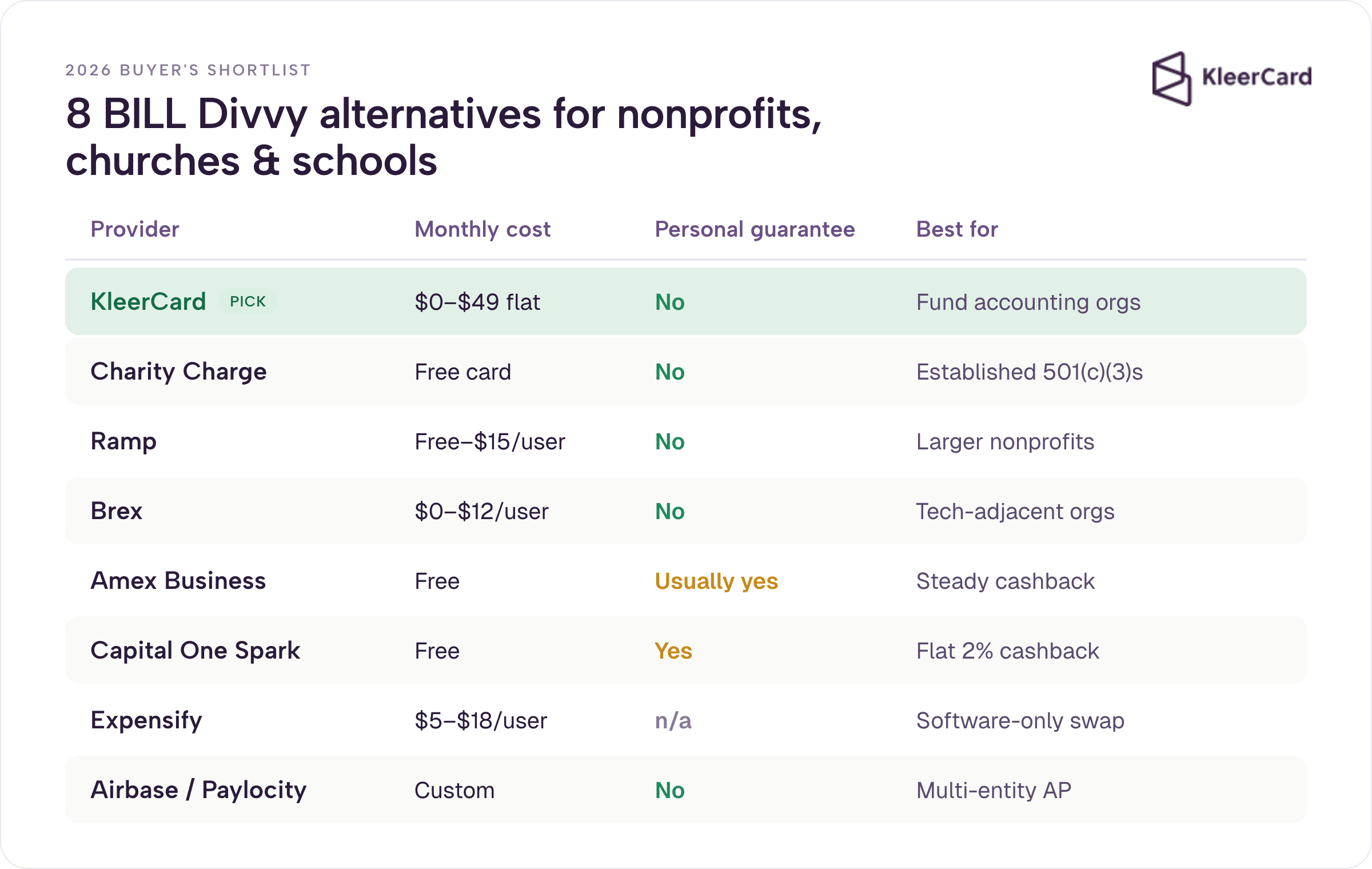
The best BILL Divvy alternatives for nonprofits, churches, and schools in 2026 are KleerCard, Charity Charge, Ramp, Brex, American Express Business cards, Capital One Spark, Expensify paired with an existing card, and Airbase (now Paylocity Spend Management). The right pick depends on fund accounting integrations, eligibility without a personal guarantee, AP depth, or simple cashback on steady spend.
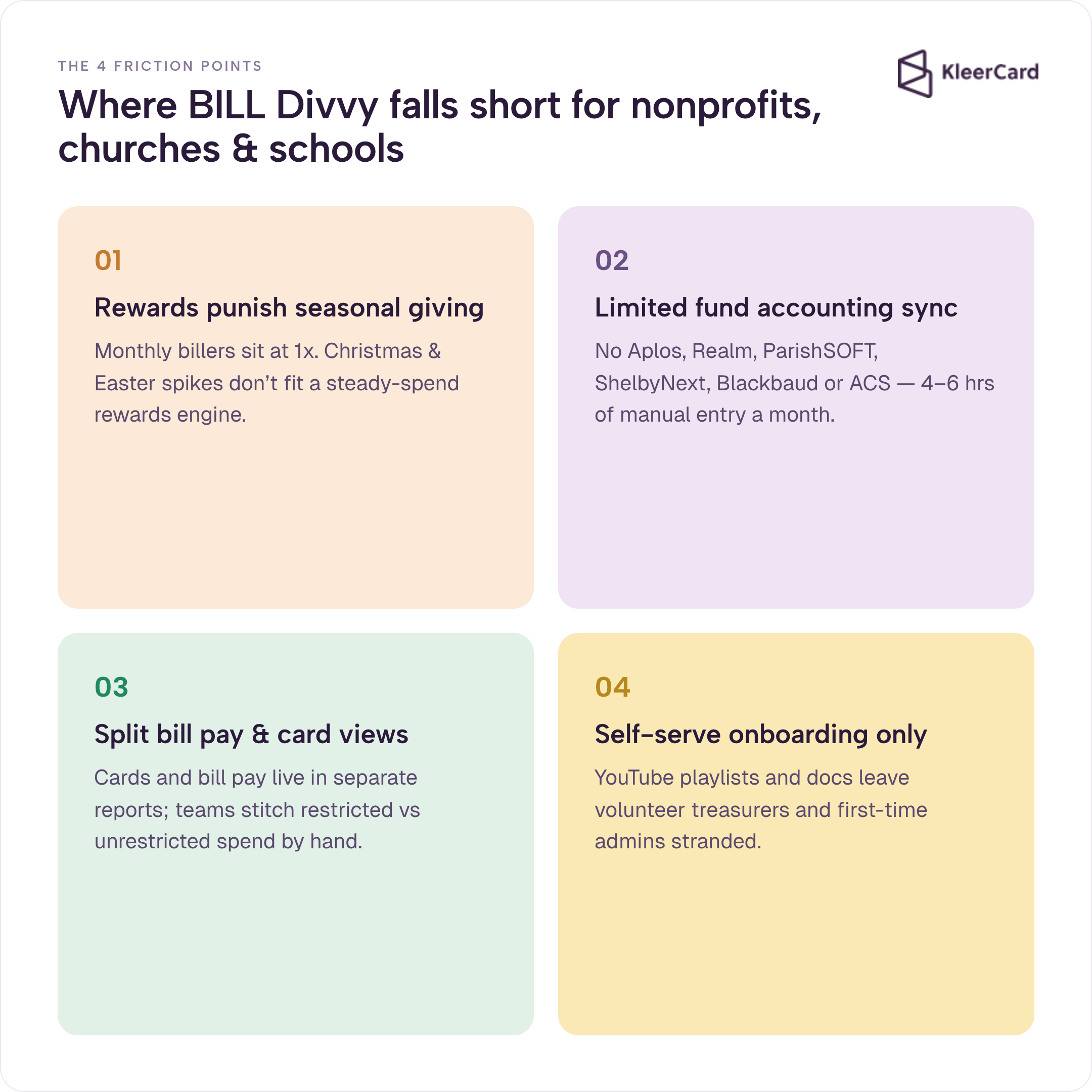
If your organization runs on BILL Spend & Expense (still called Divvy by most users) and something feels off, the friction usually lands in one of four places: rewards rules that punish seasonal giving, limited fund accounting sync, separate views for bill pay and cards, or self-serve onboarding that leaves volunteer treasurers stranded. This list ranks eight options by fit for mission-driven organizations. Where each falls short, we say so. If none match your situation, staying on Divvy remains the right call.
We compiled this from four years of work with church treasurers, nonprofit CFOs, and school business managers, plus public product data verified as of July 2026. As someone who has served as a church treasurer and worked with fractional finance teams across mission organizations, I have seen the same patterns repeat.
Disclosure: KleerCard is one of the alternatives reviewed. The other seven are evaluated from published pricing, integration docs, G2 and Capterra patterns, and switch conversations (named examples used only with permission).
Pricing and integration lists verified against each provider’s published pages as of July 2026. See Ramp’s pricing page for current tiers.
Yes. BILL.com acquired Divvy in 2021 and rebranded the product as BILL Spend & Expense. The card and software are identical. The Divvy name still appears in reviews on G2, Capterra, and accountant communities. Naming matters because BILL.com’s other product, BILL AP & AR, is a paid AP automation platform that runs $45 to $89 per user per month. BILL Spend & Expense is the free card-and-budget product most nonprofits actually use. You can review current details on BILL’s pricing page.
For a deeper look at how the product works in practice, see our BILL Divvy corporate card review.
BILL Spend & Expense works for many businesses. It offers no annual fee, no personal guarantee in standard cases, and free expense management software. For mission organizations the mismatches show up quickly.
Rewards depend on billing cycle and minimum spend. Weekly billers can earn higher multipliers on restaurants; monthly billers often sit at 1x. Hitting 30 percent of the credit line for better rates frustrates churches whose giving spikes around Christmas or Easter and then drops. Seasonal ministry calendars do not match the steady monthly spend patterns the rewards engine was built around.
Fund accounting integrations remain limited. The platform syncs to QuickBooks, NetSuite, and Sage Intacct, but not to Aplos, Realm, ParishSOFT, ShelbyNext, PowerChurch, Blackbaud Financial Edge, or ACS Technologies. That forces manual CSV exports and 4–6 hours of monthly data entry for many church and school finance leads. Tricia G. described exactly this pattern: after extensive reconciliation she still spent days each month pushing data into ACS.
Bill pay and card data still live in separate views with spotty integrated reporting. Finance teams that need a single picture of restricted and unrestricted spend end up stitching reports by hand. See our bill pay overview for how unified workflows change that. Onboarding stays mostly self-serve with YouTube playlists and docs. Volunteer treasurers and first-time admins often need a phone call. The more enterprise-oriented the platform becomes, the harder it is for a part-time finance volunteer to navigate.
These gaps drive the search for alternatives that understand restricted funds, volunteer cards, and seasonal cash flow.
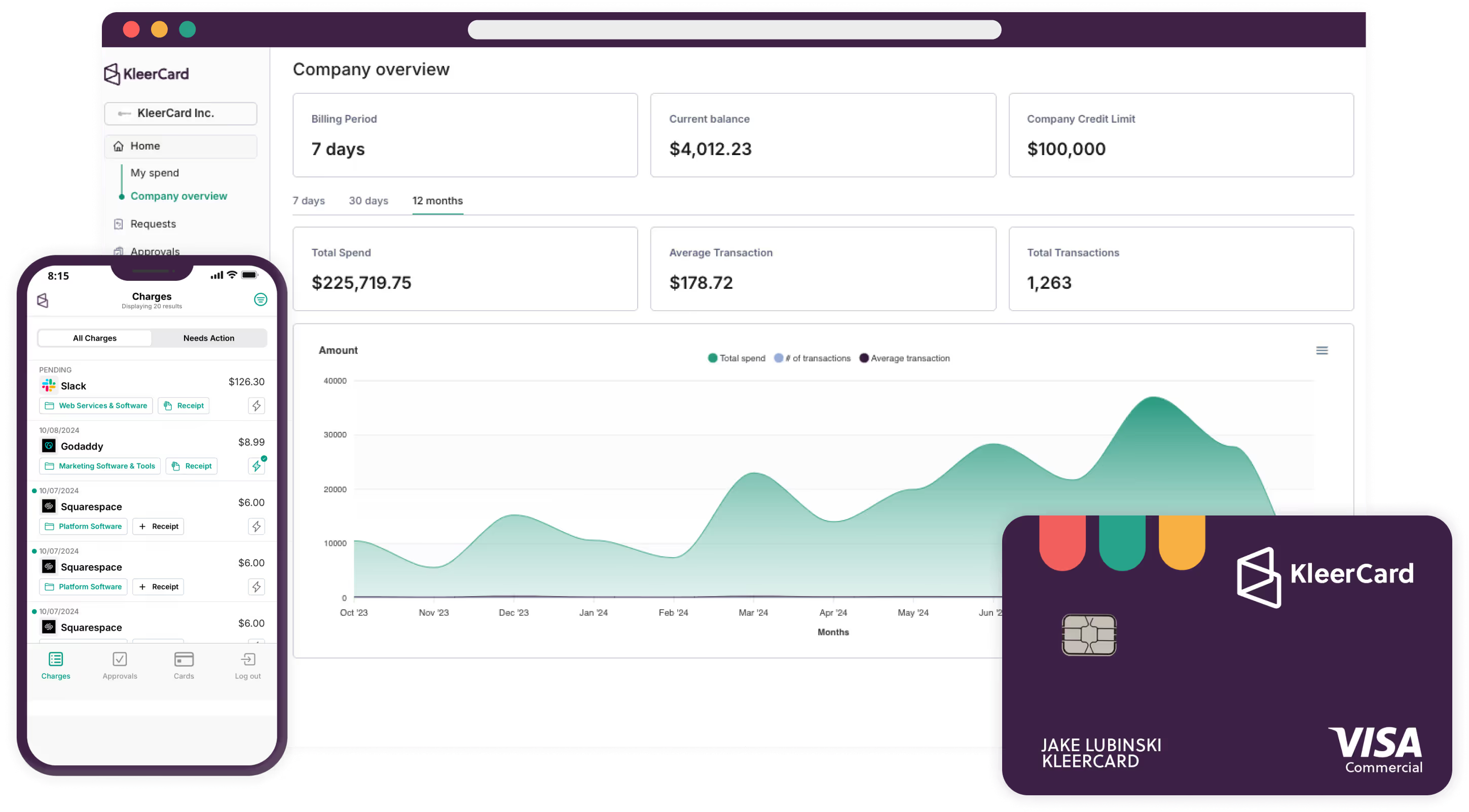
KleerCard is a corporate charge card and spend management platform built for churches, nonprofits, and schools. The card is issued by The Bancorp Bank, N.A. It carries direct integrations to Aplos, Realm, ParishSOFT, ShelbyNext, Blackbaud, ACS Technologies, QuickBooks Desktop, QuickBooks Online, and NetSuite.
Pricing is flat $29 to $49 per month with no per-user fee. There is no personal guarantee. Spend controls tie to budget envelopes. Onboarding happens through three 30-minute Zoom calls rather than video libraries—what we call white-glove setup. See current KleerCard pricing for the full tier breakdown.
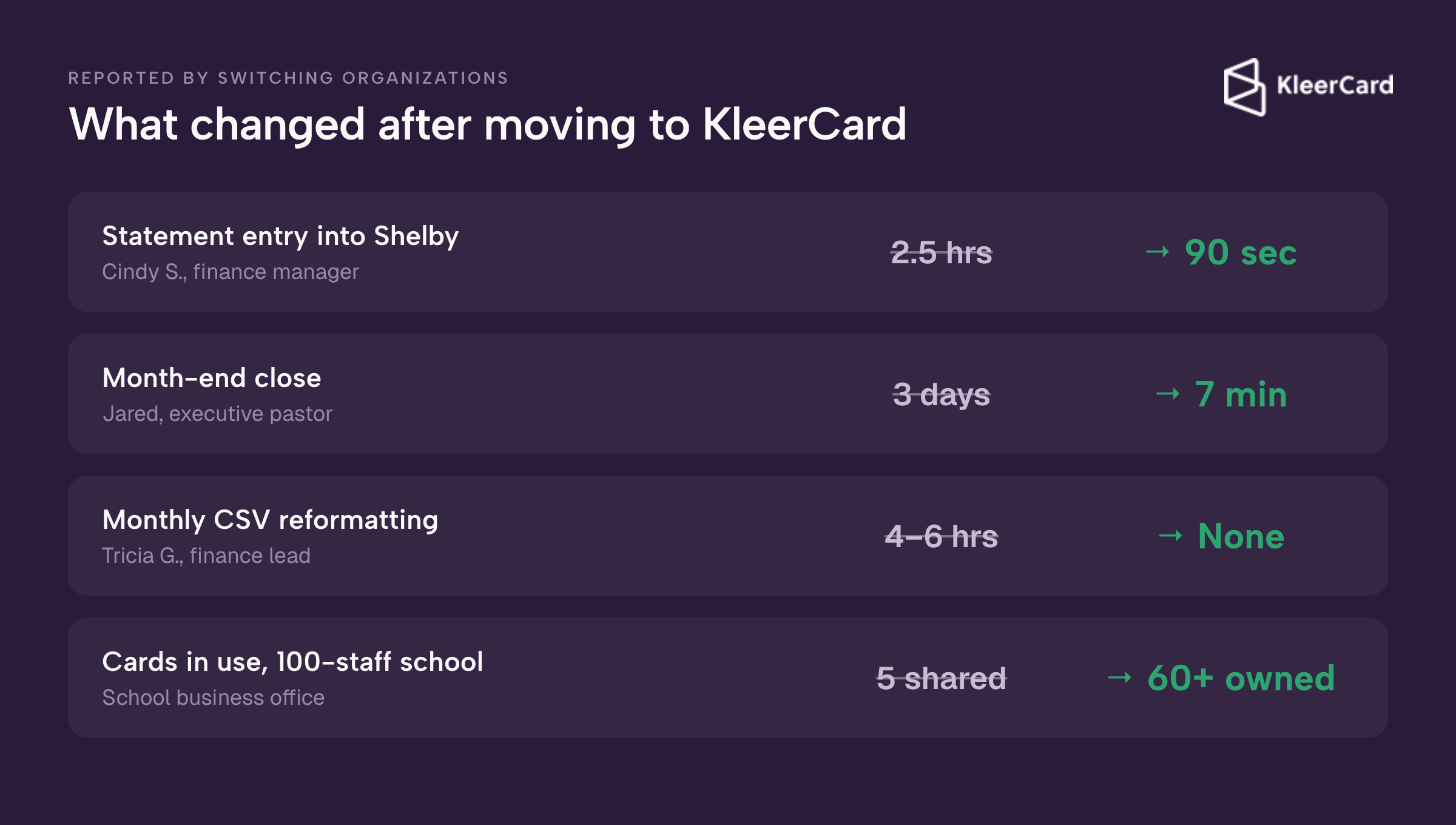
Concrete results from organizations that switched: Cindy S., finance manager at a multi-ministry church, reduced monthly statement entry into Shelby Financials from 2.5 hours to roughly 90 seconds in her first month. Jared, an executive pastor, reported month-end close dropped from three days to seven minutes. Tricia G., a finance lead, described the previous CSV export and reformatting process as adding 4 to 6 hours of monthly work on top of reconciliation.
One practical example of controls: a virtual card for a youth pastor can expire at midnight, work only at restaurants, and stay capped at $250. The same model works for field trips, VBS, or mission teams.
We have also seen schools go from five shared cards for an entire campus of roughly 100 staff to more than 60 cards once administrators and teachers each hold their own with clear limits. That change cut the hide-and-seek of finding the one available card and reduced the stream of personal reimbursements.
Teachers who used to front classroom supplies out of pocket now swipe a school card and upload the receipt on the spot. Lost receipts that used to arrive in batches of five or more per week dropped to fewer than five across an entire seven-month school year. Month-end work that once stretched into hours now finishes in a few minutes. The maintenance director no longer has to hunt across campuses for a physical card just to fix a broken toilet at Home Depot.
My own church runs about 21 active cards with only 2.5 paid employees. That setup costs us between $350 and $600 a year. The same headcount on a per-user platform would run several times higher. The flat pricing removes the scarcity mindset that leads teams to share cards or hand out virtual numbers just to avoid extra seat fees.
Native syncs with Aplos, Realm, ParishSOFT, ShelbyNext, ACS, Blackbaud, QuickBooks, and NetSuite mean the transactions land in the right fund without CSV gymnastics. Volunteer cards, Amazon Business line-item capture, and simple budget limits complete the picture. For the full integration experience, see our accounting sync capabilities and receipt tracking tools.
Where KleerCard falls short: it does not offer line-item budget controls exactly like BILL, cashback starts meaningfully only at higher monthly spend volumes, terms are weekly, and bill pay is supportive rather than primary. It is not built for heavy multi-entity AP automation or complex multi-level approval chains that escalate by dollar amount. We keep the controls simple so non-finance people can actually use them.
Learn more about KleerCard for churches or see the full integration list. For nonprofits more broadly, explore solutions for nonprofits. You can also review options under nonprofit credit card.
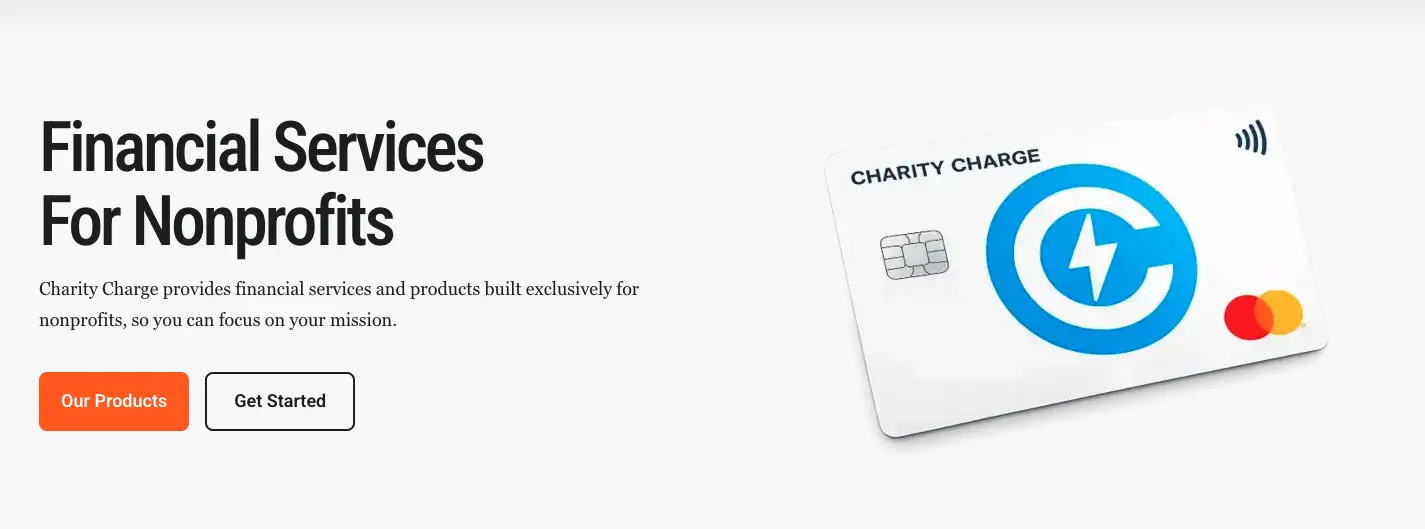
Charity Charge is a credit card underwritten directly to the nonprofit. It requires no personal guarantee in the standard case and is issued by Commerce Bank on Mastercard for 501(c)(3) organizations.
It delivers 1 percent cashback to the nonprofit, vendor rebates on travel, fuel, and supplies, and QuickBooks Online integration. More than 2,500 nonprofits, including United Way and YMCA chapters, use it. For a closer look at how it compares, see our Charity Charge nonprofit business card review.
Eligibility requires either five years of operation and $100K revenue or two years and $500K revenue. Applicants need two years of 990s, audits, or statements. There is no built-in expense software and no fund accounting integrations beyond QuickBooks Online. Organizations that already run strong internal controls and simply want a no-guarantee card find it a clean fit.
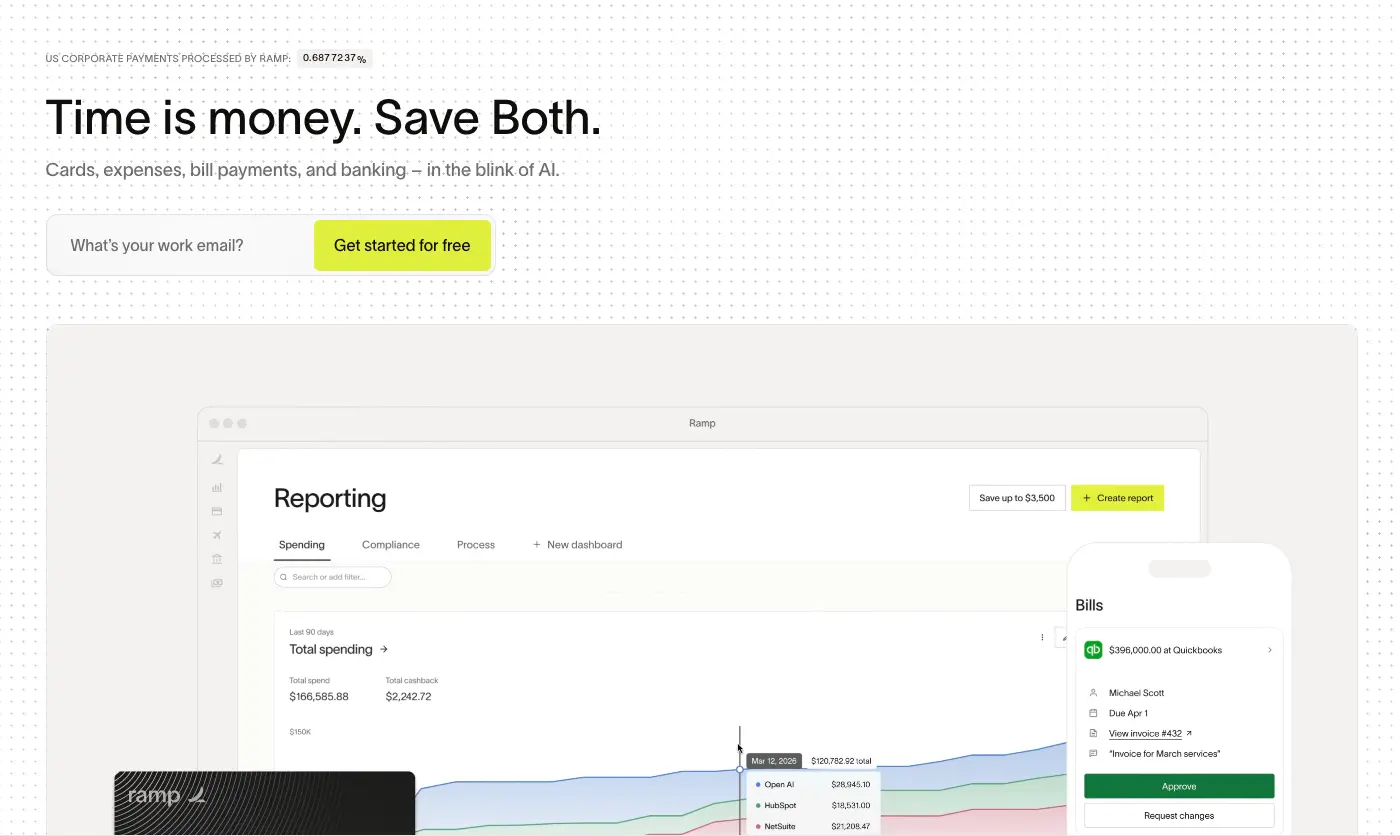
Ramp is a corporate charge card and spend management platform with a free base tier, up to 1.5 percent cashback, receipt automation, OCR, policy enforcement, and real-time analytics. Integrations include QuickBooks, NetSuite, and Sage Intacct. Underwriting uses cash-balance rather than personal guarantee.
In June 2026 Ramp raised $750 million at a $44 billion valuation and reported more than 70,000 customers with annualized revenue above $1 billion. The platform now emphasizes AI coding, purchasing agents, and tools for rising AI-token spend. Finance teams that already live in QuickBooks and have stable cash positions often prefer the automation depth. Organizations evaluating Ramp specifically for mission-driven work can also review our Ramp for nonprofits alternatives.
Requirements include $25,000–$75,000 minimum in a connected checking account and organizational domain emails. Volunteer Gmail accounts break the model. Platform fees of $5,000–$10,000 at renewal have been reported since late 2025 for smaller customers. Small churches and schools with thin cash reserves or heavy volunteer use usually find the floor too high.
Many of the organizations coming to us from Ramp describe a scarcity mindset around adding users because each additional seat carries a real monthly cost. That leads to card sharing or virtual numbers handed out informally, which reduces accountability. Current details are available on Ramp’s pricing page.
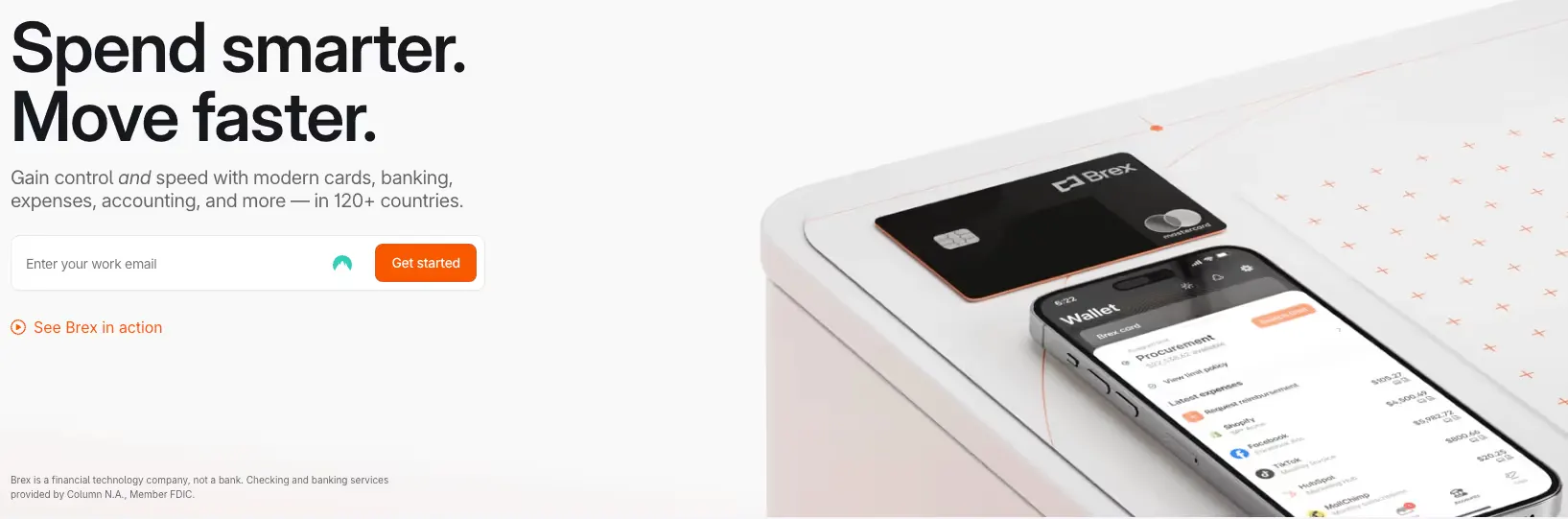
Brex is a corporate card and platform originally built for tech companies. It carries no annual fee and no personal guarantee in standard cases. Issuers include Emigrant Bank or Fifth Third Bank. Strengths include receipt automation via text, multi-currency support across 100+ countries, and integrations with QuickBooks, NetSuite, and Sage. Pricing runs free base or $12 per user per month for Premium.
The practical bar is a $50,000 minimum bank balance and organizational domain emails. Most community nonprofits and churches sit below that cash threshold. International mission teams or tech-adjacent 501(c)(3)s with reserves are the better match.
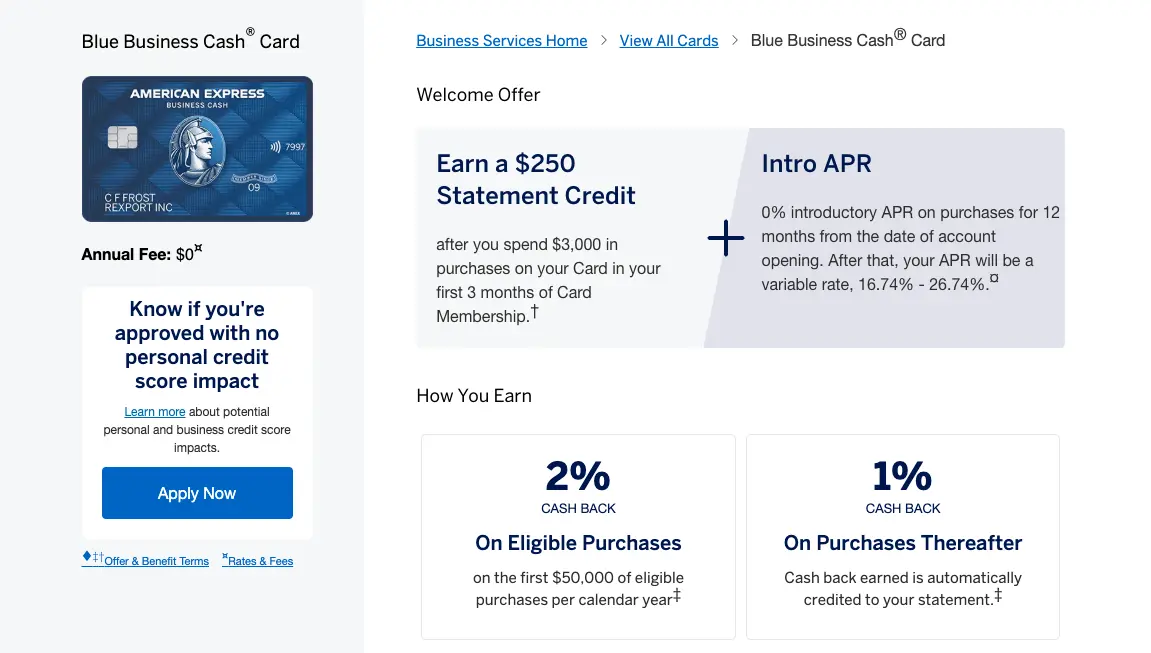
American Express Business cards (Blue Business Cash, Business Gold, and similar) suit small organizations comfortable signing a personal guarantee. Cards are free of annual fee on many options. Blue Business Cash delivers 2 percent cashback up to $50,000 annual spend, then 1 percent. Up to 99 free employee cards are available. QuickBooks sync works cleanly.
The personal guarantee is the trade-off. Many board members and executive pastors prefer to keep personal credit separate from organizational liability. Predictable rewards math still makes Amex attractive for steady, non-seasonal spend. For a broader look at cards that avoid personal guarantees, see credit cards for nonprofits with no personal guarantee.
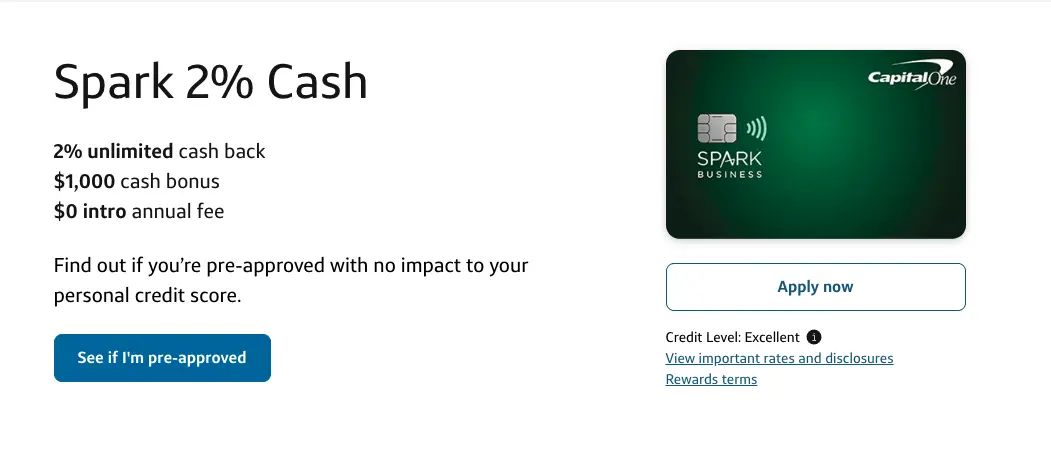
Capital One Spark cards deliver flat 2 percent cashback with no annual fee on the Cash Select and similar products. QuickBooks integration is available and foreign-transaction fees are waived on some versions. Eligibility almost always requires a personal guarantee.
Organizations that already hold strong personal credit and want simple math without software fees find Spark straightforward. Those who need organizational underwriting or fund accounting depth look elsewhere.
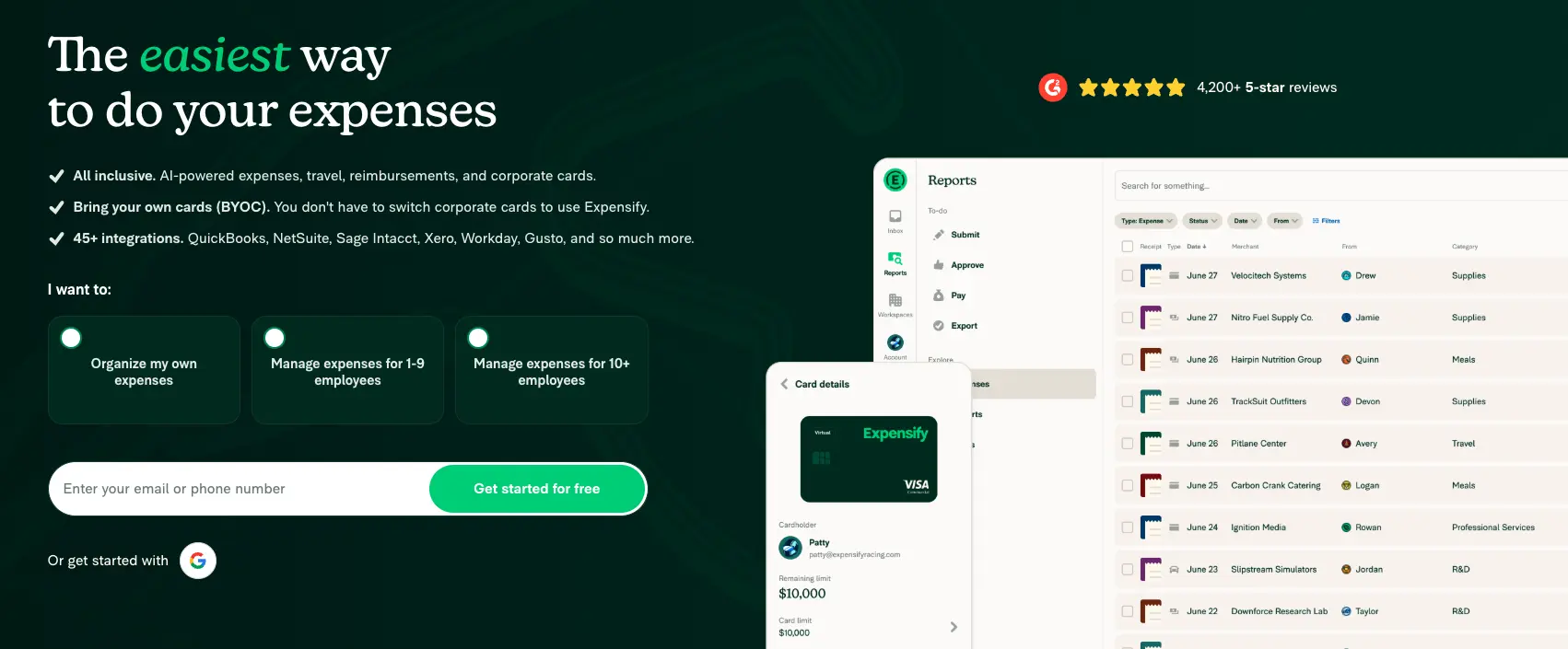
Expensify works as a software-only layer on top of whatever cards the organization already uses. Pricing runs $5–$18 per user per month. SmartScan receipt capture, policy rules, and integrations with QuickBooks, Xero, NetSuite, and Sage are mature. The Expensify Card itself can add 2 percent cashback when bundled.
This option fits teams that like their current cards but need better receipt and coding workflows. It does not replace the need for a corporate card program or solve fund accounting sync gaps. When the real problem is a personal guarantee tied to an outgoing executive director, Expensify alone cannot fix it.
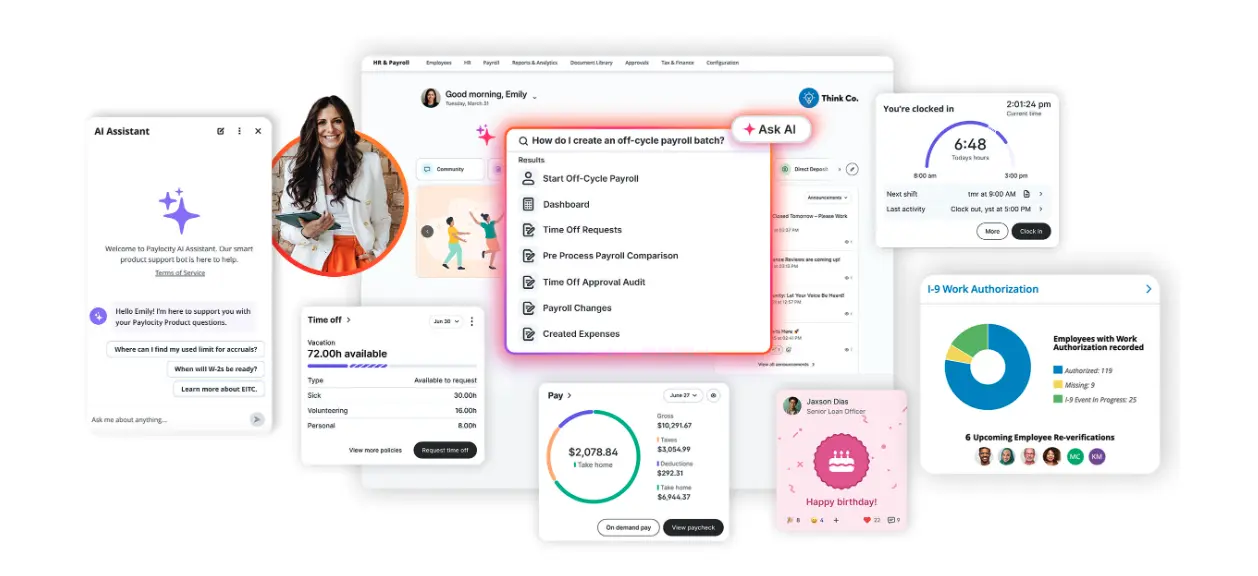
Airbase was acquired by Paylocity in October 2024 for $325 million and now operates as Paylocity Spend Management. It targets mid-market multi-entity organizations that need deep AP automation, approval workflows, and integrations with NetSuite, Sage Intacct, and QuickBooks. Pricing is custom. Personal guarantee is not required in standard cases.
Organizations with $10M+ revenue and complex entity structures benefit most. Smaller churches and schools rarely need the full AP depth and face custom pricing that exceeds flat monthly options.
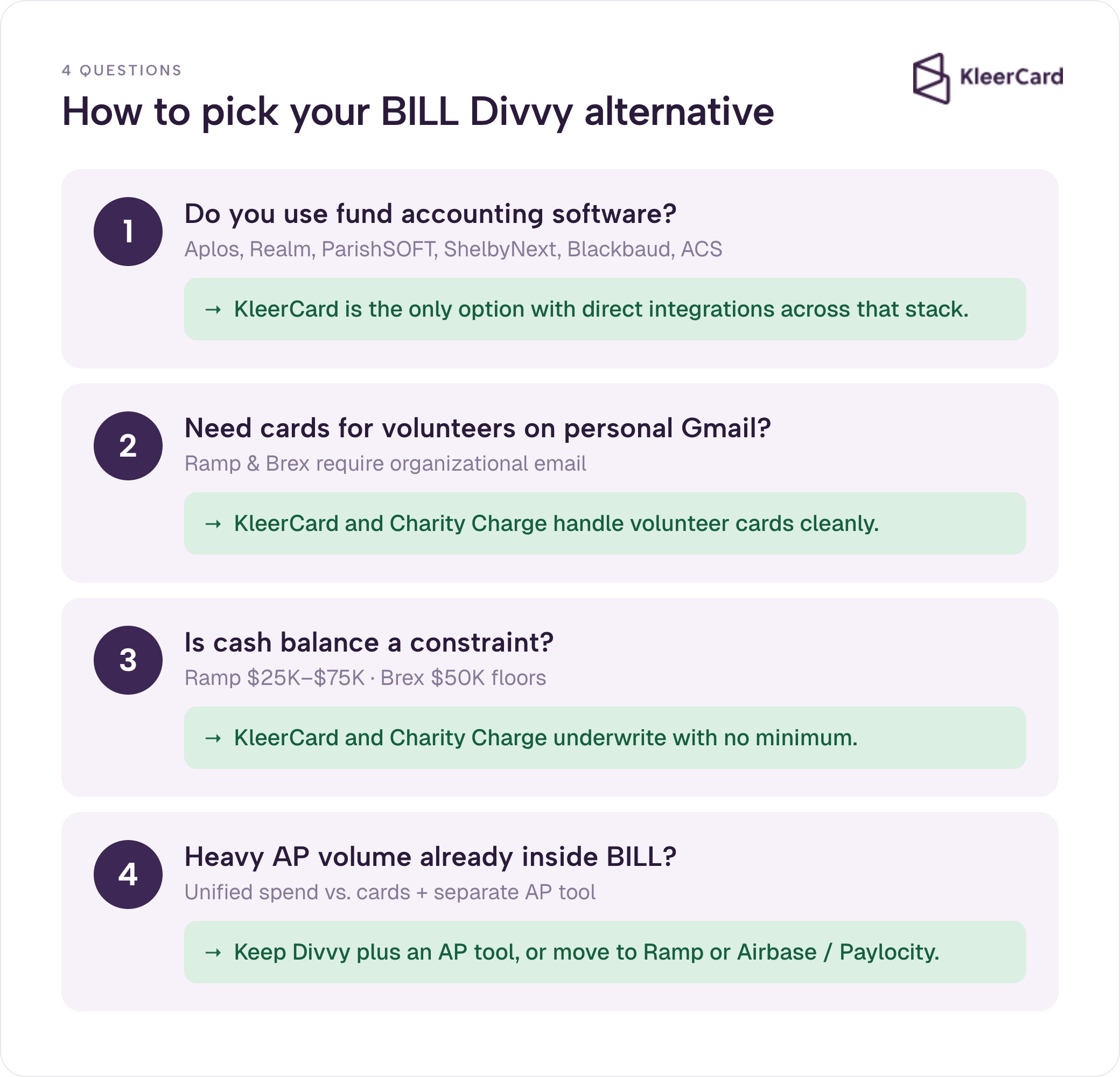
The decision for most nonprofits, churches, and schools comes down to four questions.
Do you use fund accounting software? Aplos, Realm, ParishSOFT, ShelbyNext, Blackbaud, or ACS Technologies push KleerCard to the top of the list because it is the only option with direct integrations across that stack.
Do you need cards for volunteers who use personal Gmail accounts? Platforms that require organizational domain emails (Ramp, Brex) create friction. KleerCard and Charity Charge handle volunteer cards more cleanly.
Is cash balance a constraint? Ramp and Brex set higher floors. Charity Charge and KleerCard underwrite to the organization without those minimums.
Do you already run heavy AP volume inside BILL? Keeping Divvy for cards and adding a separate AP tool, or moving to Ramp or Airbase/Paylocity for unified spend, becomes the practical path.
Run the four questions against your actual accounting platform, volunteer pattern, and cash position. The table above then points to the shortlist. Churches can also compare options in our best credit card for churches guide.
If you want to see how the options map to your specific chart of accounts and volunteer list, schedule a short demo or start a conversation.
Stay if your books already live in QuickBooks, NetSuite, or Sage Intacct, your spend is steady month to month, you have no personal-guarantee concerns, and the self-serve support model works for your team. The free software and budget controls remain competitive for that profile. Switching costs time and training. If the current setup already closes the books cleanly, the incremental gain may not justify the change.
Most organizations follow the same sequence. Export the last 12 months of transaction data and budget structures from Divvy. Map chart-of-accounts codes and restricted-fund tags to the new platform. Issue new cards in parallel for one billing cycle while the old cards remain active. Run a side-by-side close for one month. Deactivate the old cards only after the new platform has produced a clean reconciliation. Human onboarding calls (common with KleerCard’s white-glove setup) shorten the mapping step for volunteer-led teams.
The real first step is often a mindset shift rather than a technical one. Organizations coming from platforms with per-seat pricing frequently share cards or hand out virtual numbers to avoid extra fees. That reduces line-of-sight accountability. The better approach is to decide who legitimately spends on behalf of the organization and give each of those people their own controlled card. Test with a small group, confirm the accounting import, then expand.
Historical data stays in your accounting system as the single source of truth. The only pieces worth carrying over are the chart of accounts and, if you use bill pay, the vendor list. We typically recommend a six-week transition window so the team can get comfortable, though we have moved organizations in as little as two weeks when a previous provider was shutting down accounts.
Start by listing every person who actually spends money on behalf of the organization. That list is almost always longer than the number of seats currently being paid for. Issue cards to those people with realistic budgets. Connect the accounting sync early and run a few test imports. Once the finance team trusts the data landing in the right funds, expand the rollout. Parallel-run the old and new systems for at least one full close cycle so nothing falls through the cracks. For reimbursements that remain after cards are in place, see how bill pay workflows keep volunteers whole without payroll complications.
Yes. BILL.com acquired Divvy in 2021 and rebranded the product as BILL Spend & Expense. The card and software remain identical. The Divvy name persists in reviews and search because many users still use it.
The BILL Spend & Expense card and software are free for any qualifying business, including nonprofits. There are no per-user fees, no annual fees, and no setup costs. Paid BILL AP & AR is a separate product.
KleerCard is the only platform on this list with direct integrations for the common church accounting stack: Aplos, Realm, ParishSOFT, ShelbyNext, ACS Technologies, and Blackbaud. Churches that need no-personal-guarantee cards plus fund accounting fit usually start here.
Ramp wins on automation, AI-powered transaction coding, and bi-directional QuickBooks sync. BILL Spend & Expense wins on lower minimum balance requirements, more flexible billing cycles, and simpler eligibility for smaller organizations. The better choice depends on cash position and accounting platform.
Both are corporate charge cards with no annual fee and no personal guarantee in standard cases. Brex historically targets tech companies and requires higher cash balances. Divvy (BILL Spend & Expense) reaches further into small-business and nonprofit segments with lower floors.
Yes. Charity Charge, KleerCard, Ramp, Brex, and Airbase/Paylocity all underwrite to the organization rather than an individual signer in the standard case. American Express Business cards and Capital One Spark almost always require a personal guarantee. See the full list of credit cards for nonprofits with no personal guarantee.
We pulled 2026 product details from each vendor’s published pricing and integration documentation. We layered in patterns from KleerCard’s own demo calls, onboarding sessions, and switch cases, using named examples only with customer permission. Claims about competitor funding and acquisitions were cross-checked against primary sources such as TechCrunch.
If your organization needs fund accounting integrations, volunteer cards without organizational email, and human onboarding, start a KleerCard conversation or schedule a demo. For every other profile the table and decision questions above show the clearer path.


Speak to a member of our team and we can have you up and running in minutes, not weeks.