Lightning bolt icon
AI-Powered Receipt Extraction

Extract Tax Info from Receipts in Seconds

Upload your receipts and let our AI automatically extract merchant names, amounts, tax details, and more. Perfect for North Carolina non-profit tax season prep.
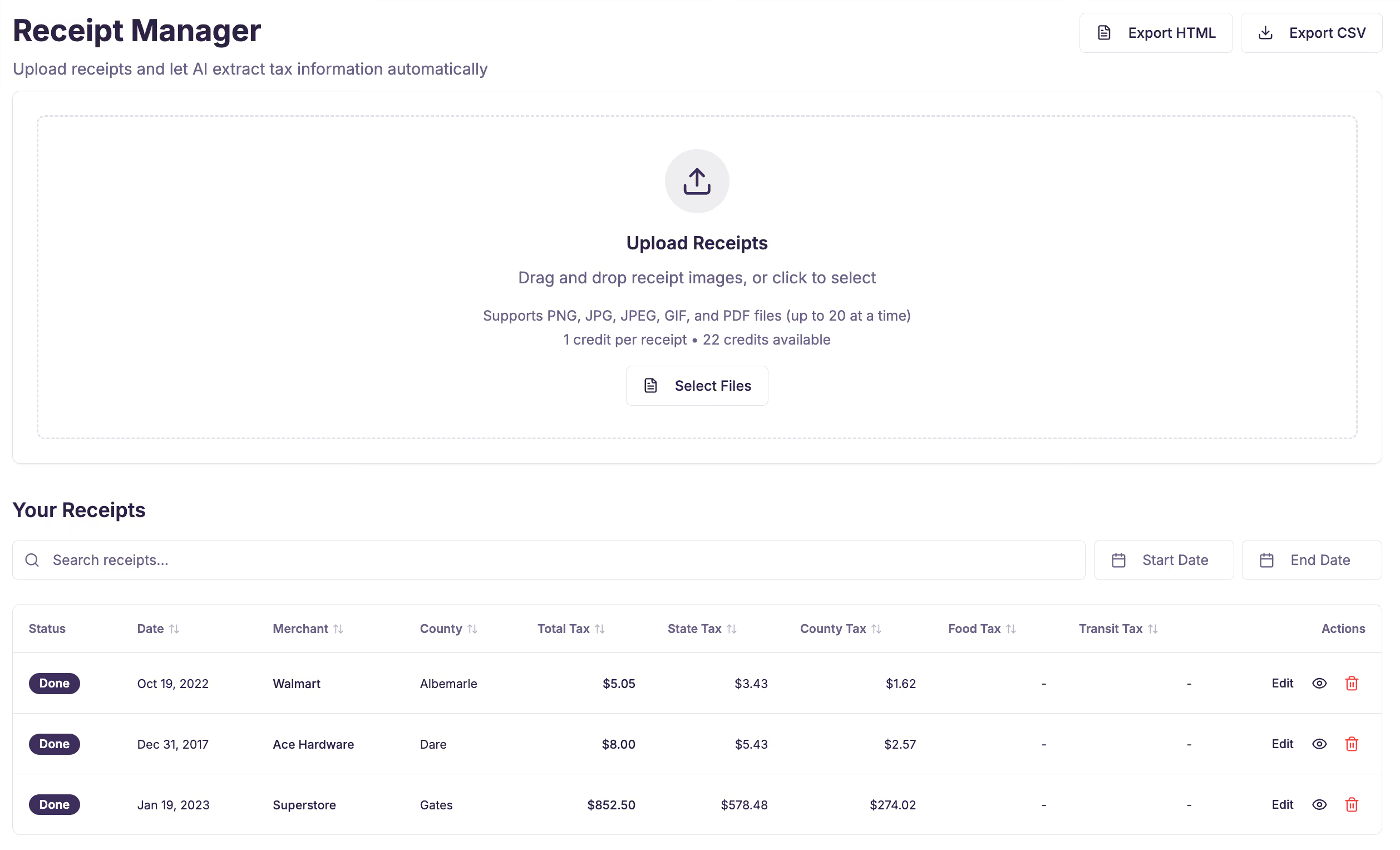
Screenshot of Receipt Manager interface showing upload area with instructions to drag and drop receipt images or select files, supporting PNG, JPG, JPEG, GIF, and PDF up to 20 files, with 22 credits available. Below is a searchable and filterable list of three receipts with columns: Status (all done), Date, Merchant, County, Total Tax, State Tax, County Tax, Food Tax, Transit Tax, and Actions (edit, view, delete icons). Merchants listed are Walmart, Ace Hardware, and Superstore with respective tax details.

How It Works

Receipt icon

1. Upload Receipt

Snap a photo or upload an image/PDF of your receipt.

Lightning bolt icon

2. AI Extracts Data

Our AI reads and extracts merchant, amounts, tax, and line items.

Download icon

3. Export Reports

Download CSV or HTML reports for your tax records.

Why Use NC Tax Snap?

AI extraction saves hours of manual data entry

Extracts tax amounts, rates, and totals automatically, perfect for North Carolina nonprofit sales tax refunds

Export to CSV for spreadsheets or HTML for reports

Supports image (PNG, JPG) and PDF receipts

Line item breakdown for detailed records

Secure cloud storage for all your receipts

Shield icon

Ready to Simplify Your North Carolina Tax Records?

Start uploading receipts for free. Calculate sales tax refunds. No credit card required.