Credit Cards for School Districts (2026): The Business Office Guide

Credit Cards for School Districts (2026): The Business Office Guide

By:
, co-founder, KleerCard
Updated
May 14, 2026

There are two kinds of credit card programs in use at school districts today.

Traditional bank purchasing card (P-card) programs come from US Bank, Bank of America, or JPMorgan Chase under state cooperative contracts. Modern card platforms (KleerCard, Ramp, BILL Spend & Expense, Charity Charge) ship the card and the spend management software together.

Which one fits depends less on the card features and more on the school. A public K-12 district inside a state cooperative usually has the issuer decided already. An independent school, a charter management organization, or a parish school sets its own procurement policy and has real choice.

This guide walks through the three banks that dominate public-district contracts, the modern platforms and the schools they fit, what the New York State Comptroller and GFOA look for in any program, and where each option breaks down.

Quick answer: which credit card is right for your school district

If your school district is... The right card is usually...
A public K-12 district inside a state purchasing cooperative The cooperative's issuer (US Bank, Bank of America, JPMorgan Chase) under the existing state contract
An independent school, classical academy, or charter management organization with 5 to 200+ cardholders A modern card platform with fund accounting integrations (KleerCard)
A parish or diocesan school using ParishSOFT or Blackbaud A modern platform with direct fund accounting integrations (KleerCard)
A well-capitalized charter network with $25K+ in checking and outsourced accounting Ramp or KleerCard, depending on accounting platform
A 501(c)(3) school that meets the revenue and operating-history thresholds Charity Charge or KleerCard
A teacher covering classroom supplies out of pocket A personal cash-back card (Amazon Prime Visa, Amex Blue Cash Everyday, Wells Fargo Active Cash)

Confirm current terms with each issuer before signing.

The fast comparison of credit cards for school districts

Program Best for Issuer / Network Spend controls Accounting integrations Eligibility
US Bank One Card / Visa P-card Mid- to large public K-12 districts US Bank, Visa MCC blocks, single transaction limit, monthly limit CSV exports; bank-specific integrations State cooperative or direct contract
Bank of America WORKS Public districts in state contracts (e.g., SC, NC) Bank of America, Visa MCC blocks, velocity limits, dollar caps WORKS portal, GL coding State contract eligibility
JPMorgan Chase Commercial Card State-contracted districts (e.g., ND OMB program) JPMorgan, Mastercard MCC blocks, transaction limits PaymentNet exports State contract eligibility
KleerCard Independent schools, classical academies, charter networks, parish schools The Bancorp Bank, N.A., Visa Commercial Per-card budgets, MCC blocks, time-based locks, virtual cards Direct: QuickBooks Online/Desktop, NetSuite, Blackbaud, Aplos, ACS Technologies, ParishSOFT, Realm, Shelby No personal guarantee; no minimum bank balance
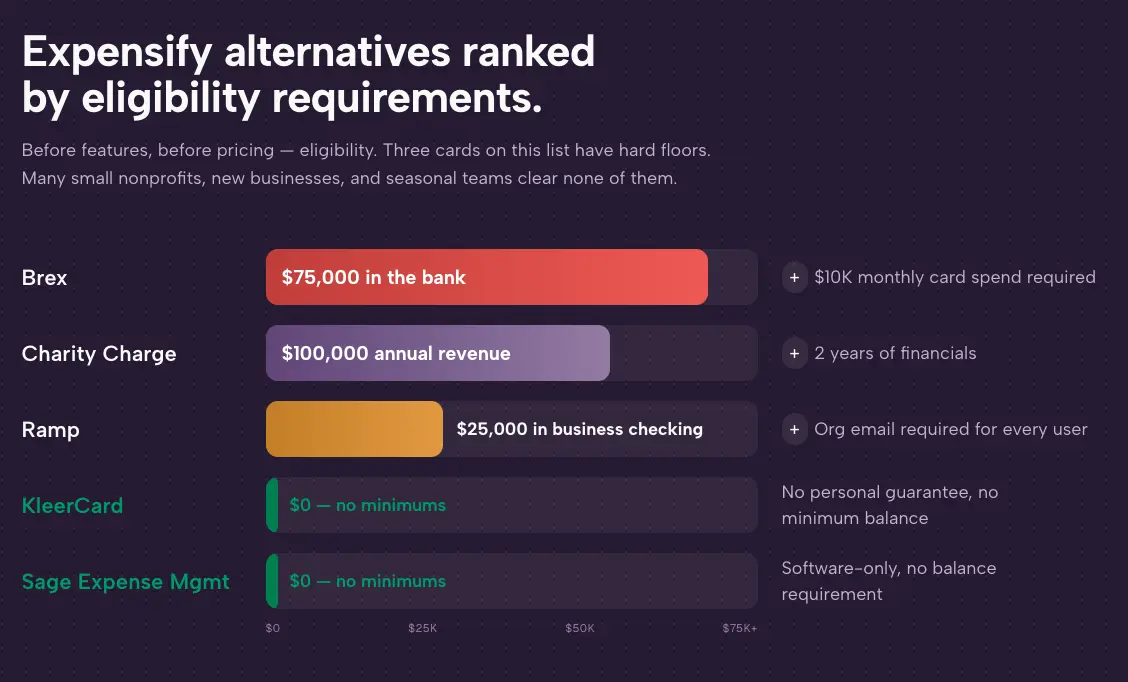
Ramp Larger charter networks, well-capitalized private schools Sutton Bank, Visa Per-card budgets, MCC blocks, AI policy enforcement QuickBooks, NetSuite, Sage Intacct ~$25,000 minimum bank balance; organizational email required
BILL Spend & Expense (formerly Divvy) Schools that need card + AP under one vendor Cross River Bank, Visa Per-cardholder budgets, line-item budgeting QuickBooks, Xero, Sage Intacct, NetSuite Cash flow and credit review
Charity Charge Nonprofit Card 501(c)(3) independent schools and foundations Commerce Bank, Mastercard (Corporate Card available separately) Per-card limits; 180+ granular controls on Corporate Card QuickBooks Online; Sage Intacct and NetSuite on Corporate Card 5 years in operation + $100K revenue, or 2 years + $500K revenue

Who this guide is for

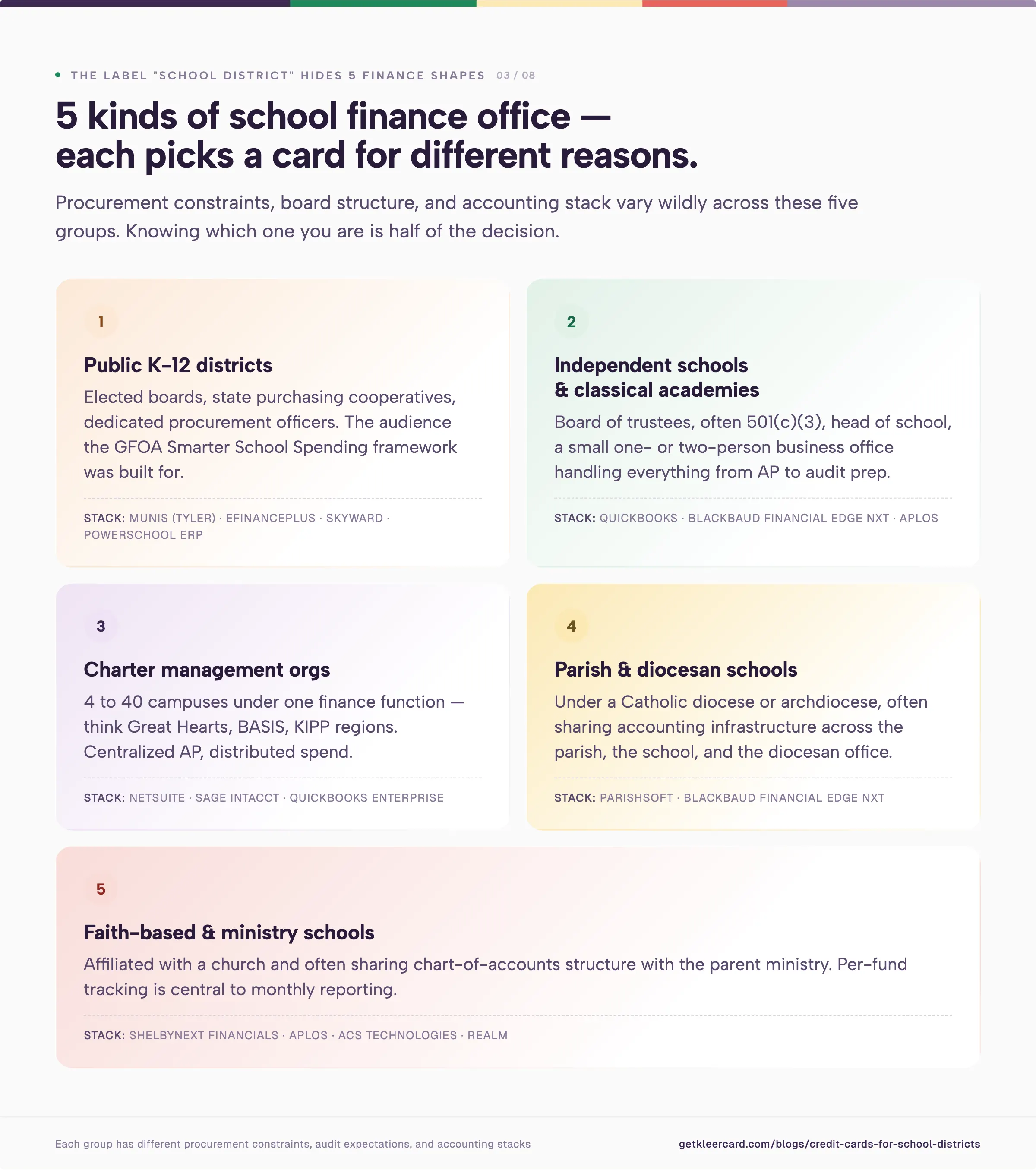
The label "school district" covers a wider range of finance offices than it sounds:

  • Public K-12 districts with elected boards, state purchasing cooperatives, and procurement officers (the audience the GFOA Smarter School Spending framework was built for)
  • Independent schools and classical academies governed by a board of trustees, often 501(c)(3), often with a head of school and a small business office
  • Charter management organizations running 4 to 40 campuses under one finance function (Great Hearts, BASIS, KIPP regions)
  • Parish and diocesan schools under a Catholic diocese or archdiocese, with shared accounting through ParishSOFT or Blackbaud Financial Edge NXT
  • Faith-based and ministry schools affiliated with a church and often running ShelbyNext Financials or Aplos

Public K-12 business officers will get the most out of the next three sections: what a P-card program is, what auditors and the GFOA look for, and how the three major bank programs compare. Finance leaders at independent schools, charter networks, and parish schools can skip ahead to the modern card platforms and the evaluation framework. The 501(c)(3) schools in that group also fit the broader nonprofit credit card and spend management playbook.
What a school district P-card does

A school district P-card (purchasing card) is a credit card issued to authorized district employees for small-dollar, high-volume purchases. It replaces purchase orders, petty cash, and check requests for routine procurement. Merchant category code (MCC) restrictions, dollar limits, and a monthly statement keep everything reconciled back to the district's general ledger.

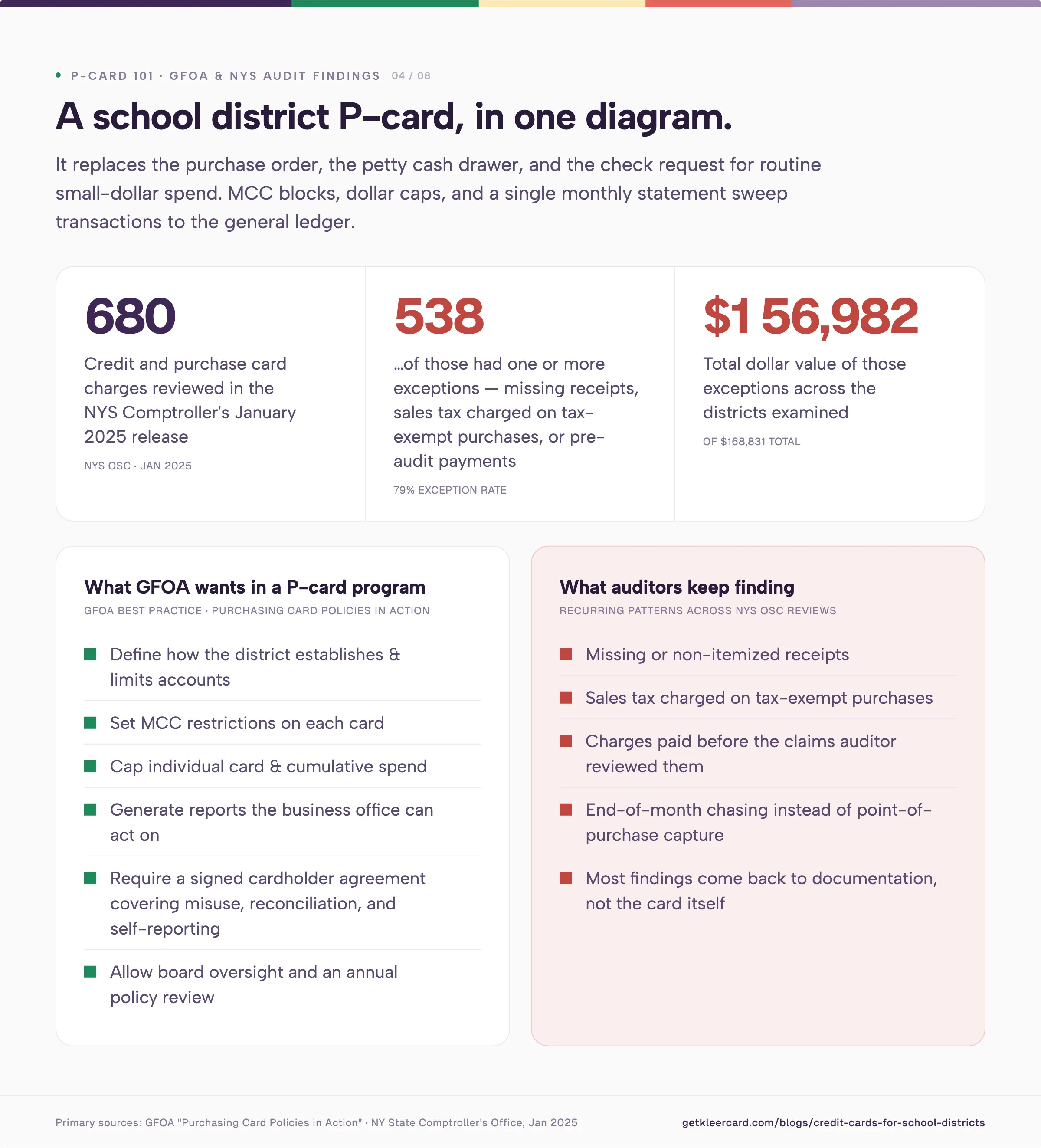
The Government Finance Officers Association recommends that governments adopt P-card programs to clear out the paperwork around small purchases. Without one, finance teams generate purchase orders, invoices, petty cash transactions, and checks for every $40 box of paper towels. With one, a single monthly statement sweeps transactions into the general ledger by GL code and cost center.

Per GFOA best practice, a district P-card program should at minimum:

  • Define how the district establishes and limits accounts
  • Set merchant category code restrictions on each card
  • Cap individual card spend and cumulative spend
  • Generate reports the business office can act on
  • Require a signed cardholder agreement covering misuse, reconciliation, and self-reporting
  • Allow board oversight and an annual policy review

The New York State Comptroller's office audits school district P-card programs against most of those criteria. In a January 2025 release, auditors reviewed 680 credit card and purchase card charges totaling $168,831 across the districts examined and found that 538 charges (totaling $156,982) had one or more exceptions. The recurring patterns are familiar: missing or non-itemized receipts, sales tax charged on tax-exempt purchases, and charges paid before the claims auditor reviewed them.

Most of those findings come back to documentation rather than the card itself. Strong spend controls, clean MCC blocks, and real-time receipt capture reduce audit exposure. Manual receipt collection and end-of-month reconciliation increase it.

Traditional bank P-card programs for public school districts

Most public K-12 districts in the United States access card programs through a state cooperative purchasing agreement instead of negotiating directly with an issuer. Three programs dominate.

US Bank One Card / Visa Purchasing Card

US Bank's One Card is the most common public-district P-card across the western and Mountain West states. Granite School District (Utah), Alpine School District (Utah), and Millard School District (Nebraska) all run US Bank Visa P-card programs. The Nebraska Rural Community Schools Association offers it as a member benefit and earns a percentage of transaction fees.

A typical district setup:

  • Issue one Visa P-card per authorized employee
  • Let the purchasing director set MCC blocks at the district level
  • Load the monthly statement into the district's AS400 or finance system around the 20th
  • Have site administrators reconcile transactions before payment
  • Cut one check a month for the entire district

The controls work, but they're coarse. Most districts can block restaurants, casinos, and adult-content merchants. Per-card category-level budgets and time-based locks are rarely available. Receipt collection runs through whatever process the business office sets up off the card.

Bank of America WORKS

Bank of America's WORKS payment management system is the standard P-card platform in South Carolina's state contract, used by York School District 1 and most other SC districts. Districts earn a rebate that flows back to general operations.

WORKS handles transaction allocation, GL coding, and cardholder reconciliation through a web portal. Documentation lives inside WORKS, or inside the district's accounting system, depending on how the district built the integration. Real-time visibility is more limited than what modern platforms provide.

JPMorgan Chase Commercial Card / Mastercard

North Dakota's Office of Management and Budget runs a Mastercard program through JPMorgan Chase that extends to state agencies, higher education, and political subdivisions (school districts included). The state's commercial card program covers 77 state agencies, 73 school districts, 13 colleges and universities, and dozens of counties and cities under one PaymentNet database.

Chase commercial cards also show up outside cooperative agreements, especially at independent schools and larger charter networks that already bank with Chase.

What traditional bank programs do well, and where they fall short

The strengths of bank P-card programs include established underwriting, high credit limits backed by the district's procurement budget, standard cooperative pricing, formats auditors and state comptroller offices already know how to read, and rebates that flow back into operations.

The limitations show up in a few places. MCC and dollar-cap controls are coarse, so per-card category budgets and time-based locks rarely exist. Receipt capture is manual, or bolted on through a separate expense tool. Reporting runs on a monthly cycle. Direct integration with school-specific accounting platforms (Aplos, Blackbaud, ParishSOFT, ShelbyNext, ACS Technologies) is rare or requires custom CSV mapping.

For a 35,000-student district running 800 transactions a day through a US Bank One Card program, those limitations are manageable. Procurement officers cover the missing pieces with separate expense management software, monthly reconciliation routines, and an internal audit cycle.

For a 600-student independent school or a 12-campus charter network, the same limitations land on a one- or two-person finance office, and the overhead doesn't scale down to that team size.

Modern card platforms for schools

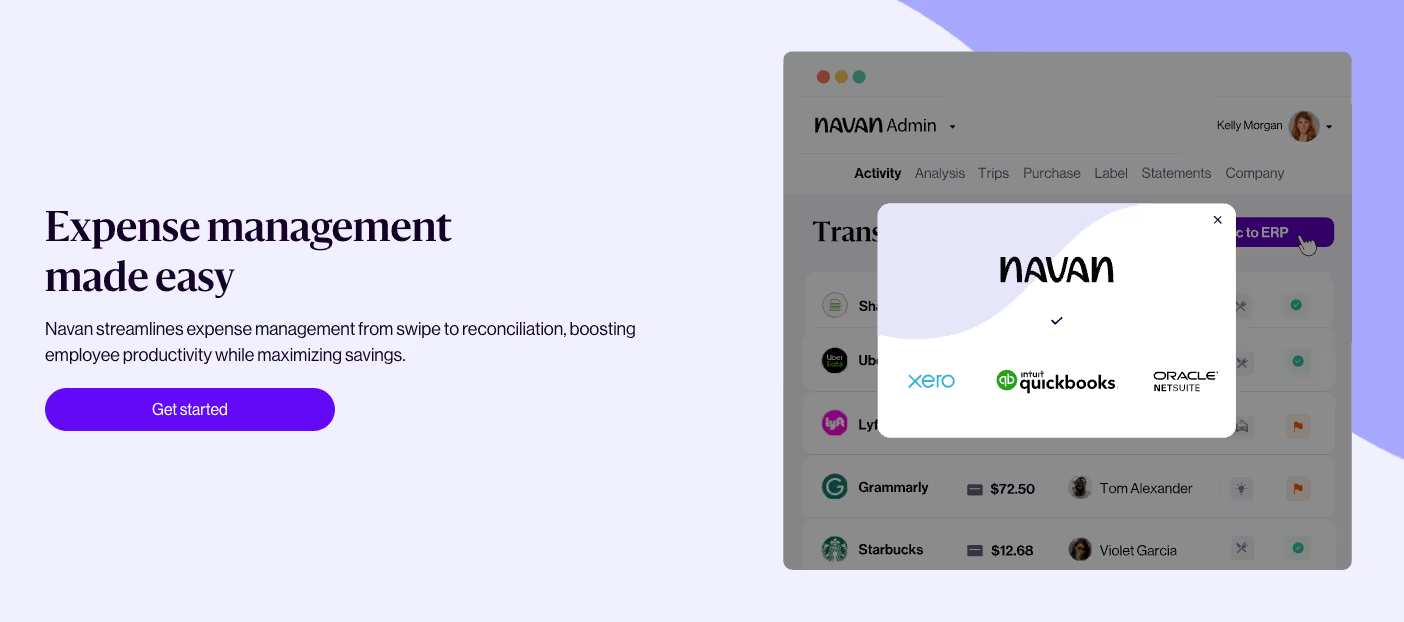
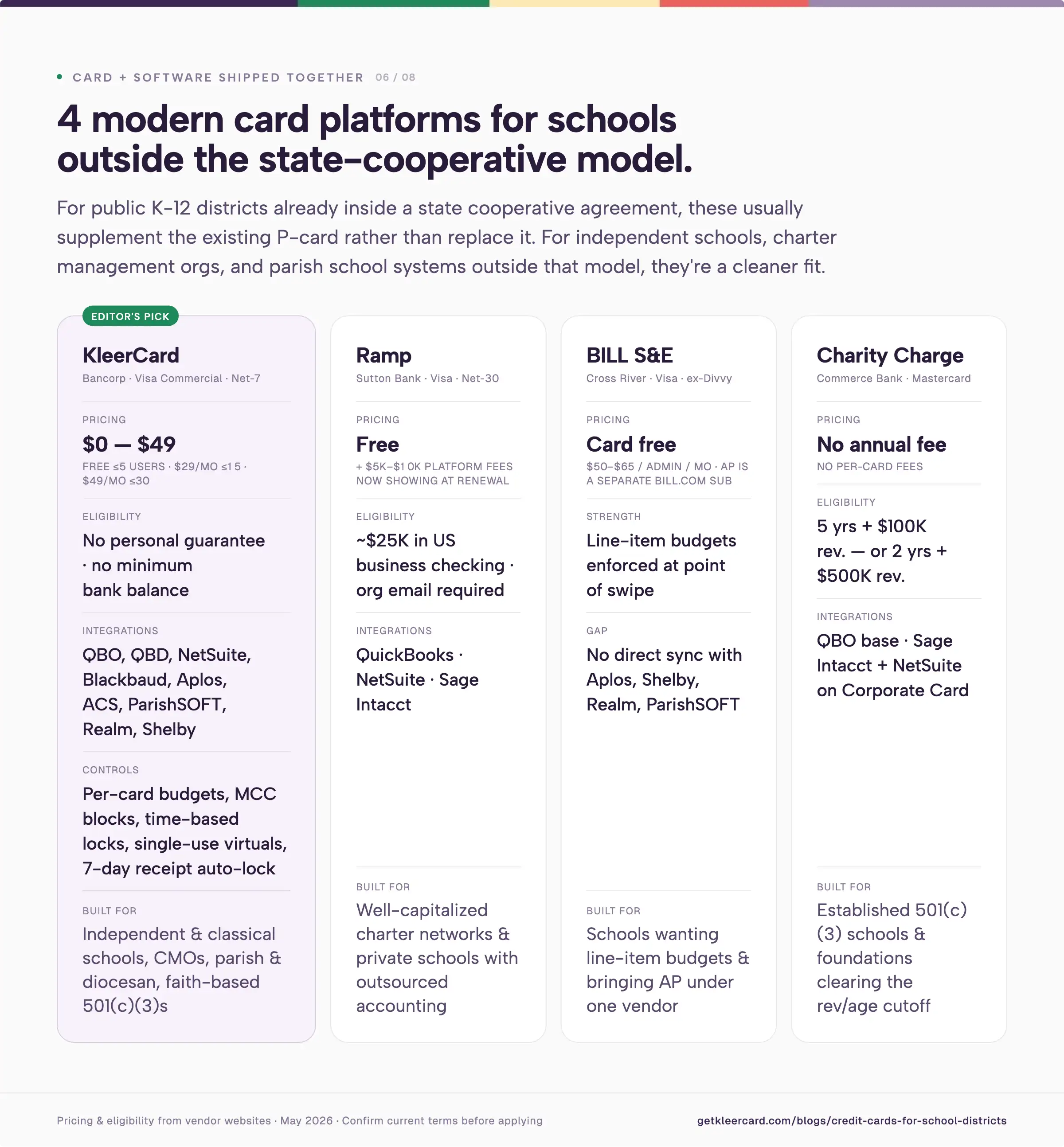
Modern card platforms (KleerCard, Ramp, BILL Spend & Expense, Charity Charge, Brex) ship the card and the spend management software as one product. Controls, receipts, accounting sync, and reporting all live in the same dashboard.

For public K-12 districts already inside a state cooperative agreement, these platforms usually supplement the existing P-card. Switching the underlying bank program inside a state contract is rarely procurement-permissible. For independent schools, charter management organizations, and parish or diocesan school systems outside the state-cooperative model, modern platforms are often a cleaner fit.

KleerCard
KleerCard is built for nonprofits, churches, and schools. The KleerCard Visa Commercial card is issued by The Bancorp Bank, N.A.

The platform ships direct integrations with the accounting systems schools (including independent and faith-based schools) rely on: QuickBooks Online, QuickBooks Desktop, NetSuite, Blackbaud Financial Edge NXT, Aplos, ACS Technologies, ParishSOFT, Realm, and ShelbyNext Financials. The full list lives on the integrations hub.

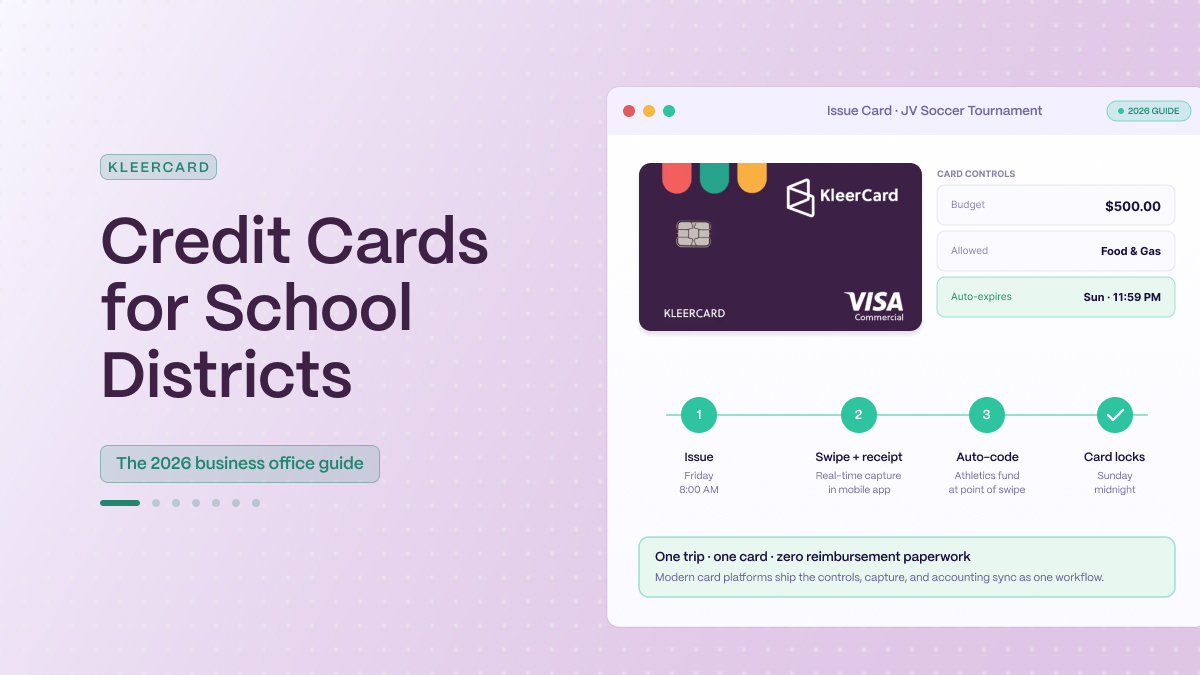
A common use case is single-event spending, like a JV soccer tournament that needs hotels and meals over a weekend. The business office issues a virtual KleerCard capped at $850, restricted to lodging and restaurant MCC codes, set to expire Sunday night. The card shuts off when the tournament ends. Receipts upload through the mobile app on the bus ride home. The transactions sync to the school's accounting system overnight, coded to the athletic department's cost center. The athletic director doesn't carry a personal card or submit a reimbursement form after the trip.

I spent April 2026 on onboarding calls with school finance leaders running this kind of workflow. Tracy Taylor at Great Hearts Academies reported that consolidating onto KleerCard simplified the AP function across 24 campuses. Emily at Haven Classical School noted that the Amazon Business integration saved her staff time on routine ordering.

Pricing

  • Free for up to 5 users
  • Standard: $29/month for up to 15 users
  • Pro: $49/month for up to 30 users
  • Custom pricing above that
  • Bill pay: $1 per ACH, $1.50 per check
  • Cashback: available on custom plans for organizations spending roughly $30,000+/month on cards

Standard plans don't include cashback, and that's a deliberate trade-off. No card offers both unconditional cashback and the level of budget controls a school finance office usually needs. For most independent schools, predictable spending controls win out. Full details on the KleerCard pricing page.

Strengths

  • Plug into the accounting platforms independent and parish schools already run
  • Issue per-card budgets, MCC blocks, time-based locks, and single-use virtual cards
  • Skip the personal guarantee and the minimum-bank-balance check
  • Auto-lock cards after 7 days for missing receipts, so the receipt chase happens in software instead of on the business manager's plate
  • Onboard in 2 to 3 thirty-minute calls, with time-to-first-transaction measured in hours

Where KleerCard does not fit

  • Public K-12 districts already inside a state US Bank, Bank of America, or JPMorgan cooperative contract. Switching outside that contract usually isn't procurement-permissible.
  • For-profit small businesses with 1 to 3 employees. An Amex or other personal-points card usually works better at that scale.
  • Organizations that float against net-30 or net-60 receivables. KleerCard runs on a net-7 weekly payment cycle.
  • Districts that need deep line-item budgeting controls of the kind BILL offers.

KleerCard's school customers are mostly independent schools, classical academies, charter management organizations, parish and diocesan schools, and other 501(c)(3) educational organizations outside the public state-cooperative model. The KleerCard application takes about eight minutes online, with approval usually within 48 hours.

Ramp

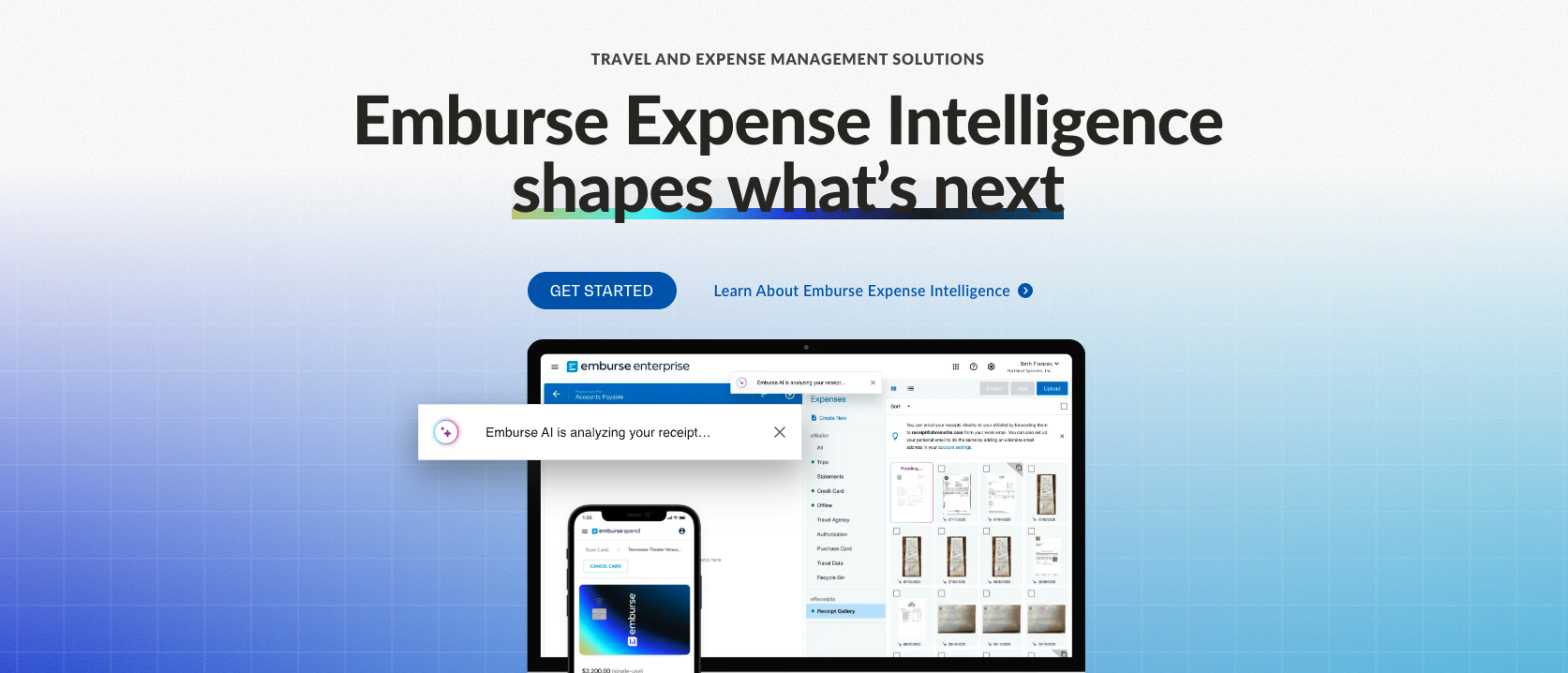
Ramp is a good fit for the organizations it was designed around. The platform launched in 2019 for tech companies and incorporated U.S. businesses, with AI-driven receipt matching, policy enforcement, and bill pay.

Public school districts and most independent schools are usually outside that core audience. Three eligibility issues come up in conversations I have with school finance leaders evaluating it.

  1. Ramp wants roughly $25,000 in a U.S. business checking account. Many independent schools run tight operating balances and keep reserves in money-market or endowment accounts that don't qualify.
  2. Platform fees of $5,000 to $10,000 are now showing up at renewal for existing customers. The pattern accelerated through early 2026 and tracks with Ramp's IPO preparation.
  3. Every Ramp user needs an organizational email address. Volunteer coaches, PTA and PTO treasurers, and board members on personal Gmail accounts can't be added without setup friction that KleerCard doesn't require.

For a well-capitalized charter management organization with stable cash flow and outsourced accounting, Ramp is a reasonable choice. For most independent schools, the math doesn't work out. Full breakdown in the Ramp Card review.

BILL Spend & Expense (formerly Divvy)

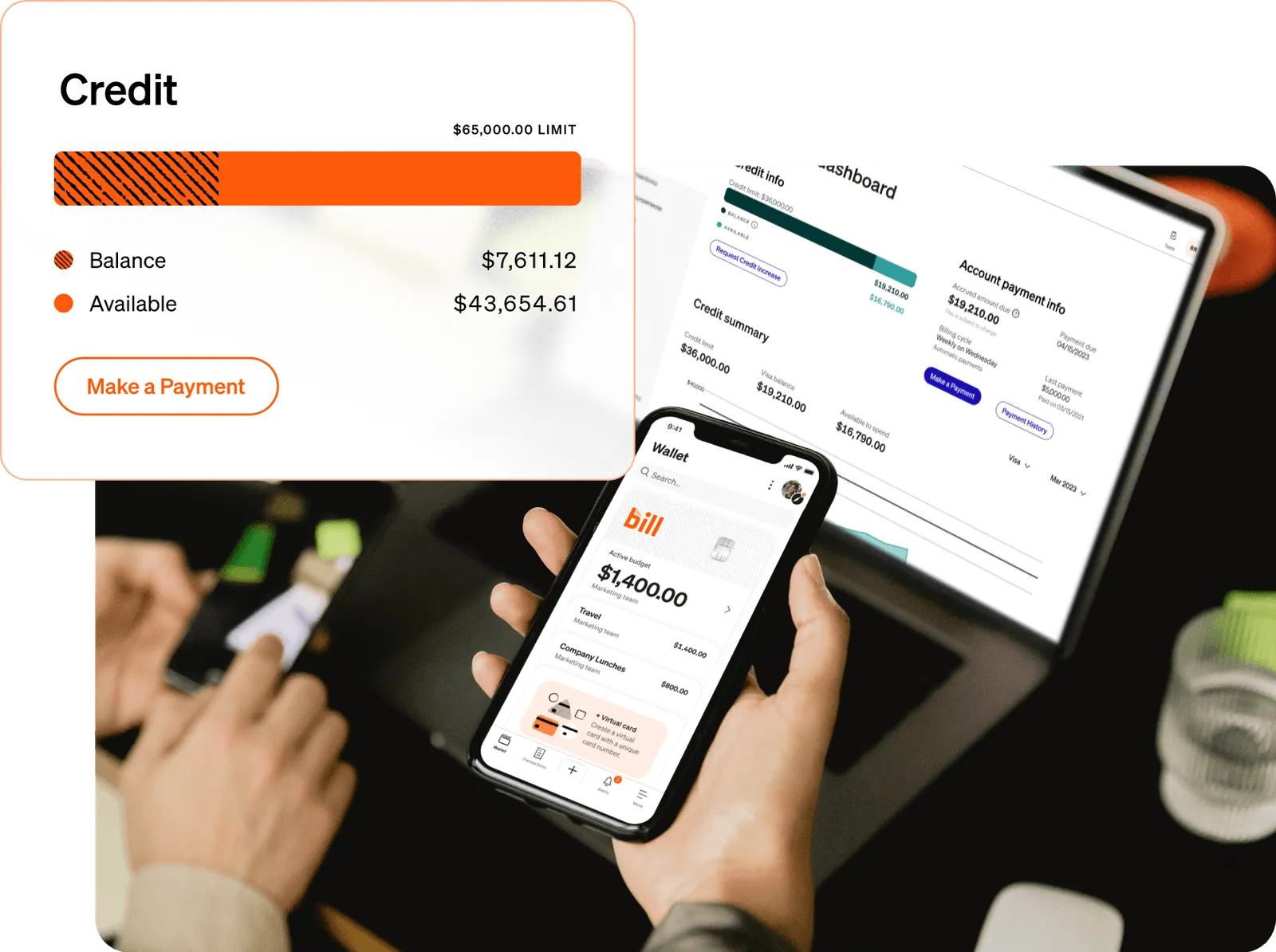
BILL.com acquired Divvy in 2021 and now sells the combined product as BILL Spend & Expense. The card platform itself is free. AP automation runs on a separate BILL.com subscription.

BILL's strength is line-item budgeting. You can set separate budgets for meals and lodging on the same trip, for example, and the platform enforces them at the point of swipe. For schools that want that depth, BILL is a credible choice.

There are three trade-offs to factor in. Administrator pricing runs $50 to $65 per month per administrator, which adds up when a finance team has four or five admins. There's no direct integration with fund accounting platforms like Aplos, Shelby, Realm, or ParishSOFT. And the card and bill-pay sides still don't share a fully unified data view inside BILL.com.

Full review in the BILL Divvy corporate card review.

Charity Charge Nonprofit Business Card
The Charity Charge Nonprofit Business Card is designed specifically for 501(c)(3) organizations. Commerce Bank issues the base card on the Mastercard network, with QuickBooks Online sync, no annual fee, and no per-card fees. Charity Charge also offers a Corporate Card for larger nonprofits with 180+ granular spend controls, OCR receipt capture, virtual cards, and ERP integrations including Sage Intacct and NetSuite.

The eligibility cutoff is where most smaller schools run into trouble. Per the Charity Charge FAQ, the Business Card requires either 5 years in operation and $100,000 in annual revenue, or 2 years in operation and $500,000 in annual revenue. That filters out smaller independent schools and most newer charter campuses, but it works for established schools and foundations.

Full review in the Charity Charge Nonprofit Business Card review.
What district CFOs and business officers should evaluate

The card matters less than the program built around it. Five questions cover most of what auditors and boards want to see.

1. Is the issuer inside our procurement cooperative or competitive procurement requirements?

For public K-12 districts, this question often answers most of the others. State cooperative contracts dictate the issuer, the underlying program, and most of the controls.

2. What is the spend-control granularity?

Coarse controls (MCC blocks plus a dollar cap per transaction) are the standard for traditional bank P-cards. Modern platforms add per-card budgets, time-based locks, and single-use virtual cards. Granularity matters more for athletic departments, field trips, and special events than for routine office-supply procurement.

3. How does receipt collection work?

The recurring NYS OSC audit finding (missing itemized receipts) is a documentation problem. Phone-based capture at the point of purchase, with automatic matching to the transaction, reduces it. End-of-month chasing usually doesn't.

4. How does the program integrate with our accounting system?

Public districts running Munis (Tyler Technologies), eFinancePLUS, Skyward, or PowerSchool ERP usually rely on CSV-based integration handled by the district's finance staff. Independent and faith-based schools running Aplos, Blackbaud, ParishSOFT, ACS Technologies, ShelbyNext, or QuickBooks can expect direct integrations from modern card platforms that traditional bank P-cards typically don't ship.

5. Does the cardholder agreement cover what auditors will look for?

Per GFOA, the cardholder agreement should spell out purchase limitations, repercussions for misuse, reconciliation responsibility, and how a user self-reports an unauthorized transaction. Both traditional bank programs and modern platforms ship standard cardholder agreements. The business office's job is making sure the district's adopted policy lines up with the program's controls.

How to switch credit card programs (and what to plan for)

For a public district inside a state contract, switching the underlying issuer is a procurement event that runs on a multi-year cycle aligned with the state cooperative bid. Most districts won't run that decision themselves. The opportunity for change is at the renewal of the cooperative agreement.

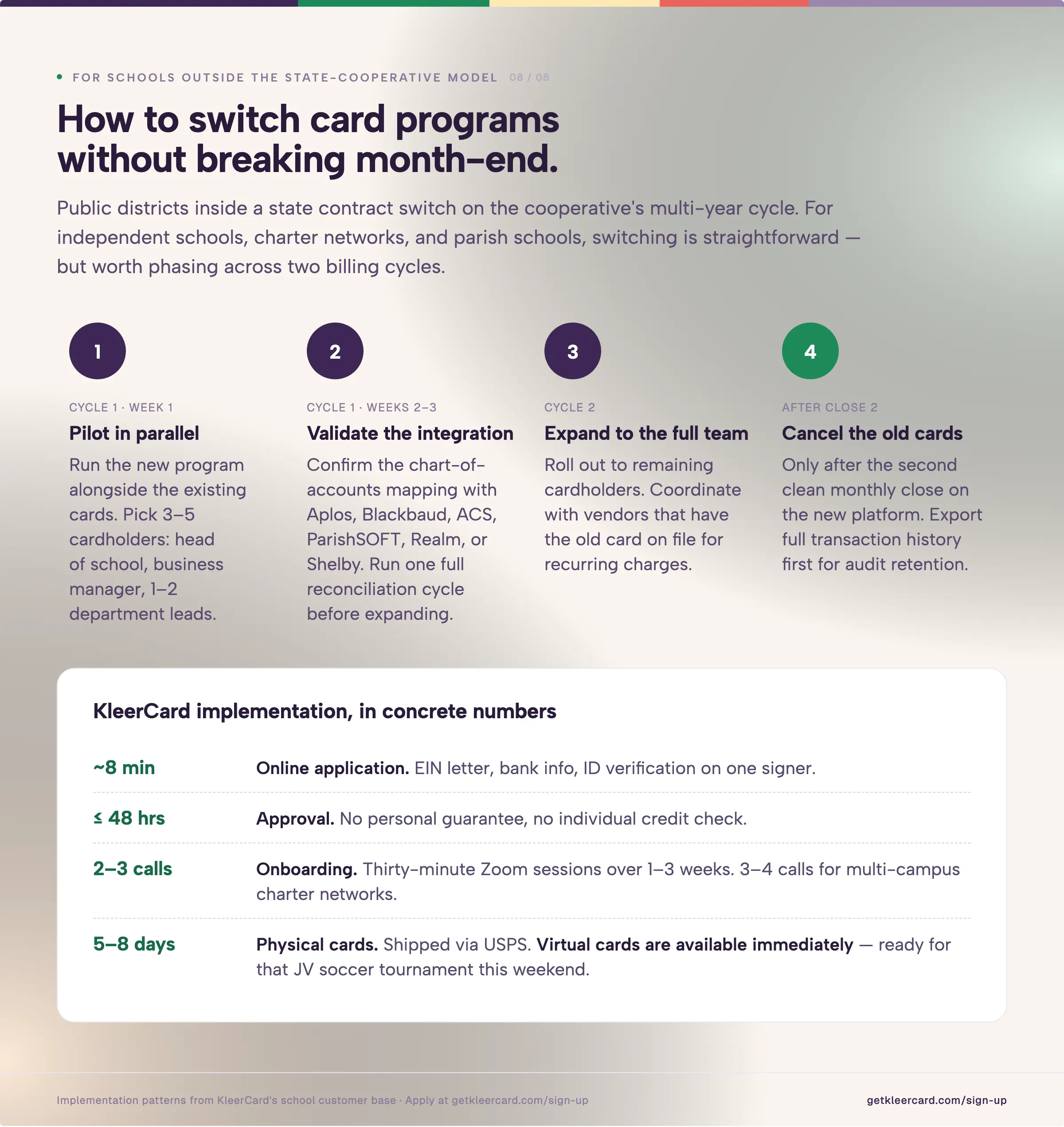
For independent schools, charter networks, and parish schools outside the state-cooperative model, switching is straightforward but worth phasing.

  1. Run the new program in parallel with the existing cards for one billing cycle. Pick 3 to 5 cardholders to pilot: the head of school, the business manager, and one or two department leads.
  2. Validate the integration with your accounting system before you expand. For Aplos, Blackbaud, ACS Technologies, ParishSOFT, Realm, or Shelby, confirm the chart-of-accounts mapping and run one full reconciliation cycle.
  3. Expand to the full team in the next billing cycle.
  4. Cancel the old cards only after the second clean monthly close on the new platform.

KleerCard's typical implementation runs 2 to 3 thirty-minute setup calls over one to three weeks. Physical cards ship in 5 to 8 days via USPS. Virtual cards are available immediately.
For individual teachers spending out of pocket

The institutional card programs above are built for organizations, not individual classroom teachers. If you're a teacher covering classroom supplies and waiting on reimbursement, a personal cash-back card aimed at common classroom categories (office supplies, grocery, online retail) is often a reasonable option.

A few cards worth comparing: the Amazon Prime Visa returns 5% on Amazon and Whole Foods for eligible Prime members, the Blue Cash Everyday Card from American Express returns 3% on U.S. supermarkets, gas, and online retail, and the Wells Fargo Active Cash Card returns 2% flat on every purchase.

All three run a personal credit check and put personal liability on the cardholder. None carry institutional spending controls, fund accounting integration, or audit trails, which is why they work for personal out-of-pocket spending rather than organizational use.

If your school district handles classroom-supply reimbursement through a card program, the better setup is a virtual card with a small monthly classroom budget, capped at the right merchant categories, with receipts uploaded by phone. Platforms like KleerCard for educators run that workflow today. The conversation worth having with your business office is whether the program your school already runs supports it, or whether after-the-fact reimbursement is the only option available.

Frequently asked questions about credit cards for school districts

What is a school district P-card?

A school district P-card (purchasing card) is a credit card issued to authorized district employees for small-dollar, high-volume purchases. It replaces purchase orders, petty cash, and check requests for routine procurement, with merchant category code (MCC) restrictions, dollar limits, and a monthly statement that reconciles back to the district's general ledger.
Do school districts need a personal guarantee for credit cards?

Most district P-card programs are organizational credit programs that don't require a personal guarantee from the cardholder. The district's procurement budget backs the card.

Some smaller-volume business credit cards from traditional banks do require a personal guarantee from a board officer or business manager. Those are usually a poor fit for institutional school finance. The credit cards for nonprofits with no personal guarantee article covers the eligibility math in more detail.

Can a school district have a credit card without a state contract?

Yes. Independent schools, charter management organizations, parish schools, and other non-public K-12 institutions aren't bound to state cooperative purchasing contracts. They can pick any commercial card program that meets their procurement policy. Public K-12 districts inside a state cooperative are typically required to use the cooperative's issuer for any card program above a certain spending threshold.

What accounting software does a school district card need to integrate with?

It depends on the institution. Public K-12 districts most often run Munis (Tyler Technologies), eFinancePLUS, Skyward Business Plus, or PowerSchool ERP. Independent and faith-based schools more commonly run Aplos, Blackbaud Financial Edge NXT, ACS Technologies, ParishSOFT, Realm, ShelbyNext Financials, or QuickBooks (Online or Desktop). KleerCard ships direct integrations for the second group. Traditional bank P-cards usually rely on CSV exports for the first group.

How do school districts prevent credit card fraud and misuse?

The standard control stack is consistent across districts:

  • A board-adopted credit card policy
  • Signed cardholder agreements
  • Merchant category restrictions
  • Transaction and monthly dollar limits
  • Real-time transaction alerts
  • Itemized receipt requirements
  • Supervisor reconciliation
  • An annual internal audit

NYS Comptroller audits keep flagging missing or non-itemized receipts as the most common school district P-card finding. A program that automates receipt capture at the point of purchase reduces that exposure.

Can school districts earn cash back on a P-card program?

Many bank P-card programs return a rebate to the district based on transaction volume. Bank of America's WORKS, US Bank's One Card, and JPMorgan's commercial card all offer rebate structures that scale with volume.

Modern platforms vary. KleerCard offers cashback only on custom-priced plans (roughly $30,000+/month in card spend). Ramp offers 1% to 1.5% cashback, with the breakeven point against per-user fees landing in the 30 to 50 user range. For districts under 100 cards, cashback rarely drives program selection.

What is the difference between a P-card and a corporate credit card?

A P-card is procurement-focused, with tight MCC restrictions, individual transaction limits, and a focus on small-dollar high-volume purchases. A traditional corporate credit card is broader-use, with higher per-transaction limits, often used for travel and large-vendor relationships. Many districts run both: a P-card program for routine procurement, and a separate corporate card for the superintendent's office, executive travel, and large-event purchases.

How long does it take to set up a school district card program?

For a new program under an existing state cooperative contract, underwriting and card issuance typically runs 2 to 6 weeks. For a modern card platform like KleerCard, the application takes about 8 minutes online, approval comes within 48 hours, physical cards ship in 5 to 8 days via USPS, and virtual cards are available immediately. Full rollout across 15 to 50 cardholders usually runs 2 to 4 weeks with a phased pilot, parallel-running, and full expansion.

The bottom line on credit cards for school districts

For public K-12 districts already inside a state cooperative card program, the work is running the existing program well, with tight MCC controls, clear cardholder agreements, automated receipt capture wherever the existing platform allows it, and an internal audit cadence that lines up with state comptroller expectations.

For independent schools, charter management organizations, parish schools, and other educational 501(c)(3)s outside the state-cooperative model, modern card platforms are usually a cleaner option. KleerCard is built for that audience, with direct integrations into Aplos, Blackbaud, ACS Technologies, ParishSOFT, Realm, ShelbyNext, QuickBooks, and NetSuite, per-card budget controls, virtual cards, automated receipt capture, and no personal guarantee.

If your finance team is spending hours each month on manual receipt collection, statement reconciliation, or chart-of-accounts mapping, the program your team is using is likely a contributor. See how KleerCard works for educators, or open a KleerCard account.

Software
Church-Specific Design
Expense Visibility
Receipt Automation
Accounting Integrations
Fund Accounting
Multi-Campus Support
Donor Tracking
Green badge with a checkmark symbol indicating verification or approval.
Built for churches
Green badge with a checkmark symbol indicating verification or approval.
Real-time tracking
Green badge with a checkmark symbol indicating verification or approval.
Automated capture
Green badge with a checkmark symbol indicating verification or approval.
Direct integrations
Green badge with a checkmark symbol indicating verification or approval.
Supported
Green badge with a checkmark symbol indicating verification or approval.
Real-time tracking
Bold red cross mark indicating an error or cancellation.
Not included
Bold red cross mark indicating an error or cancellation.
Not church-specific
Bold red cross mark indicating an error or cancellation.
No real-time tracking
Bold red cross mark indicating an error or cancellation.
No automation
Green badge with a checkmark symbol indicating verification or approval.
Direct integrations
Bold red cross mark indicating an error or cancellation.
Workarounds required
Bold red cross mark indicating an error or cancellation.
Not supported
Bold red cross mark indicating an error or cancellation.
Not included
Green badge with a checkmark symbol indicating verification or approval.
Church-focused
Bold red cross mark indicating an error or cancellation.
No real-time tracking
Bold red cross mark indicating an error or cancellation.
No automation
Bold red cross mark indicating an error or cancellation.
File-based only
Green badge with a checkmark symbol indicating verification or approval.
Supported
Bold red cross mark indicating an error or cancellation.
Not supported
Green badge with a checkmark symbol indicating verification or approval.
Included
Green badge with a checkmark symbol indicating verification or approval.
Church-focused
Bold red cross mark indicating an error or cancellation.
No real-time tracking
Bold red cross mark indicating an error or cancellation.
No automation
Bold red cross mark indicating an error or cancellation.
File-based only
Green badge with a checkmark symbol indicating verification or approval.
Supported
Green badge with a checkmark symbol indicating verification or approval.
Supported
Bold red cross mark indicating an error or cancellation.
Not included
Green badge with a checkmark symbol indicating verification or approval.
Church-focused
Bold red cross mark indicating an error or cancellation.
No real-time tracking
Bold red cross mark indicating an error or cancellation.
No automation
Green badge with a checkmark symbol indicating verification or approval.
Direct integrations
Green badge with a checkmark symbol indicating verification or approval.
Supported
Green badge with a checkmark symbol indicating verification or approval.
Real-time tracking
Green badge with a checkmark symbol indicating verification or approval.
Included
Green badge with a checkmark symbol indicating verification or approval.
Church-focused
Bold red cross mark indicating an error or cancellation.
No real-time tracking
Bold red cross mark indicating an error or cancellation.
No automation
Green badge with a checkmark symbol indicating verification or approval.
Direct integrations
Green badge with a checkmark symbol indicating verification or approval.
Supported
Bold red cross mark indicating an error or cancellation.
Not supported
Green badge with a checkmark symbol indicating verification or approval.
Included
Green badge with a checkmark symbol indicating verification or approval.
Church-focused
Bold red cross mark indicating an error or cancellation.
No real-time tracking
Bold red cross mark indicating an error or cancellation.
No automation
Bold red cross mark indicating an error or cancellation.
No integrations
Bold red cross mark indicating an error or cancellation.
Limited
Bold red cross mark indicating an error or cancellation.
Not supported
Green badge with a checkmark symbol indicating verification or approval.
Included
Green badge with a checkmark symbol indicating verification or approval.
Church-focused
Bold red cross mark indicating an error or cancellation.
No real-time tracking
Bold red cross mark indicating an error or cancellation.
No automation
Bold red cross mark indicating an error or cancellation.
No integrations
Green badge with a checkmark symbol indicating verification or approval.
Supported
Bold red cross mark indicating an error or cancellation.
Not supported
Green badge with a checkmark symbol indicating verification or approval.
Included
Green trophy cup icon with two handles on a white background.
Our Top Pick
KleerCard Logo
KleerCard saves you time and money
Get Started

Many accounting tools help churches organize financial data after transactions happen.

KleerCard helps you control spending before it becomes a problem.

It’s not just accounting software. It’s a system designed to manage how money is used across your entire church.

What Makes KleerCard the Best Accounting Solution for Churches?

Where most platforms focus on reporting, KleerCard focuses on control and simplicity.

You can:

  • Track expenses in real time as they happen
  • Capture and match receipts automatically
  • Sync transactions directly into your accounting system
  • Set clear spending limits across ministries

Imagine your youth team needs to make purchases for an upcoming event.

Instead of collecting receipts later or reconciling transactions at the end of the month, every purchase is tracked instantly and categorized correctly from the start.

That reduces errors, saves time, and gives leadership a clear picture of spending at all times.

KleerCard is built to simplify church finances while improving accountability across every level of your organization.Donor tracking is not a core feature of KleerCard, since most churches already use tools that handle donor records. KleerCard doesn’t replace your giving platform or donor management system. It complements it by giving you control over how money is spent after it’s received.

Click here to apply for KleerCard online.

✅ KleerCard Benefits

  • Built specifically for church spending workflows
  • Real-time visibility into every transaction
  • Automated receipt capture and matching
  • Direct integrations with accounting systems
  • Strong support for multi-ministry budgeting

❌ KleerCard Drawbacks

  • Does not include donor management tools.
Gold medal with a star cutout in the center and a multicolored ribbon.
Runner Up
Intuit QuickBooks Online logo with green circle containing white qb letters.
Learn more about QuickBooks Online for Churches
Learn More

QuickBooks is one of the most recognized accounting platforms available.

For churches, its biggest advantage is familiarity.

Many bookkeepers and CPAs already know how to use it, which reduces onboarding time and makes it easier to find support.

QuickBooks offers solid core accounting features, including reporting, payroll, and integrations with other tools.

However, it was not designed specifically for churches.

Fund accounting requires workarounds, and it lacks built-in tools for real-time expense tracking or automated receipt management.

✅ QuickBooks Benefits

  • Widely used and easy to find support
  • Strong reporting and payroll features
  • Extensive third-party integrations

❌ QuickBooks Drawbacks

  • Not built specifically for churches
  • Limited fund accounting without customization
  • No real-time expense visibility
Gray thumbs-up icon with a wrist cuff.
Also Great

These platforms are strong in specific areas but may not offer the same balance of control, automation, and flexibility.

Realm company logo with a stylized cloud and star above the word Realm.
Learn more about Realm Accounting for Churches
Learn More

Realm combines church management and accounting in one system.

It works well for churches that want to connect membership data with financial records.

Card Details

Pros

  • Built specifically for churches
  • Includes donor and contribution tracking
  • Strong fund accounting tools

Cons

  • No real-time expense tracking
  • Requires file-based imports for integrations
ShelbyNext Financials logo with stylized text in blue and dark blue separated by a vertical line.
Learn more about ShelbyNext Financials for Churches
Learn More

Shelby is designed for established churches with more complex financial needs.

It offers advanced reporting and multi-campus support.

Card Details

Pros

  • Strong reporting capabilities
  • Supports multi-campus churches
  • Built for church finance workflows

Cons

  • Requires experienced finance team
  • No automated expense tracking
ParishSOFT logo
Learn more about ParishSOFT for Churches
Learn More

ParishSOFT is a strong option for large churches and dioceses.

It combines accounting, donor tracking, and multi-campus reporting.

Card Details

Pros

  • Built for large church organizations
  • Includes donor management tools
  • Strong fund accounting support

Cons

  • More complex to manage
  • Limited automation for expenses
Aplos company logo featuring a geometric design with four black arrows pointing inward and an orange upward arrow, followed by the word 'aplos' in lowercase black letters.
Learn more about Aplos for Churches
Learn More

Aplos is a good fit for smaller churches that need simple fund accounting.

Card Details

Pros

  • Easy-to-use fund accounting
  • Includes donor tracking
  • Built for churches

Cons

  • Limited scalability
  • No real-time expense tracking
ChurchTrac logo with a hexagonal icon in blue and orange next to the text 'churchtrac'.
Learn more about ChurchTrac for Churches
Learn More

ChurchTrac is a budget-friendly option for smaller ministries.

Card Details

Pros

  • Affordable
  • Includes donor tracking and basic tools

Cons

  • No integrations
  • Limited accounting depth

Power Church Plus logo with a plus symbol.
Learn more about PowerChurch Plus for Churches
Learn More

PowerChurch is a legacy desktop solution for churches that prefer offline systems.

Card Details

Pros

  • Stable and familiar
  • Includes fund accounting and donor tracking

Cons

  • Not cloud-based
  • Limited integrations and automation

How We Picked The Best Accounting Software For Churches

We didn’t choose these accounting tools based on brand recognition or popularity alone.

Instead, we focused on what actually helps churches manage money well.

That means tools that reduce manual work, improve visibility, and make it easier to handle the unique financial structure of a church.

We looked for software that can support multiple ministries, track restricted funds, and give finance teams a clear picture of where money is going at any given time.

We also prioritized systems that simplify day-to-day work. Because when your team spends less time chasing down receipts or fixing errors, they have more time to focus on ministry.

Here’s a breakdown of the features that mattered most.

Church-Specific Design

Church finances are different from standard business accounting.

You’re not just tracking revenue and expenses. You’re managing designated giving, restricted funds, ministry budgets, and donor expectations.

That’s why we looked for software that is either built specifically for churches or flexible enough to support church workflows without creating confusion.

Real-Time Expense Visibility

If your team can’t see spending as it happens, problems show up too late.

Real-time visibility allows pastors, treasurers, and finance committees to monitor transactions as they occur. That makes it easier to:

  • Stay within ministry budgets
  • Catch unusual activity early
  • Prepare reports without digging through weeks of transactions

Automated Receipt Tracking

Manual receipt collection slows everything down.

We prioritized tools that reduce or eliminate the need to track down receipts after the fact.

The best systems allow you to:

  • Capture receipts at the time of purchase
  • Match receipts to transactions automatically
  • Keep records organized without extra admin work

Direct Integrations With Accounting Tools

Switching systems should not mean rebuilding your entire financial process.

That’s why integrations matter.

We looked for platforms that connect directly with accounting tools or reduce the need for manual imports and exports. The less time you spend moving data between systems, the more accurate your records will be.

Fund Accounting Capabilities

Most churches need to separate funds.

General offerings, missions, building funds, and benevolence accounts all need to be tracked independently.

Strong fund accounting allows you to:

  • Keep restricted and unrestricted funds separate
  • Report accurately to leadership and donors
  • Maintain financial clarity across ministries

Multi-Campus & Multi-Ministry Support

As churches grow, financial complexity increases.

We prioritized systems that can support multiple campuses, ministries, or programs without creating reporting challenges.

This is especially important for churches managing multiple budgets across different teams or locations.

Donor & Contribution Tracking

For many churches, financial data and donor data are closely connected.

Some platforms include built-in tools for tracking contributions, generating statements, and managing donor records.

While not every system includes this feature, it can be valuable for churches that want everything in one place.

The Bottom Line

Choosing the right accounting software for your church comes down to one key question:

Do you want to track what already happened, or control spending before it happens?

Most accounting platforms focus on reporting and organization.

KleerCard adds a layer of control that helps prevent problems before they start.

You get real-time visibility, automated expense tracking, and a system built specifically for how churches actually manage money.

Other tools on this list can work well depending on your needs.

But if your goal is to simplify financial management while improving accountability, KleerCard stands apart.

Click here to explore KleerCard and see how it can support your church.

Frequently Asked Questions

What accounting software is best for churches?

The best accounting software for churches depends on your needs. Tools like Aplos and Realm are built for churches, while QuickBooks offers flexibility. KleerCard stands out for real-time expense tracking and financial control.

Do churches need fund accounting software?

Yes. Fund accounting helps churches track restricted and unrestricted funds separately, which is essential for accurate reporting and stewardship.

Can QuickBooks be used for church accounting?

Yes, but it requires customization. Churches often use classes to mimic fund accounting, which can add complexity compared to church-specific tools.

What features should church accounting software include?

Key features include fund accounting, reporting, integrations, and tools that improve visibility into spending. Automation and real-time tracking can also reduce administrative work.

Card
Card Type
Offers Budget Controlled Cards
Unlimited Virtual Cards
Automated Receipt Management
Real-Time Visibility
Integrates With Popular Accounting Tools
No Personal Guarantee Required
Business
Green badge with a checkmark symbol indicating verification or approval.
Amex Blue Business Plus®
Blue American Express Business Plus credit card with chip, centurion logo, cardholder name C F Frost, and contactless symbol.Read The Review
Business
Green badge with a checkmark symbol indicating verification or approval.
*
Green badge with a checkmark symbol indicating verification or approval.
Bold red cross mark indicating an error or cancellation.
Chase Ink Business Cash® Credit Card
Chase Ink Business Cash credit card with chip, contactless symbol, and Visa Signature Business logo.Read The Review
Business
Green badge with a checkmark symbol indicating verification or approval.
*
Bold red cross mark indicating an error or cancellation.
Green badge with a checkmark symbol indicating verification or approval.
Bold red cross mark indicating an error or cancellation.
Capital One Spark Miles for Business
Capital One Spark Business logo with a chip and contactless payment symbol on a blue background.Read The Review
Business
Green badge with a checkmark symbol indicating verification or approval.
*
Green badge with a checkmark symbol indicating verification or approval.
Bold red cross mark indicating an error or cancellation.
Green badge with a checkmark symbol indicating verification or approval.
Bold red cross mark indicating an error or cancellation.
Prime Visa (Amazon Prime Credit Card)
Amazon Prime Visa Signature credit card with chip and contactless payment symbol on dark blue background.Read The Review
Personal
Green badge with a checkmark symbol indicating verification or approval.
*
Bold red cross mark indicating an error or cancellation.
Green badge with a checkmark symbol indicating verification or approval.
**
Amex Blue Cash Everyday® Card
Close-up of an American Express credit card featuring the iconic gladiator helmet and text 'Member Since 16'.Read The Review
Personal
Green badge with a checkmark symbol indicating verification or approval.
*
Bold red cross mark indicating an error or cancellation.
Green badge with a checkmark symbol indicating verification or approval.
**
Wells Fargo Active Cash® Card
Wells Fargo Active Cash Visa Signature credit card featuring a red and gray gradient background with a chip and contactless payment symbol.Read The Review
Personal
Green badge with a checkmark symbol indicating verification or approval.
*
Bold red cross mark indicating an error or cancellation.
Green badge with a checkmark symbol indicating verification or approval.
**
*Only for authorized users, not for primary cardholders
** Personal credit check required
Green trophy cup icon with two handles on a white background.
Our Top Pick
Purple KleerCard credit card with chip, KleerCard logo, and Visa Commercial branding.
KleerCard
Apply for credit approval to get started with KleerCard today.
Apply Now

Most business credit cards are built for tech startups or solo consultants—not for teachers, schools, or PTAs juggling real-world classroom expenses.

KleerCard is different.

It’s a Visa card designed specifically for educators, nonprofits, and mission-driven teams, and the only credit card on the list that includes all of the key features educational institutions need.

What Makes KleerCard The Best Credit Card For Teachers?

Teachers love KleerCard because it isn’t just a business card with educator branding. It’s a complete spending system built for the way schools actually operate.

Let’s say a teacher is leading a field trip. 

An administrator can issue a single-use virtual card in seconds, preloaded with a $500 budget (or any appropriate amount), set to expire after the event. 

The teacher gets the card, uses it to make approved purchases, and uploads receipts directly through the mobile app.

Done. 

No reimbursements. No paper trail. No budget overages.

Or, let’s say your school gives each teacher a monthly classroom budget—$150 for snacks, supplies, or learning tools. 

You can create a card for each teacher that automatically refills every month, capped at their assigned budget. 

If they don’t spend it, the funds don’t roll over. If they need more, you can top it off instantly.

Every card is tied to a specific person, program, or department—and every transaction is visible in real-time. That means no surprise expenses and no unauthorized charges. 

If someone tries to spend beyond their limit? The card just won’t work.

This level of control doesn’t exist with traditional credit cards. 

Some cards offer unlimited authorized users, but they don’t let you limit how much someone spends—or when, or where. 

If a student got hold of a generic staff card, they could theoretically spend thousands. With KleerCard, the risk is contained by the budget itself.

KleerCard doesn’t offer cash back, and that’s intentional. No other card offers both cash back rewards and true budget controls

And in a school system, control and security are more valuable than 1% in rewards. Because what matters most isn’t earning points—it’s making sure your funds are used exactly as intended.

The bottom line is that KleerCard gives schools the tools to issue smarter cards, control spending down to the dollar, and eliminate the messy process of reimbursements and receipt chasing. It’s the best because no other card offers a comparable level of control

Click here to apply for KleerCard online.

✅ KleerCard Benefits

  • Built specifically for schools
  • No personal liability
  • Unlimited virtual cards for secure, trackable online purchases
  • Advanced control over budgets and spending limits
  • Easy integration with accounting tools
  • Real-time access for admins through mobile and online portals
  • Fast setup, no need to mail documents or log long hours on phone calls

❌ KleerCard Drawbacks

  • Only available to organizations (not individual consumers)
  • No cash rewards
Gold medal with a star cutout in the center and a multicolored ribbon.
Runner Up
Blue American Express Business Plus credit card with chip, centurion logo, cardholder name C F Frost, and contactless symbol.
Amex Blue Business Plus

This card is great for teachers who value simplicity. It offers many of the same benefits as KleerCard. The primary difference is that the Amex Blue Business Plus card doesn’t allow you the same level of budget control as KleerCard.

With this card, you can’t issue budget-controlled cards for things like field trips. You also won’t be able to control spending limits by vendor category, department, or specific events.

That said, it comes with great travel rewards. You earn 2X travel points on all purchases—no categories, no tracking, no headaches. 

If you just want to use one card for everything and set budget controls for authorized users, this one keeps things easy.

✅ Amex Blue Business Plus Benefits

  • Simple, flat-rate earning structure
  • No annual fee
  • Points can be transferred to travel partners or redeemed for statement credit

❌ Amex Blue Business Plus Drawbacks

  • Not optimized for school-related purchases
  • No team-level controls
Gray thumbs-up icon with a wrist cuff.
Also Great
Chase Ink Business Cash credit card with chip, contactless symbol, and Visa Signature Business logo.
Chase Ink Business Cash® Credit Card

If you're a teacher who spends heavily on classroom supplies or tech services, the Ink Business Cash® Credit Card is worth a look.

While it lacks the school-specific features of KleerCard, it delivers impressive cash back in categories many educators rely on—like office supplies, internet, and phone services.

It’s a more traditional business card, designed for sole proprietors or small businesses, but it can work well for teachers with tutoring side hustles or small LLCs.

Card Details

  • No annual fee
  • Intro APR of 0% for 12 months
  • Cash Back Rewards:
    • 5% at office supply stores and internet/phone services (up to $25,000/year)
    • 2% at restaurants and gas stations
    • 1% unlimited cash back on everything else
  • Intro Offer of $750 after spending $6,000 in 6 months
  • Requires a personal credit check and proof of income for account opening
  • Track spending, view balances, and manage rewards through the app
  • Issued by Chase; terms and offers subject to change
Capital One Spark Business logo with a chip and contactless payment symbol on a blue background.
Capital One Spark Miles for Business

Card Details

  • This is a travel business card. Earn 2X miles on all purchases.
  • No annual fee for your first year, then $95
  • Variable APR 25.24% 
  • Intro offers often include bonus miles for hitting a spend threshold
  • Easy Mobile Banking through the Capital One app with real-time tracking
  • Requires good personal credit to open an account

Great Personal Cards for Teachers

Not every great card for teachers is explicitly a business credit card built for schools.

These cards generally aren’t built for teams, don’t necessarily integrate with accounting software, and lack the controls and visibility schools need for easy, efficient purchases. They also require income verification by the issuer.

But if you’re an individual teacher rather than a school, these personal credit cards offer impressive cash back and points that can be redeemed for perks, or intro offers that might be useful, especially for out-of-pocket classroom spending.

If you're looking for virtual cards, expense management tools, or budgeting features, you'll want to stick with a business card like KleerCard.

But if you're a teacher looking for a personal card, these are worth a look.

Amazon Prime Visa Signature credit card with chip and contactless payment symbol on dark blue background.
Prime Visa (Amazon Prime Credit Card)

The Prime Visa is not a business card. But if you’re a teacher who shops on Amazon regularly for classroom supplies, books, snacks, or even tech accessories, the Prime Visa card offers hard-to-beat rewards.

With 5% cash back at Amazon and Whole Foods (for eligible Prime members), your classroom expenses can start earning serious value.

It’s not built for team budgets. But if you’re making a lot of out-of-pocket purchases and want to maximize personal financial rewards, it’s one of the best personal cards for educators.

Card Details

  • No annual fee (with Prime)
  • Extremely high cash-back rate on Amazon purchases. Perfect for teachers who buy classroom supplies through Amazon
  • Bonus categories include everyday spending like gas, dining, and transit
  • Fast, secure checkout on Amazon with built-in card integration
  • No foreign transaction fees

Card Details

  • 3% cash back at U.S. supermarkets, gas stations, and online retail
  • No annual fee
  • 0% intro APR for 15 months
  • Good for everyday personal spending, including household items or classroom snacks
  • Not suitable for shared budgets or school-based purchases

Card Details

  • 2% unlimited cash back on every purchase
  • No annual fee
  • 0% intro APR, no balance transfer fees for 12 months
  • Solid choice for teachers who just want flat-rate rewards without the hassle
  • Lacks business features like user controls, integrations, or team access

How We Picked The Best Credit Cards for Teachers and Educators

Most “best credit card” lists focus on flashy perks—cash back, welcome offers, and balance transfers.

That’s not what teachers or schools actually need.

When you’re running a classroom, overseeing a school budget, or handling reimbursements for dozens of educators, you’re not looking for points on airline tickets. You’re looking for control, visibility, and a smarter way to manage spending.

That’s why we took a different approach.

We didn’t just ask which cards give you the best cash back. We asked: What makes spending easier, safer, and more transparent in a school setting?

We focused on features that simplify school finance, especially for administrators, finance directors, and district leaders juggling dozens or even hundreds of teacher budgets.

Here’s what mattered most.

Budget & Expense Controls

Traditional credit cards weren’t built for classrooms. Most are designed for business owners or solo consultants, not for school districts trying to manage snacks, supplies, events, and grants across multiple users and programs.

That’s why budget controls were our top priority.

We looked for cards that let schools:

  • Issue single-use virtual cards for specific events, like a field trip or science fair
  • Set custom spending limits for each teacher, program, or department
  • Automatically refill cards each month for recurring budgets (like $150/month for classroom snacks)
  • Approve spending in real-time, so no one’s going rogue with school funds

With this level of control, you don’t have to worry about a lost card being used irresponsibly. Even if a student got hold of one, the damage is limited—because each card is tied to a strict budget and can’t be used beyond it.

This is what sets KleerCard apart. It’s not just a card—it’s a budgeting system with guardrails built in.

Smarter, Simpler Receipt Management

Let’s be honest: no one likes dealing with receipts.

Teachers don’t want to hang on to scraps of paper. Admins don’t want to chase them down. And accountants definitely don’t want to manually match receipts to transactions one by one.

So we looked for cards that eliminate that mess.

KleerCard ended up being the only card with integrated software that allows teachers to snap a photo of their receipt right after making a purchase. That receipt automatically attaches to the transaction, tags itself, and shows up in the accounting dashboard. No manual work needed.

The result: less time chasing down paper trails, and more time to focus on running classrooms.

Real-Time Visibility and Integration with Accounting Tools

In a school setting, every dollar matters. You need to see where it’s going, who’s spending it, and whether it aligns with your grants, budget goals, or PTA policies.

We prioritized cards with:

  • Live dashboards showing every transaction across your team
  • Accounting integrations (like QuickBooks or Blackbaud)
  • Automatic tagging and categorization
  • Custom reports that help with audits and grant tracking

Fast, Friction-Free Account Setup

We also wanted cards that are actually easy to get. You don’t have time to jump through corporate hoops—and you shouldn’t have to.

That means you need a card with no complex paperwork, and a fast online application.

The Bottom Line

There are a lot of business credit cards out there, but you'll notice very few are built with teachers and schools in mind.

The reality is, most cards were designed for traditional businesses, with features and processes that just don’t fit the way educators actually work.

That’s why KleerCard stands out.

If you're ready to stop chasing receipts and start spending smarter, it's time to choose a credit card that’s actually designed for the work you do. Click here to apply for KleerCard online today.

Frequently Asked Questions

Does KleerCard Offer Mobile Banking Options?

Yes, KleerCard offers a free online banking application. You can download the app for iOS and Google devices.

Is KleerCard A Credit Union?

No, KleerCard is a fintech company that offers credit cards integrated with advanced expense management software. We don't offer the deposit products found in traditional banks, like checking accounts, savings accounts, or money market accounts.

Was The KleerCard Credit Card Designed For Teachers?

Yes. KleerCard's credit card was designed to simplify organizational accounting for educational institutions and other nonprofit businesses.

Who Do I Need To Contact To Apply For KleerCard?
Card
Developed by church leaders for church leaders
Offers Budget Controlled Cards
Issue Multiple Virtual Cards
Issue Multiple Physical Cards
Automated Receipt Management
Real-Time Visibility
Integrates With Popular Accounting Tools
No Annual Fee
Devote Card
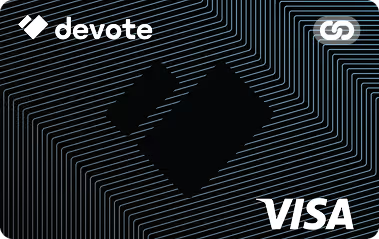
Black Visa credit card with Devote logo and abstract white line pattern background.Read The Review
Bold red cross mark indicating an error or cancellation.
Green badge with a checkmark symbol indicating verification or approval.
Bold red cross mark indicating an error or cancellation.
Green badge with a checkmark symbol indicating verification or approval.
Christian Community Credit Union Ministry Credit Card
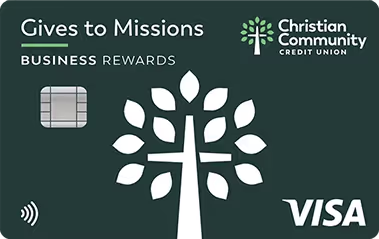
Christian Community Credit Union Visa business rewards credit card featuring a tree with a cross design.Read The Review
Bold red cross mark indicating an error or cancellation.
Green badge with a checkmark symbol indicating verification or approval.
Bold red cross mark indicating an error or cancellation.
Green badge with a checkmark symbol indicating verification or approval.
Bold red cross mark indicating an error or cancellation.
Green badge with a checkmark symbol indicating verification or approval.
America’s Christian Credit Union Visa Ministry Rewards Credit Card
America's Christian Credit Union Visa Signature Rewards credit card with a blue background and placeholder card details.Read The Review
Bold red cross mark indicating an error or cancellation.
Green badge with a checkmark symbol indicating verification or approval.
Bold red cross mark indicating an error or cancellation.
Green badge with a checkmark symbol indicating verification or approval.
Bold red cross mark indicating an error or cancellation.
Green badge with a checkmark symbol indicating verification or approval.
Charity Charge Nonprofit Business Card
White business card with blue Charity Charge logo, sample card number, expiration date 12/24, placeholder text for employee and nonprofit name, and Mastercard logo.Read The Review
Bold red cross mark indicating an error or cancellation.
Green badge with a checkmark symbol indicating verification or approval.
Bold red cross mark indicating an error or cancellation.
Green badge with a checkmark symbol indicating verification or approval.
Bold red cross mark indicating an error or cancellation.
Green badge with a checkmark symbol indicating verification or approval.
AGCU Church Credit Card
AGCU debit Visa card with a stylized yellow cross on a dark background.Read The Review
Bold red cross mark indicating an error or cancellation.
Green badge with a checkmark symbol indicating verification or approval.
Bold red cross mark indicating an error or cancellation.
Green badge with a checkmark symbol indicating verification or approval.
Bold red cross mark indicating an error or cancellation.
Green badge with a checkmark symbol indicating verification or approval.
Bold red cross mark indicating an error or cancellation.
Green badge with a checkmark symbol indicating verification or approval.
Green trophy cup icon with two handles on a white background.
Our Top Pick
Purple KleerCard credit card with chip, KleerCard logo, and Visa Commercial branding.
KleerCard
Apply for credit approval to get started with KleerCard today.
Apply Now

Plenty of church-friendly credit cards offer the basics: they provide additional cards, no annual fee, and features to protect your church from fraud.

But only one gives you true control over how your church’s money gets spent: KleerCard.

KleerCard is much more than a standard corporate credit card. It’s a full budgeting system that puts you in charge of every dollar, every transaction, and every ministry.

What Makes KleerCard The Best Credit Card For Churches?

Where other cards stop at “unlimited users” or “custom limits,” the KleerCard Visa goes several steps further. You can:

  • Create single-use virtual cards for events like a youth group retreat or benevolence outreach
  • Issue recurring-use cards with fixed monthly budgets—perfect for hospitality teams, music ministries, or children's church
  • Set spending restrictions by vendor category (e.g., groceries only) or limit purchases to a specific day or time window

Let’s say your missions team needs to cover travel meals this weekend. You can issue a virtual card that:

  • Expires Sunday at midnight
  • Only works at restaurants
  • Is capped at $250

The card shuts off automatically. No one can overspend, use it early, or apply it toward something unrelated. The payment would be blocked.

No other card on this list gives you that level of control.

With KleerCard, every purchase is visible the moment it happens. 

Admins can see exactly who spent what, where, and why. 

Receipts can be captured and matched on the spot, which means less paperwork and spreadsheets to fill out by hand at the end of the month.

KleerCard is built to help your church steward funds responsibly, reduce risk, and simplify the work of managing a budget across dozens of hands.

Click here to apply for KleerCard online.

✅ KleerCard Benefits

  • Single-use and recurring-use virtual cards with custom rules
  • Set spending limits by amount, vendor type, or timeframe
  • Unlimited virtual cards
  • Built-in receipt tracking
  • Easy integration with church accounting platforms

❌ KleerCard Drawbacks

  • Doesn’t offer points or cash-back rewards
Gold medal with a star cutout in the center and a multicolored ribbon.
Runner Up

The Devote Card checks a lot of boxes. It’s a nonprofit credit card built for churches that offers powerful budgeting features that go beyond credit card services. For many churches, it might feel like a perfect fit—and in most ways, it is.

But while Devote offers a high degree of control, it doesn’t give you the same level of precision as KleerCard.

You can issue unlimited virtual and physical cards.

You can set spending limits and restrict merchants.

You can automate receipt capture and integrate with popular tools like QuickBooks.

But where KleerCard lets you set time-based limits, assign recurring monthly budgets, and lock a virtual card to a single use or single vendor category, Devote is a bit broader in scope.

In other words, Devote is great for control. KleerCard is great for granular control.

Devote does bring some unique benefits to the table—especially if you want a rewards program. It even offers sub-accounts to track grant spending.

It’s also a pre-funded card, so you’ll never risk going into debt, but you will need to plan ahead and keep the account loaded, which may require a hands-on approach to manage cash flow.

✅ Devote Card Benefits

  • Issue unlimited virtual and physical cards
  • Automate receipt capture with photo uploads
  • Integrates with other accounting tools
  • Includes a nonprofit rewards program (Devote Points)
  • Sub-account tracking for grants and designated funds

❌ Devote Card Drawbacks

  • Pre-funded model requires proactive account management
  • Spending controls are strong but less granular than KleerCard
  • Requires a $1,000 initial deposit for treasury account setup
Gray thumbs-up icon with a wrist cuff.
Also Great
The following cards are still solid options for churches, but they don’t quite match the flexibility or depth of tools offered by top picks like KleerCard and Devote.
Christian Community Credit Union Visa business rewards credit card featuring a tree with a cross design.
Christian Community Credit Union Ministry Credit Card

The Christian Community Credit Union Ministry Credit Card comes with no annual fee, free balance transfers, real-time transaction visibility through online and mobile platforms, and integration with QuickBooks that makes it easier for your finance team to stay organized.

The card offers 1.5% cash back that churches can apply to statement credits, and even lets you donate points to mission work (though it lacks more advanced tools like virtual cards or automated receipt tracking).

You can’t issue virtual cards, and there’s no built-in receipt tracking or the ability to set precise purchase windows or merchant restrictions. 

If you value simplicity, strong customer support, and alignment with your mission, this card is a dependable choice—even if it falls short on spending control.

America's Christian Credit Union Visa Signature Rewards credit card with a blue background and placeholder card details.
America’s Christian Credit Union Visa Ministry Rewards Credit Card

ACCU’s card stands out for one big reason: tiered rewards. You’ll earn extra points on charitable donations, travel, and hotels. Perfect for ministries regularly supporting missions or attending conferences.

The card doesn’t charge an annual fee, and the 360Control platform gives admins the ability to manage card limits, view usage reports, and attach receipts with photo uploads. 

Real-time visibility is built in, with alerts, mobile access, and online dashboards that keep your finance team in the loop. However, you won’t find virtual cards here.

And while you can export transaction data, there’s no direct sync with other accounting platforms, which could slow things down for churches that rely on automation.

For ministries that want a card that rewards mission-related spending, ACCU is a solid option.

White business card with blue Charity Charge logo, sample card number, expiration date 12/24, placeholder text for employee and nonprofit name, and Mastercard logo.
Charity Charge Nonprofit Business Card

The Charity Charge Nonprofit Business Card is purpose-built for churches and nonprofit organizations looking to save money. It has no annual or per-card fees, and lets you issue unlimited physical cards with adjustable limits and real-time controls.

The card lets you track spending across teams without delay and sync transactions directly to QuickBooks Online. 

That said, there’s no support for virtual cards or receipt photo capture, and eligibility may be a hurdle for smaller churches. Applicants need $100K+ in annual revenue and two years of financials to qualify. And like most credit cards, interest charges apply if balances aren’t paid in full.

Still, for midsize and larger churches that want practical savings and strong administrative controls, Charity Charge is a contender.

AGCU debit Visa card with a stylized yellow cross on a dark background.
AGCU Church Credit Card

The AGCU Church Credit Card is a no-frills option that still supports key church needs.

There are no annual fees, and churches can request additional employee cards at no extra cost, which is great for ministries with multiple team members making purchases. 

Real-time visibility into transactions is available through online and mobile banking, and churches can access online expense reporting tools to help track and categorize purchases. 

There’s no virtual card support, no receipt photo capture, and no direct QuickBooks integration. But they offer a simple way to stay organized.

If your church is already banking with AGCU or wants a traditional credit union experience with mission alignment and solid core features, this card delivers—just don’t expect a lot of bells and whistles.

Best Ministry Credit Card Options: How We Picked

We didn’t focus on rewards systems when choosing the best credit cards for churches.

Instead, we focused on features that give you the most control over how your ministry spends money. 

We looked for things like the ability to manage budgets for youth retreats, pay for building repairs, manage benevolence funds, and the ability to limit the types of purchases your volunteers make.

We chose cards that help churches stay organized and on mission, while also reducing admin work.

We looked for tools that give pastors, treasurers, and finance committees the ability to set clear spending limits, issue multiple cards, and track everything in real time. Because the less time you spend managing receipts, the more time you have to serve your congregation.

Here’s a complete breakdown of the features we looked for.

Budget & Expense Controls

Church budgets are often split across ministries, programs, and special events. You might need to fund a food pantry one week and a youth camp the next—each with its own spending limits and approval needs.

That’s why advanced budget controls are non-negotiable.

We looked for cards that offer the following budgeting features, because the more control you have on the front end, the less risk you have overall.

  • Set spending caps for each cardholder or ministry
  • Limit which merchants a card can be used at
  • Turn off cards instantly if something doesn’t look right
  • Create recurring monthly budgets for things like hospitality supplies or curriculum purchases

Unlimited Virtual Cards

Need to plan a last-minute event or make online purchases to cover a sudden equipment failure? You don’t always have time to wait for a physical card to ship.

Virtual cards are a faster, safer solution.
The best credit cards let you:

  • Generate virtual cards instantly
  • Assign them to a specific volunteer or ministry
  • Set strict limits on how much and where they can spend
  • Automatically deactivate the card after use

It’s the fastest way to get someone what they need—without losing control over how your funds are used.

Unlimited Physical Cards

If a provider doesn’t offer virtual cards, physical cards are the next best option. 

They’re useful if you shop in person with vendors who don’t accept virtual cards, but come with tradeoffs. They take longer to arrive and are easier to lose or misuse (but they’re still better than having no cards at all).

Automated Receipt Management

We get it. Nobody has time to collect, submit, and match every single receipt to your statement. It’s a time drain for everyone.

That’s what makes automated receipt management extremely useful: it makes the process seamless.

We looked for cards that:

  • Prompt users to snap a photo of the receipt right after a purchase
  • Automatically matches receipts to transactions
  • Tags & categorizes the expense automatically

That means no more Sunday-night texts asking someone to dig through their glovebox for a missing receipt.

Real-Time Visibility

If you can’t see purchases as they happen, you’re putting your ministry’s security on the line.

With real-time visibility, your church gets a live view of every transaction. Each of the cards on the list lets you use an application or online portal to see who spent what, when, and where.

It’s a basic feature, but one too many churches go without. This is especially important for:

  • Staying on top of ministry budgets
  • Preventing overspending before it happens
  • Making audits and board reporting easier

Accounting Tool Integrations

Switching credit cards shouldn’t mean switching accounting systems.

That’s why we prioritized cards that connect directly to platforms many churches already use—like QuickBooks, Aplos, or Blackbaud.

The best card cards for churches integrate with your existing accounting systems, so you and your volunteers don’t have to worry about setting up new software, learning how it works, and training people who aren’t already up-to-speed with your accounting systems.

No Annual Fees

Some cards come with yearly fees in exchange for higher rewards or premium support. That’s not always a bad thing. But for churches trying to steward every dollar, fee-free options are generally top-choice.

The Bottom Line

There are a lot of business credit cards out there, but you'll notice very few are built with teachers and schools in mind.

The reality is, mWhen it comes to church finances, clarity and control matter more than points or perks. The best credit cards for churches help you stay organized, set spending limits, and reduce admin headaches.

That’s what makes KleerCard the clear winner. 

It’s the only card that gives churches complete control over every dollar, from single-use virtual cards to recurring monthly budgets and category-specific restrictions. 

You can see every transaction in real time, automate receipt tracking, and keep your accounting tools in sync without chasing down paperwork.

Other cards on this list offer solid features and may work well for certain churches, especially if you're looking for rewards or already banking with a specific credit union. 

But if you're looking for the most powerful tool to manage church expenses, KleerCard stands alone.

Click here to visit KleerCard today and begin the application process. So you can get back to focusing on what matters most: serving your people.

Most cards were designed for traditional businesses, with features and processes that just don’t fit the way educators actually work.

That’s why KleerCard stands out.

If you're ready to stop chasing receipts and start spending smarter, it's time to choose a credit card that’s actually designed for the work you do. Click here to apply for KleerCard online today.

Frequently Asked Questions

Is It Common For Business Credit Card To Offer Unlimited Cash Rewards (Cash Back)?

Many business credit cards allow you to earn cash back rewards, but they often come with limits. Rewards rates may be higher in specific categories, like office supplies or travel, than for everyday purchases. They're a common feature for businesses looking to save.

What Kind Of Credit Card Fees Should I Expect On Transactions Abroad?

Some cards may waive these fees, so check your card's terms. When using a credit card for transactions abroad, you can generally expect foreign transaction fees of 1% to 3% per purchase.

What Kind Of Personal Credit History Do I Need To Get A Credit Card For My Church?

Some church credit cards require a personal guarantee and good personal credit, while cards designed for churches and businesses with nonprofit status often rely solely on the organization’s financials and EIN.

What Is the Average Credit Limit On A New Card?

Smaller or new churches often start with lower limits that vary from $5,000 to $50,000.

At a glance: 11 Expensify alternatives compared

Platform Best for Starting price Key strength Main weakness
KleerCard Nonprofits, churches, schools Free up to 5 users; $29/mo for 15 Card + software built for fund accounting No standard cashback below ~$30K/mo spend
Ramp Startups and mid-market businesses Free; Plus $15/user/mo AI automation and free core platform $25K bank balance to qualify; platform fees rising
Brex VC-backed startups, global teams Free; Premium $12/user/mo High limits, treasury, global cards $10K/mo card spend + $75K bank balance to qualify
Sage Expense Mgmt (Fyle) Teams keeping existing cards $11.99/user/mo (Growth) Real-time card feeds on any card Per-user pricing scales fast
SAP Concur Enterprises with global travel From ~$9/user/mo (custom quotes) Deepest configuration and policy controls Long implementation, opaque pricing
Navan (TripActions) Travel-heavy mid-market Free up to 5 users; custom above Travel + expense in one workflow Less compelling without heavy travel
Emburse Professional Mid-market and enterprise compliance From ~$3,000/year (per G2) Deep audit and policy enforcement Disjointed product suite, opaque pricing
BILL Spend & Expense (Divvy) SMBs already using BILL for AP Free card software; AP add-on extra Card + AP under one vendor Admin fees stack; AP and cards still feel separate
Zoho Expense Small businesses in the Zoho stack Free; Standard $3/user/mo Lowest paid pricing in the category Strongest only inside Zoho One
Coupa Mid-market and enterprise procurement Custom quote Procure-to-pay coverage Expensify lacks Overbuilt for pure expense use cases
Charity Charge Established 501(c)(3)s No annual fee; revenue minimums apply Nonprofit-only credit card with QBO sync Eligibility cutoff at $100K+ revenue
Pricing reflects published rates as of May 2026 and changes often. Confirm current numbers with each vendor before signing.
Purple KleerCard credit card with chip, KleerCard logo, and Visa Commercial branding.
KleerCard saves you time and money
Sign up in 5 minutes. You’re up and running in hours, not weeks.
Get Started

Is this comparison for you?

Most "best Expensify alternative" lists assume you run a software company, an agency, or a small business with predictable cash flow and a tech-comfortable finance team. If that's you, skip down to Ramp, Brex, Sage Expense Management, or Navan. Those four cover the standard for-profit playbook.

If you run a nonprofit, a church, or a school, the standard playbook breaks. The people spending money include volunteers, ministry leaders, teachers, and board members on personal email addresses. The cards you can get aren't the cards you actually need.

Four specific gaps come up on most of our discovery calls:

  • Eligibility blocks. Ramp requires $25,000 in a U.S. business checking account. Brex requires $10,000 in monthly card spend and $75,000 in the bank. Most small nonprofits don't clear either bar. (We cover this in detail in our guide to nonprofit credit cards with no personal guarantee.)
  • Per-user math doesn't fit. Expensify's $5–$9 per-member pricing assumes a stable headcount. Churches and schools have predictable seasonal spikes — VBS staff, summer interns, mission trip leaders, six-week class instructors — that turn into a per-user surprise on month-to-month plans.
  • Fund accounting isn't supported. Aplos, Realm, ShelbyNext Financials, ParishSOFT, ACS Technologies, and Blackbaud all need custom CSV exports, sometimes with offsetting double-entry rows. Expensify, BILL, and most for-profit tools don't ship them.
  • Volunteer cards are awkward. Ramp wants every user on an organizational email. A summer camp volunteer using a personal Gmail can't be added without setup friction that doesn't exist on KleerCard or Charity Charge.

If any of those describe your organization, the comparison narrows fast. The KleerCard and Charity Charge sections below are written specifically for that audience.

Chart ranking Expensify alternatives by eligibility requirements showing Brex, Charity Charge, Ramp, KleerCard, and Sage Expense Mgmt with their required minimum balances and conditions.

Why people leave Expensify in the first place

Expensify is a competent expense layer. It pulls credit card transactions in, lets staff code them and upload receipts, and pushes the result to QuickBooks or another accounting platform. It works.

The reasons teams shop alternatives in 2026 fall into a few patterns I see repeatedly on KleerCard discovery calls.

Pricing changes that hit smaller customers. Expensify restructured the Collect plan in April 2025 to a flat $5 per member per month, removing the previous Expensify Card discounts that brought some customers down to $2.50. Per-member billing means you pay for everyone in the workspace whether they submitted expenses that month or not. Small teams rarely notice. Larger teams with rotating contributors do.

Receipt scanning lag. Brex's Expensify breakdown points to SmartScan latency that can take up to an hour to process a receipt. Annoying for a 10-person team. Expensive for a 100-person finance org closing the month.

Workflow rigidity. Reviewers consistently flag Expensify's approval workflows as harder to customize than Ramp, Brex, or Sage Expense Management. Multi-level approvals with branching rules require workarounds.

Sync conflicts with the cards themselves. Amex, Chase, and Capital One are increasingly building their own transaction-management interfaces. When your card issuer's system and Expensify's system disagree about a pending charge or a refund, the accounting team fixes the entry by hand.

Card holds that don't reconcile cleanly. A $500 rental car authorization that finalizes at $387 may or may not sync correctly. The accounting team cleans it up in QuickBooks anyway.

Fund accounting gaps for nonprofits and churches. Tricia G., a finance office lead at a church transitioning to KleerCard from Concur this spring, described the same pattern: 4 to 6 hours per month of manual data entry into ACS Financials after her reconciliation work was done, because the platform couldn't handle multiple cash accounts and didn't ship a direct integration. Expensify has the same blind spot. Built for large for-profit finance teams, it doesn't ship the custom CSV exports that Aplos, Shelby, ACS Technologies, Realm, ParishSOFT, and Blackbaud require. We unpack the church-specific trade-offs in KleerCard vs. Expensify for churches.

None of that means Expensify is broken. It means the reasons to leave are real, and the right replacement depends on which of those problems you're trying to fix.

The 11 best Expensify alternatives for 2026

1. KleerCard — best for nonprofits, churches, and schools

Kleercard app

KleerCard is the only platform on this list that combines a corporate credit card with built-in expense management designed specifically for nonprofits, churches, and schools. The card and the software ship together. There's nothing to integrate.

Where Expensify connects to whatever cards you already have, KleerCard issues the cards, sets the budget controls, captures the receipts, and pushes everything to your fund accounting platform. That last part is the deciding factor for most of our customers. 

KleerCard ships direct integrations for Aplos, ACS Technologies, ParishSOFT, ShelbyNext Financials, Realm, Blackbaud, QuickBooks Online, QuickBooks Desktop, and NetSuite.

A typical scenario: your missions team is traveling for a donor weekend. You issue a virtual card capped at $250, restricted to restaurants, set to expire Sunday at midnight. The card shuts off automatically. Receipts upload through the mobile app. The transactions sync to your accounting system the next morning. No reimbursement form. No spreadsheet. No Sunday-night text from the youth pastor.

That kind of workflow is why Emily, an HR & Finance Director at a nonprofit, reported in her testimonial that her team's receipt collection dropped from 40 hours per month to 1 hour in the first month after switching. 

Jared, an Executive Pastor, described his month-end close shrinking from three days to about seven minutes. 

The numbers vary by organization. The pattern doesn't: fund-accounting teams stop spending most of their week on data entry when the card and the accounting system are talking directly.

Pricing: Free for up to 5 users; Standard $29/month for up to 15 users; Pro $49/month for up to 30 users; custom pricing above 30. Bill pay runs $1 per ACH or $1.50 per check. The Wallet feature waives subscription fees if you maintain a balance ($7,500 typical for small churches). Cashback is available as part of custom pricing for organizations spending roughly $30,000+/month on cards. Full details on the pricing page.

Strengths

  • Card and software in one platform, with nothing to integrate
  • Direct fund accounting integrations (Aplos, Realm, Shelby, ParishSOFT, ACS, Blackbaud, QuickBooks Desktop, NetSuite)
  • Single-use and recurring virtual cards with merchant, time, and amount restrictions
  • Auto-lock cards after 7 days for missing receipts
  • No personal guarantee, no minimum bank balance
  • White-glove implementation: 2-3 thirty-minute setup calls, time-to-first-transaction measured in hours

Limitations

  • Standard plans don't include cashback (available on custom plans for higher-spend organizations)
  • Built for organizations, not individual contractors or freelancers
  • AP automation is simpler than BILL's, and budget controls are simpler than BILL's line-item approach by design
  • No native donor or contribution tracking — KleerCard works alongside PushPay, Tithe.ly, Realm Giving, and similar platforms rather than replacing them

Who it's actually for: Nonprofits, churches, schools, and mission-driven teams with anywhere from 3 to 200+ cardholders, especially organizations using fund accounting platforms. For-profit small businesses with 1-3 employees are usually better served by Amex or another personal-points card until headcount grows. KleerCard currently serves more than 1,000 organizations, processes roughly $190 million in annual transaction volume, and is issued by The Bancorp Bank, N.A. on the Visa Commercial network with SOC 2 and PCI DSS compliance.

Apply for KleerCard. The application takes about eight minutes, and approval typically lands within 48 hours.

2. Ramp — best Expensify alternative for general businesses

Corporate payment platform homepage showing invoice and bill management, with headline 'Time is money. Save Both.' and a free signup form.

Ramp is the most-cited Expensify alternative on the internet, and for the for-profit market it earns the spot. The core platform is free. Cards are issued without a personal guarantee. AI-driven receipt matching, policy enforcement, and bill pay come bundled in. G2 rates Ramp 4.8 across more than 2,000 reviews, higher than Expensify's 4.5.

Where Ramp falls short for nonprofits is documented in our full Ramp Card review. Three eligibility issues come up repeatedly in our discovery calls:

  1. Ramp requires roughly $25,000 in a U.S. business checking account (some people have reported that they require even more than this). Many smaller nonprofits keep operating funds low and reserves in money-market accounts to earn interest.
  2. Platform fees of $5,000 to $10,000 are now appearing at renewal cycles for existing customers. We spoke with 13 customers in April 2026 alone who hit this transition, an IPO-driven pattern that's accelerated through early 2026.
  3. Every user needs an organizational email address. Volunteer treasurers and board members on personal Gmail can't be added.

For context on how the math plays out: my own church runs 21 active card users with 2.5 paid employees. On Ramp, that would cost roughly $315 per month ($3,780 per year) in per-user fees plus a potential platform fee, which puts us at around $8,780 per year minimum. 

On KleerCard's Standard tier with a custom user count, the same setup costs about $356 per year. 

Ramp is the right tool for the organizations it was built for. It's just not built for organizations with our profile.

Pricing: Core platform free; Ramp Plus is $15 per user per month; Enterprise is custom. Cashback is reported around 1-1.5%, with the threshold for meaningful return typically landing in the 30-50 active user range.

Strengths

  • Free core platform
  • Strong AI for coding and reconciliation
  • Unified spend, bill pay, procurement, and travel in one platform
  • Mature accounting integrations (QuickBooks, NetSuite, Sage Intacct)

Limitations

  • $25K bank balance requirement
  • Platform fees increasingly added at renewal
  • Organizational email requirement creates friction for nonprofits and volunteer-led teams
  • No native fund accounting exports

Best for: Funded startups, mid-market businesses, and well-capitalized nonprofits with stable cash flow and outsourced accounting. If you're a church or a small nonprofit, the cost-to-fit ratio rarely works.

3. Brex — best for VC-backed startups and global teams

Brex credit card and a smartphone displaying Brex Wallet app with procurement and expenses details on a white surface.

If your business books a lot of flights, hotels, or rental cars, Navan is one of the most compelling alternatives to ExpeBrex leads on credit limits, treasury, and global card issuance. High-burn startups that want their banking, cards, and expense tools in one dashboard tend to land on Brex by default. The free Essentials tier covers most of what a Series A or B startup needs. Premium adds advanced controls at $12 per user per month.

Brex's eligibility bar is the highest on this list: $10,000 in monthly card spend and $75,000 in a U.S. bank account to qualify. That filters out most nonprofits, churches, and small businesses immediately. Capital One acquired Brex in January 2026 for $5.15 billion, which may affect future pricing and product direction.

Pricing: Essentials is free; Premium is $12 per user per month; Enterprise is custom and typically $75,000-$250,000+ annually for 500+ employee deployments. Cashback runs 1.5% on most cards.

Strengths

  • High credit limits based on cash position, not personal guarantee
  • Real-time global card issuance in 60+ countries
  • Treasury account with yield on idle funds
  • Strong AI for receipt matching and coding

Limitations

  • Eligibility bar excludes most nonprofits and small businesses
  • Travel fulfillment outsourced to Spotnana
  • Capital One acquisition adds future pricing uncertainty

Best for: VC-backed startups, multinational tech companies, and any business that genuinely uses the high credit limits and treasury features.nsify.

Formerly known as TripActions, Navan is a unified travel and expense management platform designed for companies with complex travel needs. 

It stands out by combining real-time reporting, policy enforcement, and expense tracking in a single system. 

Unlike Expensify, which focuses primarily on expense reporting, Navan brings travel and expense into one dashboard.

Standout features include automated reconciliation, flexible payment options (including support for your existing corporate cards), and the ability to set detailed spend guardrails for different teams, events, or departments. 

Managers get real-time visibility into expenses, while employees can book travel, submit receipts, and get reimbursed all from the same app.

Navan offers a great free plan for businesses with up to 200 employees. But their paid plans aren’t cheap. 

Pricing starts at $15 per user per month after the first five users, which is significantly higher than Expensify’s $5 base plan. 

And while it offers enterprise-grade features, it might be more platform than a small business needs (especially one without frequent travel).

If your team travels often and you want everything (bookings, expenses, reimbursements, etc.) managed in one place, Navan is a strong contender. 

If you're looking for something simpler or more budget-friendly, tools like Expensify or KleerCard may be a better fit.

Where Navan Wins Over Expensify

  • Integrated Travel & Expense Management
  • Advanced Policy Enforcement
  • Flexible Payment Options
  • Automated Reconciliation
  • Quick Reimbursements
  • Global Travel Inventory + 24/7 Support

4. Sage Expense Management (formerly Fyle) — best for keeping your existing cards

Dashboard displaying fundraising, program, and administrative expenses, a revenue sources pie chart, financial statements, and a chatbot advising on urgent bills to pay.

Most "Expensify alternatives" want you to switch credit cards too. Sage Expense Management — the platform formerly known as Fyle, now part of Sage — is the strongest option if you want to keep your existing Amex, Chase, or Capital One cards and bolt on better expense management. Real-time direct card feeds replace the bank-statement lag that Expensify relies on, so transactions appear in seconds rather than 24 to 48 hours.

The platform also lets users submit receipts via text message and Gmail/Outlook plug-ins. G2 rates Sage Expense Management 4.6, edging Expensify in six of seven categories.

Pricing: Growth plan is $11.99 per user per month, billed annually. Business plan is $14.99 per user per month with a 10-user minimum. Enterprise is custom.

Strengths

  • True real-time card feeds, not bank-feed lag
  • Card-agnostic — keep your existing banking relationships
  • Receipt submission via text, email, and mobile
  • Strong G2 ratings vs. Expensify

Limitations

  • Per-user pricing scales linearly, with no free tier
  • 10-user minimum on the Business plan
  • No card program, so you still depend on your bank for card-level controls

Best for: Mid-sized teams with existing credit card relationships they want to keep, especially if they value direct-to-card real-time data over Expensify's batch bank feeds.

5. SAP Concur — best for global enterprise compliance

Screenshot of Concur Expense interface showing a parking receipt dated 02/18/2026 with expense type, transaction date, and amount fields filled in.

SAP Concur is the legacy giant in travel and expense. Large enterprises standardize on Concur because it integrates with SAP, supports complex global travel policies, and audits 100% of transactions with rules-based and AI checks.

That depth is also the trade-off. Implementation runs months. Pricing is opaque. Published lists start around $9 per user per month for Concur Expense Standard, but most mid-market deployments land in the $15-$25 range when bundled with travel. Multi-year contracts (typically 3 years) unlock 20-30% discounts but lock you in.

Strengths

  • Deepest configuration and policy enforcement in the category
  • Mature integrations across travel suppliers, ERPs, and HR systems
  • 100% AI/rules-based audit on every transaction

Limitations

  • Months-long implementation
  • Opaque, high-touch pricing with multi-year lock-in
  • Reviewers consistently cite slow support and dated UI

Best for: Global enterprises with the IT capacity to manage long implementations and complex configurations.

6. Navan (formerly TripActions) — best for travel-heavy teams

Navan Admin expense management interface showing transaction list and integration with Xero, QuickBooks, and Oracle NetSuite on a purple background with a 'Get started' button.

Navan started as a travel booking tool and added expense management later. The result is the cleanest unified travel + expense workflow in the category. Book a flight, and the trip and the expense entry are linked from the start, with reimbursement reconciliation happening at the point of sale. G2 rates Navan 4.7.

Navan offers a free tier for up to 5 users, with custom enterprise pricing above that. Reimbursements support 25 currencies across 45 countries.

Strengths

  • Strongest travel-and-expense integration in the category
  • Supports linking existing corporate cards
  • Free tier for very small teams

Limitations

  • Less compelling for organizations without significant business travel
  • Enterprise pricing requires sales contact
  • Travel pricing depends on Navan's inventory partners

Best for: Mid-market companies with regular employee travel — sales orgs, consulting firms, mission-driven nonprofits with frequent field travel.

7. Emburse Professional (formerly Emburse Certify) — best for compliance-heavy teams

Screen showing Emburse Expense Intelligence with AI analyzing receipt and mobile app interface, under headline about travel and expense management solutions.

Emburse Professional is built for finance teams that need granular policy enforcement, deep audit controls, and multi-level approvals. Reviewers describe it as the platform you reach for when your travel and expense policy runs 15 pages and every line matters. G2 rates it 4.5.

The trade-off is the product itself. Emburse is the result of multiple acquisitions (Certify, Chrome River, Abacus), and the experience can feel disjointed across modules. Pricing isn't published. G2 lists plans starting at $3,000 per year, putting Emburse on the higher end. Some customers report renewal hikes of close to 50% with limited notice, so renewal-clause negotiation matters more here than with most competitors.

Strengths

  • Deepest audit and policy enforcement outside of SAP Concur
  • Strong reporting for compliance-heavy industries
  • Native travel module added in 2025

Limitations

  • Disjointed product experience across acquired modules
  • Opaque pricing with reports of significant renewal hikes
  • Mobile app reportedly less reliable than the desktop interface

Best for: Mid-market and enterprise organizations with strict compliance requirements and a finance team comfortable configuring rules.

8. BILL Spend & Expense (formerly Divvy) — best for SMBs already on BILL for AP

Person holding a smartphone displaying a wallet app with a $1,400 budget and expense categories, alongside a laptop showing credit dashboard and payment info.

BILL.com acquired Divvy in 2021 and rebranded the card platform to BILL Spend & Expense. The pitch is unified spend: corporate cards, expense management, and AP automation under one vendor. The card software is free. AP automation is the paid layer. Our full BILL Divvy Corporate Card review covers the platform in depth.

Two practical caveats based on customer conversations through 2026:

  1. BILL hasn't fully unified the Divvy card data with the BILL.com bill pay database. As of early 2026, customers report difficulty pulling integrated reports across cards and bill pay in one view.
  2. BILL charges $50-$65 per month per administrator. Nonprofits typically want multiple administrators (board members, treasurer, finance lead) and stack admin fees fast.

BILL Spend & Expense doesn't ship direct integrations with church-specific fund accounting platforms (Shelby, Realm, Blackbaud Financial Edge), so most fund-accounting workflows still require manual CSV reformatting. Worth noting: BILL does have one feature KleerCard intentionally hasn't built — line-item budget controls (separate budgets for meals vs. airline tickets, for example). KleerCard chose simpler budgeting as a deliberate design call for organizations with smaller finance teams. If you need that level of granularity, BILL is the stronger fit.

Strengths

  • Free card software with no per-user fee on basic plans
  • Strong AP automation if you actually need it
  • Single vendor for cards and bill pay
  • Granular line-item budget controls

Limitations

  • Admin fees stack ($50-$65 per administrator per month)
  • Card and AP databases still feel separate in reporting
  • No direct fund accounting exports
  • Self-serve onboarding (videos and docs) unless you're large enough to get a dedicated rep

Best for: SMBs already running BILL for AP automation who want to add a card program from the same vendor.

9. Zoho Expense — best for teams already in the Zoho ecosystem

Expense management dashboard showing spend summary graph, top policy violations pie chart, top spending users list, pending trips, total expenses, and a corporate Visa card with recent expenses.

Zoho Expense has the lowest paid pricing in the category: $3 per user per month for Standard, $5 for Premium. The Free plan supports up to 3 users. If you already run Zoho Books, Zoho CRM, or Zoho One, the integration is the strongest argument for picking it.

Outside the Zoho ecosystem, the platform is competent but unremarkable. Reviewers cite a learning curve and an interface that feels dense compared to Ramp or Sage Expense Management. The Premium plan adds corporate card reconciliation and policy enforcement.

Strengths

  • Lowest paid pricing in the category
  • Tight integration with Zoho Books, CRM, Projects
  • Free tier for up to 3 users

Limitations

  • Best value only inside the broader Zoho stack
  • UI feels dated relative to modern competitors
  • Limited card-issuance partners (relies on third parties like Divvy)

Best for: Small businesses already standardized on Zoho One.

10. Coupa — best for procurement-heavy mid-market and enterprise

Illustration of a smartphone, credit card, package, shopping cart, wallet, and document icons next to text about unifying purchasing and payments for visibility and control.

Coupa is a procure-to-pay platform that includes expense management as one module. If you're evaluating Expensify alternatives because expense reporting is one of several spend management problems — alongside procurement, invoice automation, and supplier management — Coupa covers the broader scope. G2 rates it 4.2.

The match is poor for organizations that just want better expense reporting. Coupa is overbuilt for that. Pricing is custom-quote only.

Strengths

  • Procure-to-pay coverage that Expensify doesn't attempt
  • Strong supplier management and contract lifecycle features
  • Spend analytics across categories

Limitations

  • Overbuilt for pure expense management use cases
  • Long implementations
  • Opaque pricing

Best for: Mid-market and enterprise buyers replacing several spend management tools at once.

11. Charity Charge — best nonprofit-only alternative besides KleerCard

Charity Charge financial services for nonprofits promotion with a white credit card featuring a blue logo and Mastercard symbol.

Charity Charge is the other nonprofit-specific option on this list. The flagship Nonprofit Business Card (issued by Commerce Bank) charges no annual fee and no per-card fee, with QuickBooks Online sync and real-time controls on physical cards. Our full Charity Charge review breaks down the eligibility, controls, and where it fits.

The eligibility cutoff is the constraint: applicants need at least $100,000 in annual revenue and two years of financials to qualify. That blocks many small churches and brand-new nonprofits but works well for established 501(c)(3)s in the mid-market range.

Charity Charge added a separate Nonprofit Corporate Card product through a partnership with Fifth Third Bank/Corpay. That product adds virtual cards, AI receipt matching, and broader ERP integrations for larger nonprofits.

Strengths

  • Nonprofit-only product with mission-aligned positioning
  • No annual fees, no per-card fees on the Business Card
  • QuickBooks Online sync
  • Two-product range covers small-to-mid nonprofits and larger ones separately

Limitations

  • $100K+ revenue requirement on the Business Card
  • No virtual cards on the Business Card (only on the newer Corporate Card)
  • No direct integrations with church-specific fund accounting platforms

Best for: Established nonprofits clearing $100K in annual revenue who want a credit card built specifically for the sector.

How to choose between them

The shortlist gets shorter once you ask three questions in order.

First, what are you actually trying to fix? If receipt management is too slow, almost any modern platform on this list improves on Expensify. If you can't get the cards you need to begin with, software-only alternatives (Sage Expense Management, Zoho, Coupa) won't help. You need a card program too: KleerCard, Ramp, Brex, BILL, or Charity Charge.

Second, what's your eligibility? Brex needs $75K in the bank and $10K monthly card spend. Ramp needs $25K in business checking. Charity Charge needs $100K+ in nonprofit revenue. KleerCard, Sage Expense Management, Zoho, and Coupa have no balance or revenue requirements. If you don't clear the bar, that filter does the work for you.

Third, what does your accounting team actually use? QuickBooks Online buyers have the most options, and almost everything on this list integrates. Fund accounting platforms (Aplos, Realm, Shelby, ParishSOFT, ACS, Blackbaud) narrow the field hard. KleerCard ships direct integrations for those platforms. Most for-profit-built tools force manual CSV reformatting, which removes the time savings that drove the shopping in the first place.

For most nonprofits, churches, and schools landing on this article, the honest answer is one of three:

  • KleerCard if you want card and software in one platform built for fund accounting
  • Charity Charge if you clear $100K in annual revenue and prefer a card-only solution with QBO sync
  • Sage Expense Management if you're committed to keeping your existing cards and want to add a real-time expense layer on top

For most general for-profit businesses, Ramp is the default answer for the same reason it shows up at the top of every list: free core platform, AI automation, and broad integrations.

Frequently asked questions

What is the best alternative to Expensify?

The best alternative depends on your organization. Ramp is the strongest free option for general businesses with stable cash flow. Sage Expense Management (formerly Fyle) is the best fit for teams keeping their existing cards. KleerCard is built specifically for nonprofits, churches, and schools, with fund accounting integrations and no minimum bank balance. SAP Concur and Emburse cover compliance-heavy enterprises. Brex serves VC-backed startups with high credit needs.

Is there a free alternative to Expensify?

Yes. Ramp's core platform is free, including unlimited cards and basic expense management. Brex Essentials is also free for qualifying companies. KleerCard is free for up to 5 users. Zoho Expense and Navan offer free tiers for very small teams. Most "free" tiers cap users, features, or both, so confirm what you actually get before switching.

How much does Expensify cost compared to alternatives?

Expensify charges $5 per member per month on the Collect plan and $9 per active member per month on the Control plan (or $18 without the Expensify Card). For a 100-person team on Control with the card discount, that's about $900 per month. By comparison, Ramp's core platform is free; KleerCard runs $29 to $49 per month flat for up to 30 users; Sage Expense Management is $11.99 per user per month; Zoho Expense Standard is $3 per user per month.

Why are nonprofits and churches looking for Expensify alternatives?

The most common reasons are pricing changes that hit seasonal-staff budgets, the lack of integrations with fund accounting platforms (Aplos, Realm, Shelby, ParishSOFT, ACS Technologies, Blackbaud), inability to issue or control cards directly (Expensify is software-only), and difficulty managing volunteers who don't have organizational email addresses.

Can I keep my existing credit cards and replace just Expensify?

Yes. Sage Expense Management (formerly Fyle), Navan, Zoho Expense, Coupa, and Emburse all work with your existing corporate cards. Ramp, Brex, BILL Spend & Expense, KleerCard, and Charity Charge include their own card programs, so switching means moving your card spend too.

What's the easiest Expensify alternative to set up?

Ramp and KleerCard both report time-to-first-transaction in hours, not weeks. KleerCard's standard implementation is 2 to 3 thirty-minute Zoom calls with a dedicated implementation lead. Ramp is largely self-serve. SAP Concur and Emburse can take months to deploy fully.

Do any Expensify alternatives offer cashback or rewards?

Yes. Ramp offers approximately 1-1.5% cashback (variable by customer). Brex offers 1.5% cashback. BILL Spend & Expense offers points-based rewards. KleerCard offers cashback as part of custom pricing for organizations spending roughly $30,000+/month on cards. Sage Expense Management, Zoho Expense, Coupa, and Emburse don't issue cards and so don't offer card-based rewards.

The bottom line

Expensify works for the organization it was built for: a stable for-profit business with a finance team comfortable wrangling integrations, predictable monthly spend, and existing corporate credit cards that play nicely with bank-feed sync.

If that's your organization, Ramp is the most-cited alternative for good reason, and Sage Expense Management is the strongest pick if you want to keep your cards.

If your organization is a nonprofit, church, or school, none of those tools were built for the way you actually work. Volunteer cards, seasonal users, fund accounting exports, and the absence of bank-balance requirements are the difference between a system that fits and a system you'll be shopping again in two years.

KleerCard was built for that gap. The card program, the expense software, the receipt automation, and the fund accounting integrations all ship together. Nothing to integrate. No per-user surprise on rotating staff. No minimum bank balance to qualify.

Apply for KleerCard. The application takes about eight minutes, and approval typically lands within 48 hours.

Owen Hill is co-founder of KleerCard, a corporate card built for nonprofits, churches, and schools. Before KleerCard, he served as Budget Director at Compassion International and ran Switch Consulting, a fractional CFO practice for nonprofits. KleerCard is reviewed alongside other tools throughout this article.

Term
What It Refers To
Where to Sign Up
An accounting platform that offers credit cards optimized for nonprofit spending and budget control.
A travel program that speeds up airport boarding using biometric recognition.
Credit cards (generally from AmEx) that include enrollment in the CLEAR Plus program as a perk.

What Is The Clear Card (KleerCard) Credit Card?

When people search for the “Clear Card credit card,” they’re often looking for KleerCard, a credit platform built specifically for nonprofits. 

The spelling might be off, but the need is real: better financial control for organizations like schools, churches, and community programs.

KleerCard gives nonprofit teams an easy way to manage day-to-day spending without the headaches that come with traditional business credit cards or shared payment methods. 

It’s designed to simplify how you budget, approve, and track purchases in real time.

With KleerCard, you can issue single-use virtual cards for things like one-time events or temporary volunteers. 

You can set up recurring-use cards with strict spending limits, based on amount, vendor type, or time of the month. 

You’ll also have access to unlimited virtual cards, which means every team, staff member, or event can get their own card with clear boundaries.

Other features include built-in receipt tracking, real-time approvals, and easy integration with nonprofit accounting tools. 

In short, it’s built to work the way nonprofits operate: collaboratively, accountably, and cost-consciously.

If you're running a nonprofit and searching for a Clear Card credit card, this is probably what you're really after. Click here to start the application process today.

Purple KleerCard credit card with chip, KleerCard logo, and Visa Commercial branding.

What Is The CLEAR Plus Travel Program?

If you’re not searching for KleerCard, you may be looking for information about CLEAR Plus, a privately owned identity verification program that helps travelers save time at airport security.

Instead of waiting in the standard TSA line to have your passport or driver’s license checked, members can confirm their identity through a quick biometric scan. 

It’s different from programs like TSA PreCheck or Global Entry, which are run by the federal government. 

CLEAR Plus is operated by a private company and doesn’t require background checks or interviews. It’s purely about speeding up the identity verification step in the airport screening process.

To use the service, you first scan your boarding pass, then scan your biometric data. 

That’s it. 

No fumbling with documents. No ID review. Just fast-track access to the screening line.

Millions of travelers already have a CLEAR account, and the program continues to grow each calendar year. 

Young woman using a touchscreen self-service kiosk in an airport terminal while holding her smartphone and standing next to a suitcase.

How To Enroll In The CLEAR Plus Travel Program

There are a few different ways to sign up for CLEAR Plus, depending on your needs (and in some cases, your credit card).

  • Direct enrollment: You can sign up online at clearme.com, fill out the short form, and get started in minutes.
  • In person: Enrollment kiosks are available at most major U.S. airports, where you can file your information and set up your account on the spot.
  • Through a credit card: Several eligible American Express cards offer statement credits that cover the membership fee for CLEAR Plus as part of their travel rewards. These include personal and business cards like the Platinum Card, Business Platinum Card, and Hilton Honors American Express Aspire Card.

CLEAR Plus Pricing (as of June 2025):

Membership is billed annually and can be canceled or renewed at any time. 

  • $199/year for an individual membership
  • Add up to three adults for $119/year each
  • Kids under 18 can use the lane for free when accompanied by a member
  • Access to 59 airports nationwide and growing

Some credit card welcome offers may cover the first year’s membership fee, while others offer partial statement credits toward enrollment. 

This benefit alone can help travelers earn rewards, offset travel costs, and reduce time spent waiting in line.

If you travel often (especially through busy hubs like LAX, JFK, or ATL) CLEAR Plus can be one of the most valuable travel perks available.

CLEAR+ Pricing showing Individual plan at $199/year with benefits and Family plan at $199/year plus $119 per person with account sharing and travel options.

🕒 Note: Pricing and benefits verified as of June 2025.

What Are Clear Credit Cards?

The phrase “Clear credit cards” doesn’t refer to a specific brand of card. 

It’s usually shorthand for American Express cards that include a credit toward CLEAR Plus membership as part of their benefits package.

These are not “Clear” branded credit cards. 

Instead, they’re premium travel cards that bundle CLEAR access alongside other perks like airport lounge access, prepaid hotels, and select American Express Travel benefits.

Below are some of the top cards that offer CLEAR Plus enrollment credits. Terms apply, and benefits may vary based on eligibility, enrollment, and card type.

AmEx Business Platinum Card

American Express Business Platinum credit card with a silver background and a warrior helmet emblem.

The phrase “Clear crediThe Business Platinum Card® from American Express offers many of the same benefits as the personal version, but it's designed to support employees and business owners who travel often.

Benefits

  • CLEAR Plus membership credit (up to $199/year)
  • 5x points on flights and prepaid hotels through AmEx Travel
  • Global Entry/TSA PreCheck credits
  • Airport lounge access

Drawbacks

  • $695 annual fee
  • Must be used primarily for business purchases
  • Some perks are limited to specific vendors or booking channels

t cards” doesn’t refer to a specific brand of card. 

It’s usually shorthand for American Express cards that include a credit toward CLEAR Plus membership as part of their benefits package.

These are not “Clear” branded credit cards. 

Instead, they’re premium travel cards that bundle CLEAR access alongside other perks like airport lounge access, prepaid hotels, and select American Express Travel benefits.

Below are some of the top cards that offer CLEAR Plus enrollment credits. Terms apply, and benefits may vary based on eligibility, enrollment, and card type.

AmEx Platinum Card

American Express Corporate Platinum credit card with chip and contactless payment symbol, belonging to Fritz A Wollner.

The Corporate Platinum Card® is typically issued by large companies to their executives or traveling staff.

It may include a CLEAR Plus credit as part of its benefits, but eligibility and coverage depend on the company’s agreement with AmEx.

Benefits

  • Premium lounge access
  • Concierge services and American Express Travel booking tools
  • Credits toward CLEAR, Global Entry, and TSA PreCheck

Drawbacks

  • Not available for individual application
  • Subject to employer restrictions and card program terms
  • May not include full access to all Platinum-level benefits

American Express Green Card

American Express credit card with a green background, chip, warrior logo, contactless symbol, and cardholder name C F Frost.

The AmEx Green Card® is a lower-tier travel card, but it still packs value for younger travelers or anyone new to American Express.

Benefits:

  • Up to $199/year CLEAR Plus credit
  • 3x points on travel, transit, and eligible purchases
  • No foreign transaction fees

Drawbacks:

  • $150 annual fee
  • Fewer luxury perks than Platinum cards
  • Smaller welcome offers compared to premium cards

Hilton Honors AmEx Aspire Card

Blue Hilton Honors American Express credit card with chip, cardholder name C F Frost, and member since 2016.

The Hilton Honors AmEx Aspire Card is built for hotel loyalists, and offers massive value through Hilton-specific perks. It also includes a CLEAR Plus credit.

Benefits:

  • $199 CLEAR Plus credit per calendar year
  • 14x points on Hilton purchases, 7x on select flights and rental cars
  • Complimentary Hilton Diamond status
  • No foreign transaction fees

Drawbacks:

  • $550 annual fee
  • Rewards are mostly Hilton-focused
  • Not ideal if you rarely stay at Hilton properties

Choose A Credit Card Based On Your Needs

Now that we've broken down the three meanings behind the term “Clear Card credit card,” let’s do a quick recap:

  • It could be a typo for KleerCard, the nonprofit-focused credit platform.
  • It might refer to the CLEAR Plus travel program that helps you skip TSA lines.
  • Or it could mean an American Express card that includes a CLEAR Plus membership credit as one of its perks.

Here’s the thing: you don’t need a new card to join CLEAR. 

You can simply enroll online, pay the membership fee, and start using the service.

So when choosing a card, focus on function, not flashy extra features. 

If you’re looking for faster airport screening and travel perks, then sure, pick a card with CLEAR access built in. 

Cards like the Platinum Card or the Hilton Honors American Express Aspire Card give you that option, along with extras like airport lounge access, eligible purchase rewards, and prepaid hotel credits.

But if your goal is to control spending across a nonprofit organization, CLEAR Plus probably isn't your top priority. 

You need detailed oversight, flexible controls, and financial transparency. That’s where KleerCard shines.

With KleerCard, you can manage your budget, issue virtual cards to staff, set specific purchase limits, and track expenses in real time. 

And because you're saving money through better controls, it's easy to buy a CLEAR Plus membership separately—no need to compromise with a card that wasn't designed for your mission.

Click here to apply for KleerCard today.

Frequently Asked Questions

Does KleerCard include enrollment in the CLEAR Plus travel program?

No. KleerCard is designed for budgeting and nonprofit expense control. CLEAR Plus is a separate travel membership.

Is KleerCard An American Express Card, MasterCard, Or Visa?

KleerCard is a corporate Visa card, purpose-built for nonprofits like churches and schools.

Where Can I Enroll In The CLEAR Plus Travel Program?

You can enroll at clearme.com, at the airport, or through an eligible credit card.

What Credit Cards Include Enrollment To The CLEAR Plus Travel Program?

Many premium American Express cards offer CLEAR Plus as a benefit. See the list above for details.

Should I Choose A Card That Includes CLEAR Plus Enrollment, Or Should I Enroll Directly?

If you already have a card with strong features, enrolling directly might make more sense. Evaluate what you need first.

Card
Developed by church leaders for church leaders
Offers Budget Controlled Cards
Issue Multiple Virtual Cards
Issue Multiple Physical Cards
Automated Receipt Management
Real-Time Visibility
Integrates With Popular Accounting Tools
No Annual Fee
KleerCard
Purple KleerCard credit card with chip, KleerCard logo, and Visa Commercial branding.Apply Now
Green badge with a checkmark symbol indicating verification or approval.
Devote Card
Black Visa credit card with Devote logo and abstract white line pattern background.Apply Now
Bold red cross mark indicating an error or cancellation.
Green badge with a checkmark symbol indicating verification or approval.
Bold red cross mark indicating an error or cancellation.
Green badge with a checkmark symbol indicating verification or approval.
Christian Community Credit Union Ministry Credit Card
Christian Community Credit Union Visa business rewards credit card featuring a tree with a cross design.Apply Now
Bold red cross mark indicating an error or cancellation.
Green badge with a checkmark symbol indicating verification or approval.
Bold red cross mark indicating an error or cancellation.
Green badge with a checkmark symbol indicating verification or approval.
Bold red cross mark indicating an error or cancellation.
Green badge with a checkmark symbol indicating verification or approval.
America’s Christian Credit Union Visa Ministry Rewards Credit Card
America's Christian Credit Union Visa Signature Rewards credit card with a blue background and placeholder card details.Apply Now
Bold red cross mark indicating an error or cancellation.
Green badge with a checkmark symbol indicating verification or approval.
Bold red cross mark indicating an error or cancellation.
Green badge with a checkmark symbol indicating verification or approval.
Bold red cross mark indicating an error or cancellation.
Green badge with a checkmark symbol indicating verification or approval.
Charity Charge Nonprofit Business Card
White business card with blue Charity Charge logo, sample card number, expiration date 12/24, placeholder text for employee and nonprofit name, and Mastercard logo.Apply Now
Bold red cross mark indicating an error or cancellation.
Green badge with a checkmark symbol indicating verification or approval.
Bold red cross mark indicating an error or cancellation.
Green badge with a checkmark symbol indicating verification or approval.
Bold red cross mark indicating an error or cancellation.
Green badge with a checkmark symbol indicating verification or approval.
AGCU Church Credit Card
AGCU debit Visa card with a stylized yellow cross on a dark background.Apply Now
Bold red cross mark indicating an error or cancellation.
Green badge with a checkmark symbol indicating verification or approval.
Bold red cross mark indicating an error or cancellation.
Green badge with a checkmark symbol indicating verification or approval.
Bold red cross mark indicating an error or cancellation.
Green badge with a checkmark symbol indicating verification or approval.
Bold red cross mark indicating an error or cancellation.
Green badge with a checkmark symbol indicating verification or approval.
Green trophy cup icon with two handles on a white background.
Our Top Pick
Purple KleerCard credit card with chip, KleerCard logo, and Visa Commercial branding.
KleerCard
Apply for credit approval to get started with KleerCard today.
Apply Now

Plenty of church-friendly credit cards offer the basics: they provide additional cards, no annual fee, and features to protect your church from fraud.

But only one gives you true control over how your church’s money gets spent: KleerCard.

KleerCard is much more than a standard corporate credit card. It’s a full budgeting system that puts you in charge of every dollar, every transaction, and every ministry.

What Makes KleerCard The Best Credit Card For Churches?

Where other cards stop at “unlimited users” or “custom limits,” the KleerCard Visa goes several steps further. You can:

  • Create single-use virtual cards for events like a youth group retreat or benevolence outreach
  • Issue recurring-use cards with fixed monthly budgets—perfect for hospitality teams, music ministries, or children's church
  • Set spending restrictions by vendor category (e.g., groceries only) or limit purchases to a specific day or time window

Let’s say your missions team needs to cover travel meals this weekend. You can issue a virtual card that:

  • Expires Sunday at midnight
  • Only works at restaurants
  • Is capped at $250

The card shuts off automatically. No one can overspend, use it early, or apply it toward something unrelated. The payment would be blocked.

No other card on this list gives you that level of control.

With KleerCard, every purchase is visible the moment it happens. 

Admins can see exactly who spent what, where, and why. 

Receipts can be captured and matched on the spot, which means less paperwork and spreadsheets to fill out by hand at the end of the month.

KleerCard is built to help your church steward funds responsibly, reduce risk, and simplify the work of managing a budget across dozens of hands.

Click here to apply for KleerCard online.

✅ KleerCard Benefits

  • Single-use and recurring-use virtual cards with custom rules
  • Set spending limits by amount, vendor type, or timeframe
  • Unlimited virtual cards
  • Built-in receipt tracking
  • Easy integration with church accounting platforms

❌ KleerCard Drawbacks

  • Doesn’t offer points or cash-back rewards
Gold medal with a star cutout in the center and a multicolored ribbon.
Runner Up
Black Visa credit card with Devote logo and abstract white line pattern background.
Devote Card

The Devote Card checks a lot of boxes. It’s a nonprofit credit card built for churches that offers powerful budgeting features that go beyond credit card services. For many churches, it might feel like a perfect fit—and in most ways, it is.

But while Devote offers a high degree of control, it doesn’t give you the same level of precision as KleerCard.

You can issue unlimited virtual and physical cards.

You can set spending limits and restrict merchants.

You can automate receipt capture and integrate with popular tools like QuickBooks.

But where KleerCard lets you set time-based limits, assign recurring monthly budgets, and lock a virtual card to a single use or single vendor category, Devote is a bit broader in scope.

In other words, Devote is great for control. KleerCard is great for granular control.

Devote does bring some unique benefits to the table—especially if you want a rewards program. It even offers sub-accounts to track grant spending.

It’s also a pre-funded card, so you’ll never risk going into debt, but you will need to plan ahead and keep the account loaded, which may require a hands-on approach to manage cash flow.

✅ Devote Card Benefits

  • Issue unlimited virtual and physical cards
  • Automate receipt capture with photo uploads
  • Integrates with other accounting tools
  • Includes a nonprofit rewards program (Devote Points)
  • Sub-account tracking for grants and designated funds

❌ Devote Card Drawbacks

  • Pre-funded model requires proactive account management
  • Spending controls are strong but less granular than KleerCard
  • Requires a $1,000 initial deposit for treasury account setup
Gray thumbs-up icon with a wrist cuff.
Also Great
The following cards are still solid options for churches, but they don’t quite match the flexibility or depth of tools offered by top picks like KleerCard and Devote.
Christian Community Credit Union Visa business rewards credit card featuring a tree with a cross design.
Christian Community Credit Union Ministry Credit Card

The Christian Community Credit Union Ministry Credit Card comes with no annual fee, free balance transfers, real-time transaction visibility through online and mobile platforms, and integration with QuickBooks that makes it easier for your finance team to stay organized.

The card offers 1.5% cash back that churches can apply to statement credits, and even lets you donate points to mission work (though it lacks more advanced tools like virtual cards or automated receipt tracking).

You can’t issue virtual cards, and there’s no built-in receipt tracking or the ability to set precise purchase windows or merchant restrictions. 

If you value simplicity, strong customer support, and alignment with your mission, this card is a dependable choice—even if it falls short on spending control.

America's Christian Credit Union Visa Signature Rewards credit card with a blue background and placeholder card details.
America’s Christian Credit Union Visa Ministry Rewards Credit Card

ACCU’s card stands out for one big reason: tiered rewards. You’ll earn extra points on charitable donations, travel, and hotels. Perfect for ministries regularly supporting missions or attending conferences.

The card doesn’t charge an annual fee, and the 360Control platform gives admins the ability to manage card limits, view usage reports, and attach receipts with photo uploads. 

Real-time visibility is built in, with alerts, mobile access, and online dashboards that keep your finance team in the loop. However, you won’t find virtual cards here.

And while you can export transaction data, there’s no direct sync with other accounting platforms, which could slow things down for churches that rely on automation.

For ministries that want a card that rewards mission-related spending, ACCU is a solid option.

White business card with blue Charity Charge logo, sample card number, expiration date 12/24, placeholder text for employee and nonprofit name, and Mastercard logo.
Charity Charge Nonprofit Business Card

The Charity Charge Nonprofit Business Card is purpose-built for churches and nonprofit organizations looking to save money. It has no annual or per-card fees, and lets you issue unlimited physical cards with adjustable limits and real-time controls.

The card lets you track spending across teams without delay and sync transactions directly to QuickBooks Online. 

That said, there’s no support for virtual cards or receipt photo capture, and eligibility may be a hurdle for smaller churches. Applicants need $100K+ in annual revenue and two years of financials to qualify. And like most credit cards, interest charges apply if balances aren’t paid in full.

Still, for midsize and larger churches that want practical savings and strong administrative controls, Charity Charge is a contender.

AGCU debit Visa card with a stylized yellow cross on a dark background.
AGCU Church Credit Card

The AGCU Church Credit Card is a no-frills option that still supports key church needs.

There are no annual fees, and churches can request additional employee cards at no extra cost, which is great for ministries with multiple team members making purchases. 

Real-time visibility into transactions is available through online and mobile banking, and churches can access online expense reporting tools to help track and categorize purchases. 

There’s no virtual card support, no receipt photo capture, and no direct QuickBooks integration. But they offer a simple way to stay organized.

If your church is already banking with AGCU or wants a traditional credit union experience with mission alignment and solid core features, this card delivers—just don’t expect a lot of bells and whistles.

Best Ministry Credit Card Options: How We Picked

We didn’t focus on rewards systems when choosing the best credit cards for churches.

Instead, we focused on features that give you the most control over how your ministry spends money. 

We looked for things like the ability to manage budgets for youth retreats, pay for building repairs, manage benevolence funds, and the ability to limit the types of purchases your volunteers make.

We chose cards that help churches stay organized and on mission, while also reducing admin work.

We looked for tools that give pastors, treasurers, and finance committees the ability to set clear spending limits, issue multiple cards, and track everything in real time. Because the less time you spend managing receipts, the more time you have to serve your congregation.

Here’s a complete breakdown of the features we looked for.

Budget & Expense Controls

Church budgets are often split across ministries, programs, and special events. You might need to fund a food pantry one week and a youth camp the next—each with its own spending limits and approval needs.

That’s why advanced budget controls are non-negotiable.

We looked for cards that offer the following budgeting features, because the more control you have on the front end, the less risk you have overall.

  • Set spending caps for each cardholder or ministry
  • Limit which merchants a card can be used at
  • Turn off cards instantly if something doesn’t look right
  • Create recurring monthly budgets for things like hospitality supplies or curriculum purchases

Unlimited Virtual Cards

Need to plan a last-minute event or make online purchases to cover a sudden equipment failure? You don’t always have time to wait for a physical card to ship.

Virtual cards are a faster, safer solution.
The best credit cards let you:

  • Generate virtual cards instantly
  • Assign them to a specific volunteer or ministry
  • Set strict limits on how much and where they can spend
  • Automatically deactivate the card after use

It’s the fastest way to get someone what they need—without losing control over how your funds are used.

Unlimited Physical Cards

If a provider doesn’t offer virtual cards, physical cards are the next best option. 

They’re useful if you shop in person with vendors who don’t accept virtual cards, but come with tradeoffs. They take longer to arrive and are easier to lose or misuse (but they’re still better than having no cards at all).

Automated Receipt Management

We get it. Nobody has time to collect, submit, and match every single receipt to your statement. It’s a time drain for everyone.

That’s what makes automated receipt management extremely useful: it makes the process seamless.

We looked for cards that:

  • Prompt users to snap a photo of the receipt right after a purchase
  • Automatically matches receipts to transactions
  • Tags & categorizes the expense automatically

That means no more Sunday-night texts asking someone to dig through their glovebox for a missing receipt.

Real-Time Visibility

If you can’t see purchases as they happen, you’re putting your ministry’s security on the line.

With real-time visibility, your church gets a live view of every transaction. Each of the cards on the list lets you use an application or online portal to see who spent what, when, and where.

It’s a basic feature, but one too many churches go without. This is especially important for:

  • Staying on top of ministry budgets
  • Preventing overspending before it happens
  • Making audits and board reporting easier

Accounting Tool Integrations

Switching credit cards shouldn’t mean switching accounting systems.

That’s why we prioritized cards that connect directly to platforms many churches already use—like QuickBooks, Aplos, or Blackbaud.

The best card cards for churches integrate with your existing accounting systems, so you and your volunteers don’t have to worry about setting up new software, learning how it works, and training people who aren’t already up-to-speed with your accounting systems.

No Annual Fees

Some cards come with yearly fees in exchange for higher rewards or premium support. That’s not always a bad thing. But for churches trying to steward every dollar, fee-free options are generally top-choice.

The Bottom Line

There are a lot of business credit cards out there, but you'll notice very few are built with teachers and schools in mind.

The reality is, mWhen it comes to church finances, clarity and control matter more than points or perks. The best credit cards for churches help you stay organized, set spending limits, and reduce admin headaches.

That’s what makes KleerCard the clear winner. 

It’s the only card that gives churches complete control over every dollar, from single-use virtual cards to recurring monthly budgets and category-specific restrictions. 

You can see every transaction in real time, automate receipt tracking, and keep your accounting tools in sync without chasing down paperwork.

Other cards on this list offer solid features and may work well for certain churches, especially if you're looking for rewards or already banking with a specific credit union. 

But if you're looking for the most powerful tool to manage church expenses, KleerCard stands alone.

Click here to visit KleerCard today and begin the application process. So you can get back to focusing on what matters most: serving your people.

ost cards were designed for traditional businesses, with features and processes that just don’t fit the way educators actually work.

That’s why KleerCard stands out.

If you're ready to stop chasing receipts and start spending smarter, it's time to choose a credit card that’s actually designed for the work you do. Click here to apply for KleerCard online today.

Frequently Asked Questions

Is It Common For Business Credit Card To Offer Unlimited Cash Rewards (Cash Back)?

Many business credit cards allow you to earn cash back rewards, but they often come with limits. Rewards rates may be higher in specific categories, like office supplies or travel, than for everyday purchases. They're a common feature for businesses looking to save.

What Kind Of Credit Card Fees Should I Expect On Transactions Abroad?

Some cards may waive these fees, so check your card's terms. When using a credit card for transactions abroad, you can generally expect foreign transaction fees of 1% to 3% per purchase.

What Kind Of Personal Credit History Do I Need To Get A Credit Card For My Church?

Some church credit cards require a personal guarantee and good personal credit, while cards designed for churches and businesses with nonprofit status often rely solely on the organization’s financials and EIN.

What Is the Average Credit Limit On A New Card?

Smaller or new churches often start with lower limits that vary from $5,000 to $50,000.

Schedule a demo

Speak to a member of our team and we can have you up and running in minutes, not weeks.

Schedule a demo

Thank you! Your submission has been received!
Oops! Something went wrong while submitting the form.

Schedule a demo

Speak to a member of our team and we can have you up and running in minutes, not weeks.

Recent Posts

Cards
Accounting
Business Credit
Credit cards for school districts compared: P-card programs, modern card platforms, eligibility, controls, accounting integrations, and audit risk.
May 14, 2026
Expense Management
Cards
News
Brex alternatives for nonprofits, churches, and schools in 2026. Eligibility, pricing, fund accounting fit, and Capital One acquisition impact compared.
May 12, 2026
Expense Management
Accounting
Solutions
Learn practical ways to simplify your church expense tracking with clear policies, better categorization, automation, and stronger financial controls.
March 25, 2026