%202.svg)
Givefront is free up to 50 users with grant tags on QuickBooks. KleerCard is a $0 Wallet or $29/$49 weekly charge line with church-ledger sync. Compare both.
Givefront vs KleerCard is usually a price-and-ledger question. Givefront publishes a free card and expense platform for up to 50 users, with grant and program tags that sync to QuickBooks or Xero. KleerCard publishes a $0 KleerCard Wallet plan that spends a deposit, and paid plans that spend a weekly charge line at $29 or $49 a month and connect to church and school ledgers.
I co-founded KleerCard and serve as treasurer at my church. Pricing and product facts below come from each vendor’s published pages as of September 2026. Both change. Confirm before you apply.
| KleerCard | Givefront | |
|---|---|---|
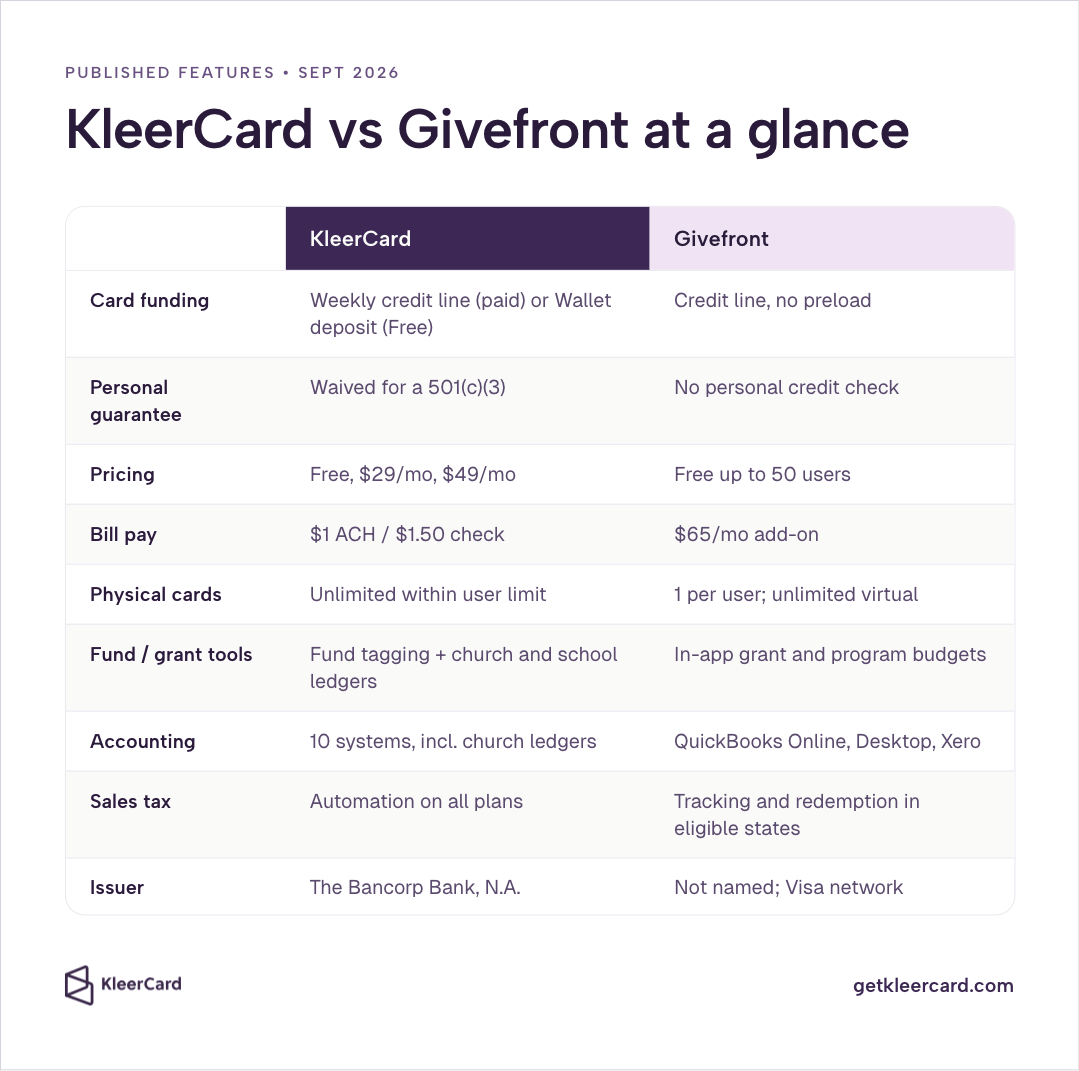
| What most teams buy | Visa Commercial card + expense software | Visa card + expense software with in-app grant and program budgets |
| How the card gets money | Paid plans: weekly credit line. Free: deposit in the KleerCard Wallet | Credit line based on the organization’s financial profile; no preload |
| Personal guarantee | Waived for a registered 501(c)(3) | No personal credit check; cards issued to the organization |
| Pricing (published) | Free; Standard $29/mo up to 15 users; Pro $49/mo up to 30 | Cards and expense management free up to 50 users. FAQ also lists $15/user/month for larger organizations |
| Bill pay | $1 ACH / $1.50 check | $65/month add-on |
| Physical cards | Unlimited cards inside the user limit | One physical card per user; unlimited virtual cards |
| Fund / grant tools | Fund tagging on the card; native church and school ledger connections | In-app budgets by grant, fund, or program |
| Accounting (published) | Aplos, ACS, Realm, Shelby, ParishSOFT, Blackbaud, PowerChurch, QuickBooks, NetSuite | QuickBooks Online, QuickBooks Desktop, Xero |
| Sales tax | Tracking on every plan, plus a free North Carolina refund tool | Tracking and redemption in eligible states |
| Issuer (published) | The Bancorp Bank, N.A. | Not named on Givefront.com. Network is Visa |
On Givefront, and on KleerCard Standard and Pro, the organization spends first and pays the balance. There is no published APR for leaving a leftover balance unpaid. KleerCard Free only spends what is already in the KleerCard Wallet. What counts as a credit card versus a deposit card is spelled out on Is KleerCard a credit card?.
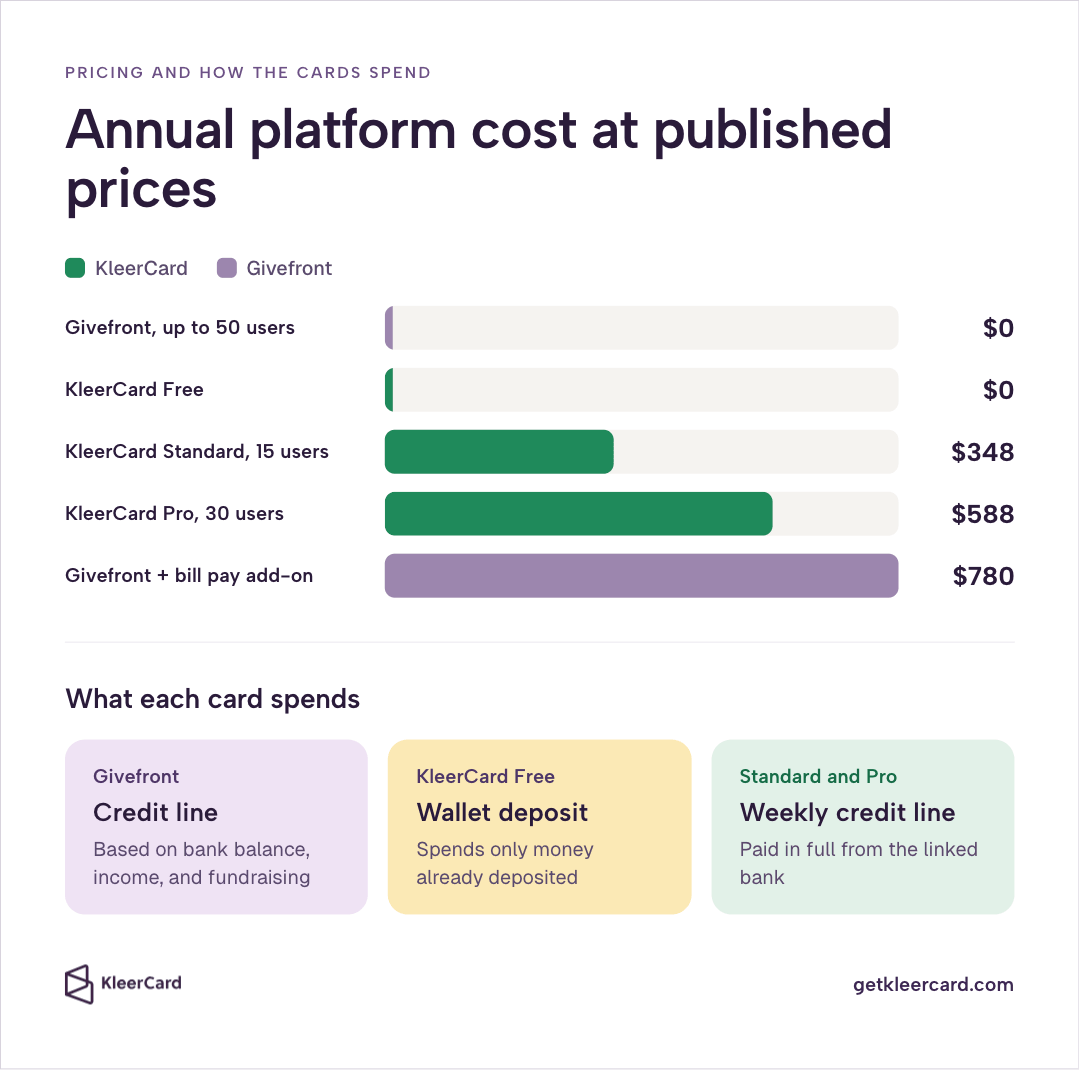
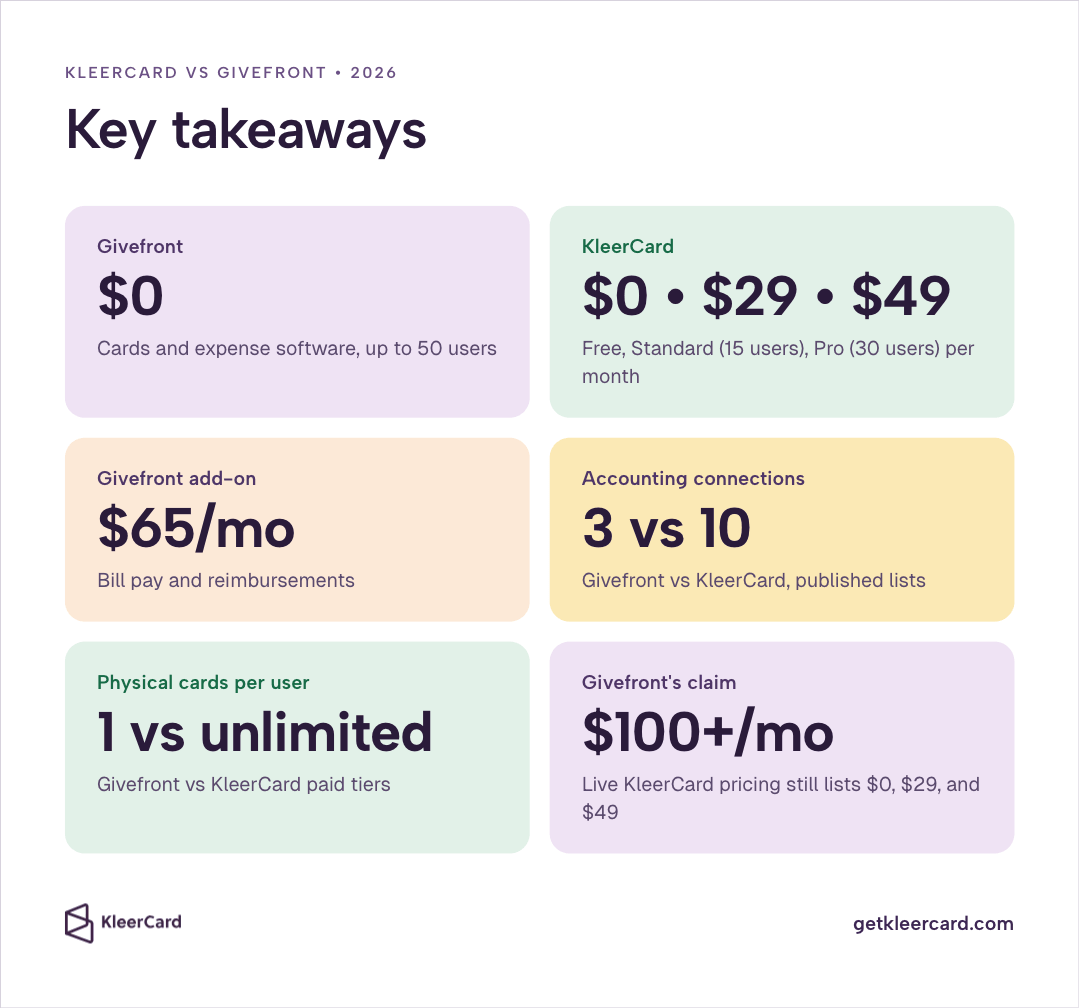
Givefront’s pricing page lists Cards and Expense Management as free for up to 50 users, with no annual card fees or setup costs. The same page sells Bill Pay and Reimbursements as a $65 per month add-on. Givefront’s FAQ also says larger organizations can access the platform starting at $15 per user per month. That $15 path is not on the pricing page. Budget the quote you are actually offered.
KleerCard Free is $0. Cards spend only the amount already deposited in the KleerCard Wallet. Standard is $29 per month for up to 15 users. Pro is $49 per month for up to 30. Paid plans attach a weekly credit line paid in full from the linked bank. Confirm live figures on KleerCard pricing.
My church runs about 21 cards. On Givefront’s published free tier that is $0 per year for cards and expense software. On KleerCard Pro it is $588 per year. If the only question is the platform fee under 50 users, Givefront wins on that fee. The $65 bill-pay add-on, or a $15 per user quote, changes the math.
Givefront cards spend a credit line. Givefront’s cards page says the limit is based on bank balance, income history, and fundraising volume. There is no published step where you load cash onto the card first.
KleerCard Standard and Pro spend a weekly credit line. Individual cards can still carry a hard budget, a $0 balance until a request is approved, merchant limits, and time windows. KleerCard Free still needs a Wallet deposit before a swipe goes through. Those Free rules do not apply to Standard or Pro.
A board that will not approve any credit line can stay on KleerCard Free and spend only the Wallet deposit. Givefront’s published card spends a credit line.
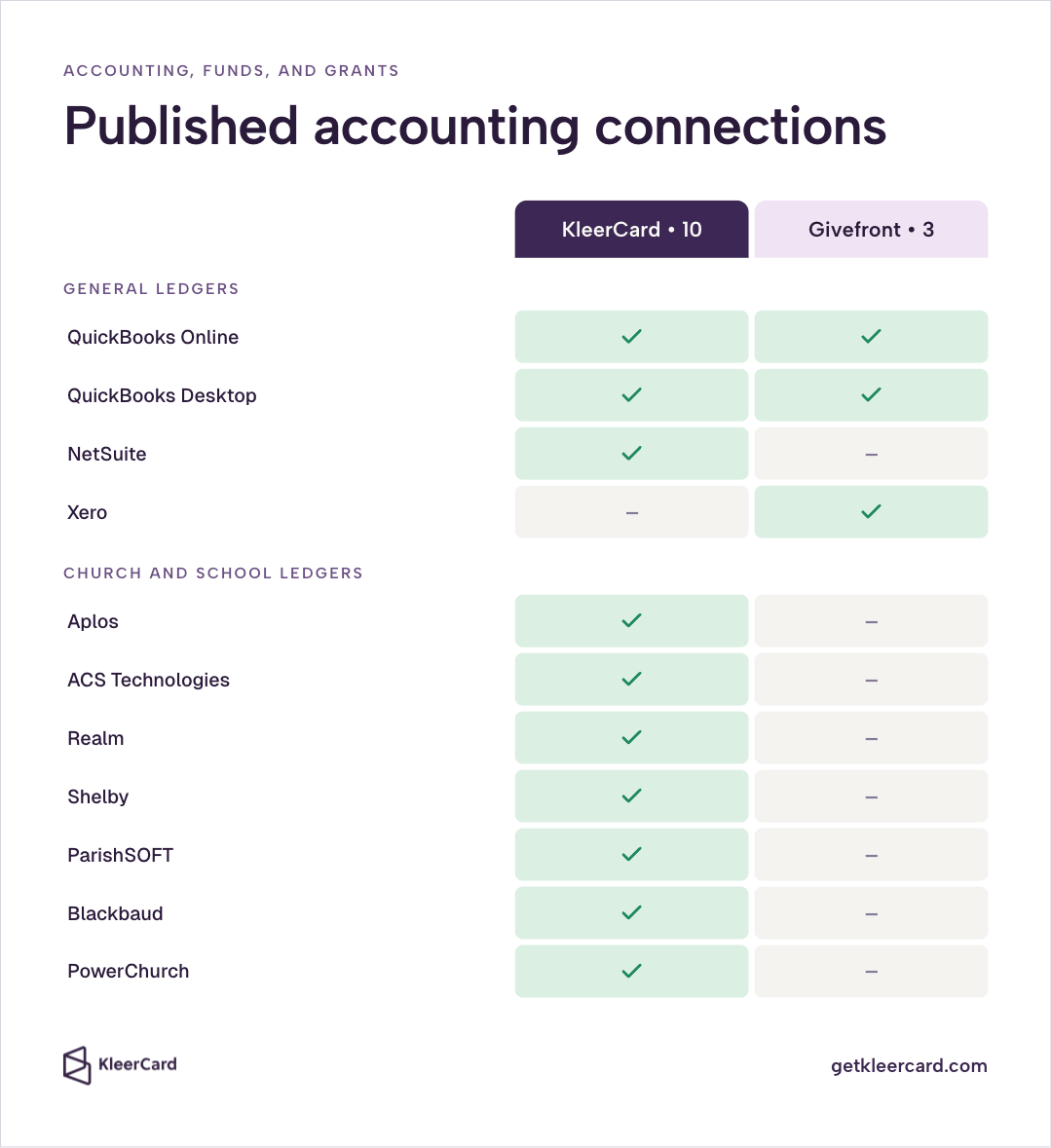
Givefront tags spend to grants, funds, and programs in the app and publishes QuickBooks Online, QuickBooks Desktop, and Xero as the accounting connections. Use Givefront if those three systems are the books you close in.
KleerCard connects to Aplos, ACS Technologies, Realm, Shelby, ParishSOFT, Blackbaud, PowerChurch, QuickBooks Online and Desktop, and NetSuite. If the books already live in a church or school ledger, a Givefront export still has to be entered there.
Both platforms can cap a card, restrict a merchant category, and collect receipts. Givefront publishes receipt collection by text. KleerCard attaches receipts in the app and can lock a card when a receipt is missing. Getting the receipt is similar on both. Month-end still depends on whether the charge shows up already coded in the ledger you use.
Givefront’s in-app grant and program budgets live inside Givefront. KleerCard’s fund tools are card budgets plus its church and school ledger connections. Tagging a grant in Givefront does not put that charge into Aplos, Realm, or Shelby by itself.
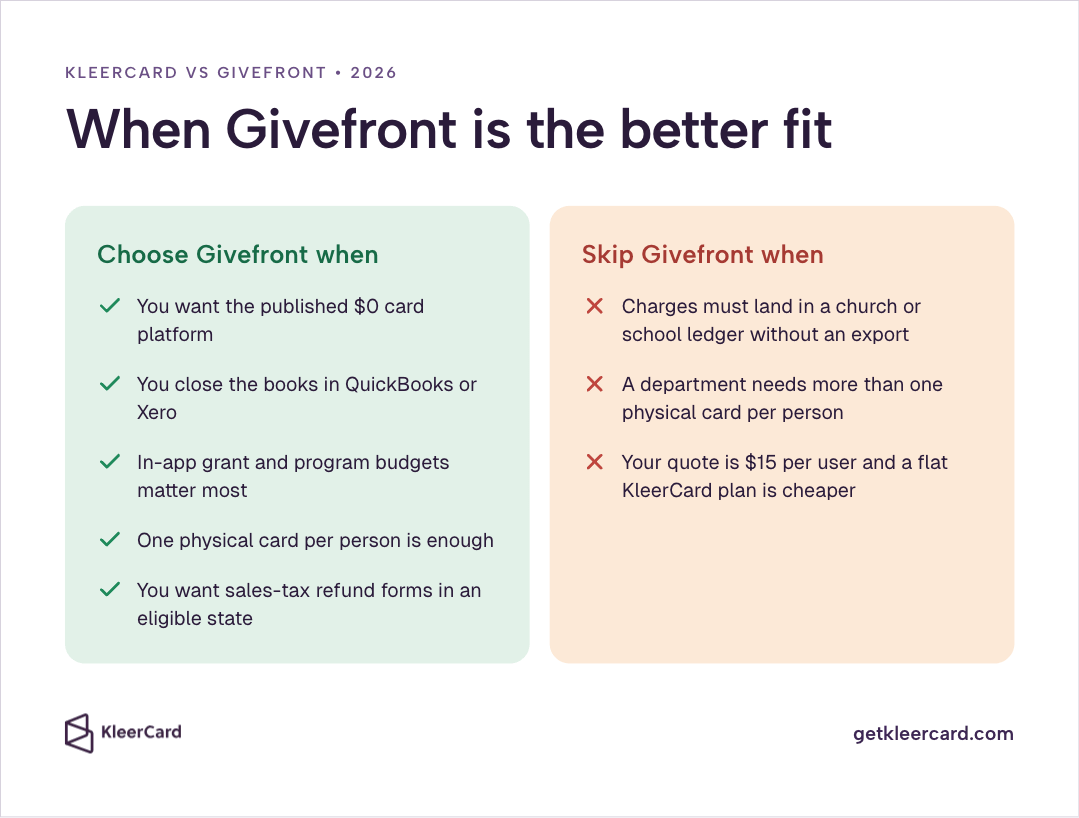
Givefront fits when the organization wants the published $0 card platform and already closes in QuickBooks or Xero. Givefront also fits when in-app grant and program budgets matter more than a connection into a church or school ledger, and when one physical card per person is enough because the rest of the spend can live on virtual cards.
Skip Givefront when charges need to land in a church or school ledger without a separate export, or when a department needs more than one physical card per person. Skip it too when the quote you receive is Givefront’s $15 per user path and a flat monthly KleerCard plan is cheaper.
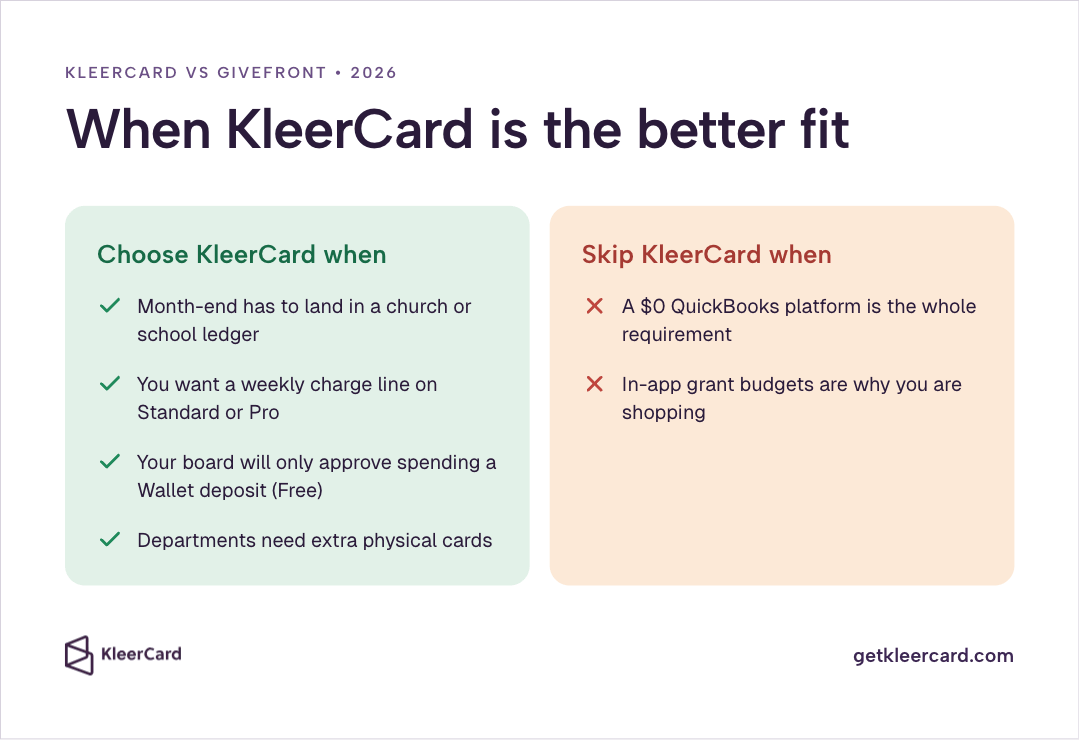
KleerCard fits when month-end has to land in a church or school ledger, not only in a QuickBooks or Xero export. It also fits when the office wants the weekly charge line on KleerCard Standard or Pro, or KleerCard Free if the board will only approve spending against a Wallet deposit.
Departments that need extra physical cards, not one card per user, stay inside KleerCard Standard or Pro’s user limits.
Skip KleerCard when a $0 QuickBooks platform is the whole requirement. Skip it when Givefront’s in-app grant budgets are why you are shopping.
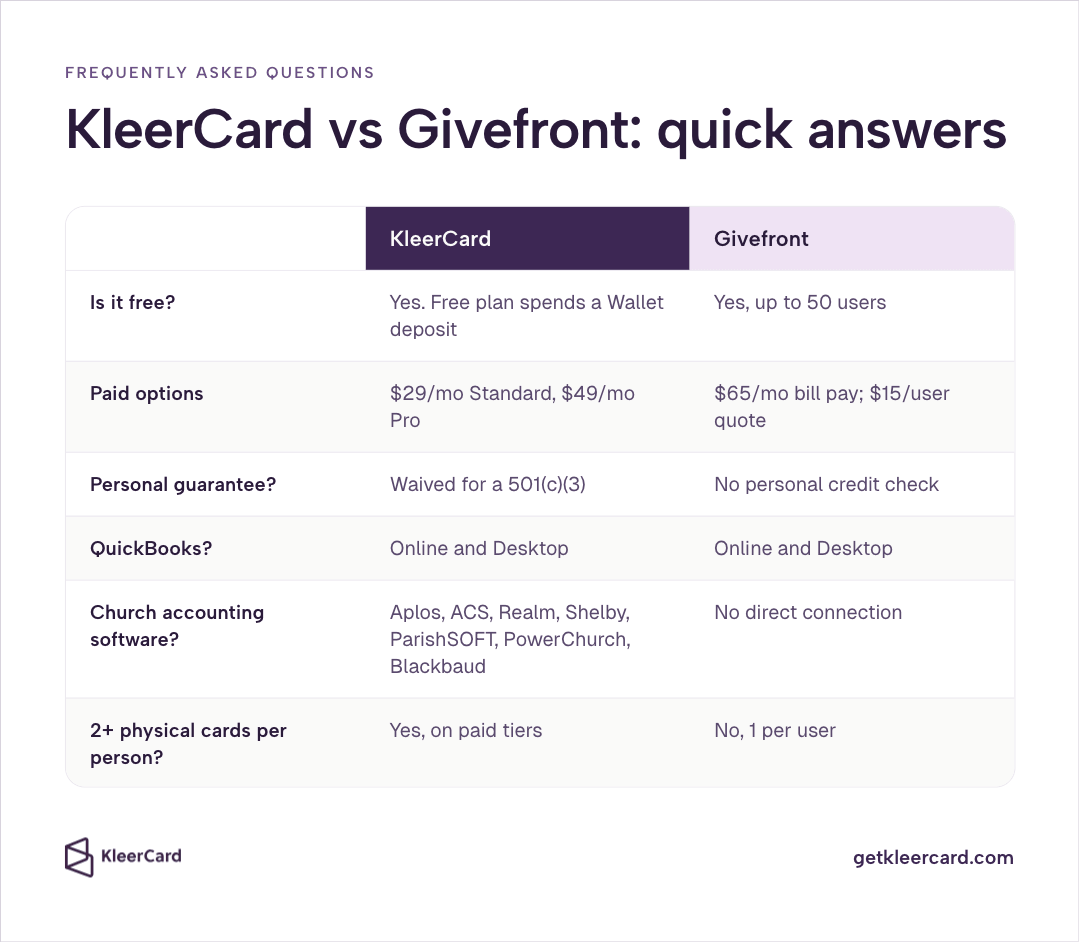
Givefront’s pricing page lists cards and expense management as free for up to 50 users. Bill pay and reimbursements are a $65 per month add-on. The FAQ also lists a $15 per user month path for larger organizations. Confirm which quote applies.
Yes. KleerCard Free is $0 and spends a KleerCard Wallet deposit. Standard is $29 per month. Pro is $49 per month. Givefront’s comparison page has said KleerCard is no longer free and starts above $100 per month. Those figures do not match the live KleerCard pricing page.
KleerCard waives the personal guarantee for a registered 501(c)(3); Givefront publishes no personal credit check and issues cards to the organization. See eligibility and credit cards for nonprofits with no personal guarantee. Confirm current underwriting on each application.
Under 50 users, Givefront’s published card platform is $0 and KleerCard Standard is $29 per month. Add Givefront’s $65 bill-pay add-on, or a $15 per user quote, before you call either option free. Run the live pages on the day you decide.
Givefront publishes QuickBooks Online, QuickBooks Desktop, and Xero, and does not connect directly to church accounting software. KleerCard publishes those three plus Aplos, ACS, Realm, Shelby, ParishSOFT, PowerChurch, and Blackbaud. If you close the books in one of those church systems, that published list is what you are choosing.
Givefront allows one physical card per user; KleerCard paid tiers allow more than one physical card inside the user limit. Virtual cards cover a lot of online spend. They do not replace a second piece of plastic in a department that hands cards around.


Speak to a member of our team and we can have you up and running in minutes, not weeks.